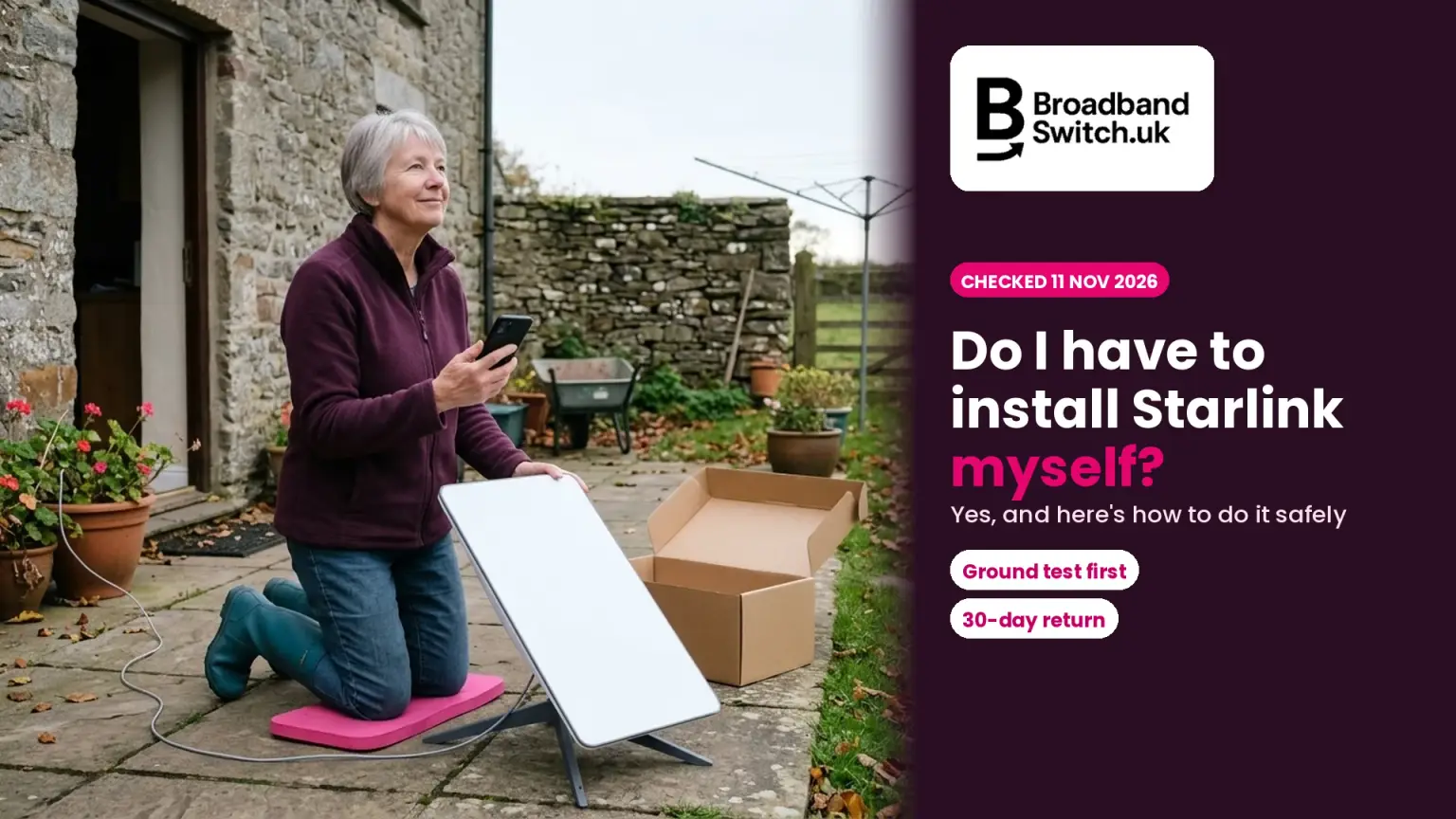
Yes, Starlink is designed for you to install yourself. Here's how to do it safely, starting on the ground, and when a mount, your council, your landlord or a professional needs to be involved
Checked 11 November 2026
Do you have to install Starlink yourself?
You do
The app guides you
Starlink's UK terms make you responsible for finding a spot with a clear view of the sky.
£0 extra
The kickstand is in the box
Starlink says a partial view of the sky is often enough.
£50 to £90
Wall, ridge or roof mount
UK Starlink Shop, 11 November 2026. A 45-metre cable is £130.
30 days
Full refund, including view problems
For an undamaged, unmodified kit bought on starlink.com.
Yes, you install Starlink yourself. The kit comes with a kickstand, a router and a 15-metre cable, and the Starlink app checks the view of the sky and tells you if the dish needs turning. Test it on the ground first, before you drill or climb anything. If the garden won't work, mounts cost £50 to £90 in the UK Starlink Shop, and Starlink lists one UK installer, SAT-Works. If no spot works, Starlink's UK terms allow a full refund within 30 days for an undamaged, unmodified kit.
Check what else reaches your address first
Before you settle on a dish, put your postcode in to see every broadband deal at your address, including full fibre, 4G and 5G.
- ✓Every deal at your address, including providers that don't pay us
- ✓Setup fees and price rises shown next to each deal
- ✓Switching is led by your new provider
Prefer to talk it through? Call us on 0330 122 1223
Key facts, verified 11 November 2026
- Starlink's UK terms say you are "responsible for the installation of the Starlink Kit in a location that has a clear field of view of the sky" (Starlink Terms of Service, checked 11 November 2026).
- Every current UK home kit includes the dish, a kickstand, a router and a 15-metre Starlink cable, and the V5 kit adds a pipe adapter for poles (Starlink Help Centre, checked 11 November 2026).
- Starlink says "A partial view is often enough", and that the dish's field of view is about 110° (Starlink Help Centre, checked 11 November 2026).
- In the UK Starlink Shop, the Wall Mount costs £50, the Ridgeline Mount £75, the Pivot Mount £90 and a 45-metre cable £130 (Starlink Shop, checked 11 November 2026).
- Starlink lists one UK installer, SAT-Works, for Residential plans, and says pole mounts "cannot be performed by installers" (Starlink Help Centre, checked 11 November 2026).
- Starlink advises against cutting or joining its cable, and says it "is not rated to be buried or under water" (Starlink Help Centre, checked 11 November 2026).
- In England, a house can usually have up to two dishes without planning permission, one of them up to 1 metre long, with tighter limits on chimneys and in protected areas (legislation.gov.uk, checked 11 November 2026).
- The permitted development rights that apply to many projects for houses "do not apply to flats" (Planning Portal, checked 11 November 2026).
- An undamaged, untampered and unmodified kit bought on starlink.com can be returned within 30 days of the Payment Due Date for a full refund, including for field-of-view problems (Starlink Terms of Service, checked 11 November 2026).
- Starlink's kit warranty in the UK runs for 24 months, alongside your legal consumer rights (Starlink Limited Warranty, checked 11 November 2026).
Who this is for: anyone who has ordered Starlink, or is thinking about it, and wants to know whether they can set it up without help: rural households, farms, older readers who'd rather not climb a ladder, and renters. We follow one example: Gwen lives in a farmhouse in Powys, her copper line struggles in the evenings, and her biggest worry is the roof. Gwen is an example built from the calls we take on our help line, not a real customer.
Do I have to install Starlink myself?
Direct answer: Yes, in most cases. Starlink is designed for self-installation: the kit has a kickstand so the dish can stand on the ground, and the Starlink app guides you. Starlink's UK terms make you responsible for finding a spot with a clear view of the sky.
This came up on our help line this month, usually from someone already picturing a ladder. The good news is that you may not need one: the dish can stand in the garden on its kickstand, and the app shows whether the spot works.
Starlink's UK terms of service are clear about who does the work: "You are responsible for the installation of the Starlink Kit in a location that has a clear field of view of the sky, per the Starlink App and the Install Guide." The same section adds: "If you cannot safely install the Starlink Kit, do not install it and seek professional assistance."
So the job has two parts. Finding a good spot is done with your phone, standing in the garden. Fixing the dish somewhere high is a different job, and that's where you may want help.
Still deciding on Starlink? Our guide to whether Starlink is good for rural UK broadband and our Starlink prices and plans page cover the basics.
What comes in the Starlink box?
Direct answer: The dish, a kickstand, a router, a 15-metre Starlink cable and the power cables. The router depends on the kit: Standard 4 X comes with Router 3, while Standard 4 and the newer V5 come with Router Mini and a separate power supply. Mounts are extra.
Starlink sells several kits in the UK, and its UK shop lists Starlink V5, Mini, Standard 4 and Standard 4 X. Check which one is in your box before you follow a guide, because the cables differ. Starlink's Standard 4 guide warns: "Do not swap the Starlink cable and the Starlink Ethernet cable."
| Kit | Router | How it connects | Also in the box |
|---|---|---|---|
| Standard 4 X | Router 3 | Dish cable into port 1 on the router | Kickstand, 15 m Starlink cable, power supply and 1.5 m power cable |
| Standard 4 | Router Mini, with stand | Dish cable into a two-port power supply, then an Ethernet cable to the router | Kickstand, 15 m Starlink cable, 2 m Starlink Ethernet cable, 1.5 m power cable |
| V5 | Router Mini, with stand | As Standard 4, using the same two-port power supply | Kickstand, pipe adapter, 15 m Starlink cable, 2 m Ethernet cable, 1.5 m power cable |
The dishes differ too. Starlink's Standard 4 X specification gives the V4 dish as 594 by 383 mm and 2.9 kg. The V5 specification gives 384 by 306 mm and 1.1 kg.
Whichever kit you have, the router stays indoors. Starlink's Standard 4 guide says Router Mini "is indoor only (not waterproof)", and its specification says Router 3 is "configured for indoor use". The Mini, Starlink's small travel dish, has its router built in.
How do I set up Starlink step by step?
Direct answer: Download the Starlink app, find a spot with a clear view of the sky, plug the Starlink cable into the dish, connect the router and switch on. The app tells you if the dish needs turning, then you join the STARLINK Wi-Fi network.
These are the steps in Starlink's Standard 4 X set-up guide and its V5 guide, in the order Gwen followed them. She did the whole thing on the patio first, before deciding where the dish would live.
Set up Starlink in six steps
Get the app
Scan the QR code in the box to download the Starlink app.
Check the sky
Use the app's obstruction check where you'd like the dish to go.
Plug in the dish
Lift the kickstand and push the cable in, locking feature up, until it's flush.
Connect and switch on
Router 3: dish cable into port 1. Router Mini: into the power supply, then Ethernet to the router.
Turn it if asked
If the app shows an alignment alert, rotate the dish by hand to match.
Join the Wi-Fi
Join the STARLINK network, then set your own name and password.
Two details catch people out. The plug has no release tab: Starlink says to "pull firmly outward" to remove it. And on Router 3, the dish cable goes into the port marked with the antenna symbol, not the spare ports under the cover.
Where should I put the Starlink dish?
Direct answer: Somewhere with a clear view of the sky, away from trees, buildings and poles. Starlink says a partial view is often enough, and the app's obstruction check shows what's in the way before you fix anything. Start at ground level.
Starlink's set-up guide says "A tree branch, pole, or roof that blocks the connection will cause service interruptions." Its printed guide tells you to "Use the obstruction tool in the App to ensure you have selected a suitable mounting location." And its Standard 4 guide adds that the field of view "is about 110°" and "A partial view is often enough."
Choosing a spot for the dish
A good spot
Open sky
The app's obstruction check comes back clear, or nearly clear.
Within reach of the cable
15 metres to the router, without kinks or trapped cable.
Firm and steady
Flat ground or a solid surface, away from other equipment.
Easy to look after
Somewhere you can brush off leaves, and where snow won't pile up.
Think again if
Trees are close
Branches cause dropouts, and trees grow, so recheck each spring.
The house is in the way
A wall or roof edge can block part of the sky.
The cable crosses a path
It's a trip hazard, and feet and wheels can damage it.
It would sit under a cover
Starlink's terms say no cover or radome unless it approves.
Gwen's first spot, by the back door, showed a gap in the app's sky view where the barn roof was. Moving the dish a few metres onto the lawn cleared it. If you can't find a clear view from the ground, Starlink's guide suggests "an elevated location such as a roof, pole, or wall".
Winter is less of a worry than people think. Starlink's specification sheet says the dish can melt snow at up to 40 mm an hour and works from minus 30°C to 50°C. At ground level, just keep drifting snow from piling up around it.
Do I need a mount for Starlink, and what do they cost?
Direct answer: Not if the dish works on its kickstand. If it needs height, the UK Starlink Shop sells mounts: on 11 November 2026 the Wall Mount was £50, the Ridgeline Mount £75 and the Pivot Mount £90. The V5 kit includes a pipe adapter.
We checked the UK Starlink Shop on 11 November 2026 for the mounts that fit Standard 4 and Standard 4 X kits. Here's what each one is for, from Starlink's accessories guide.
What Starlink mounts and extras cost in the UK
For the V5 kit, the shop listed only routers and the 45-metre cable when we checked, though Starlink has published a guide to a V5 Home Mount. The V5 pipe adapter is already in the box.
The Ridgeline Mount needs a closer look. Starlink's guide rates it to 80 kph (50 mph) of wind and says it is "not recommended for clay tile roofs". That's well below the dish itself, which Starlink rates as operational in winds of 96 kph (60 mph) or more.
Starlink's V5 guides add a warning that applies to any mount: "Mounts are not designed for high winds, hurricane or tornado wind loads", and "Tethering should be used in all cases". In a British winter, that's worth taking seriously.
Is it safe to put Starlink on my roof myself, or should I get an installer?
Direct answer: Only do roof work if you're trained and properly equipped. HSE guidance says ladders suit low-risk, short-duration tasks and shouldn't automatically be your first choice. For a roof, chimney, high wall or pole, use a professional and get a written quote.
The Health and Safety Executive writes for workplaces, not homes, but its ladder guidance is the best benchmark there is: "ladders can be a sensible and practical option for low-risk, short-duration tasks, although they should not automatically be your first choice". Starlink says a professional installation typically takes around 90 minutes, which is a long time to spend on a ladder.
Do it yourself, or get a professional?
Usually fine to do yourself
On the ground
The kickstand on a lawn, yard or patio.
A short mast at ground level
Such as the X-Frame Base, within easy reach.
A low post
Something you can reach with both feet on the ground.
Indoors
Placing the router in the open and setting up the Wi-Fi.
Get a professional
Roofs and chimneys
Any job where a fall could hurt you.
High gable walls
Anything that needs a long ladder.
Poles and masts
Starlink's installers don't fit pole mounts, so use a specialist.
Drilling through walls
Starlink warns: "Avoid studs, electrical wiring and water lines when drilling."
Starlink's own V5 install guide puts it plainly: "If you are uncomfortable with any part of the installation process, do not attempt it." It warns that drilling into wiring, studs or pipes "can lead to fire, shock, injury or death", and that poor drilling and sealing can let water in.
A permanent roof fixing can also affect your roof. Starlink's terms ask you to accept "the potential risks associated with this type of installation, including, without limitation, with respect to any warranty that applies to your roof".
If you'd rather hand it over, Starlink's installer page lists one UK installer, SAT-Works, for Residential plans. It says its installers "have completed Starlink training to set up and activate your kit". You contact and pay the installer directly, unless an installation came with your order.
What a standard professional installation covers
A site check
The installer picks the best spot on the day.
Mounting
On a roof, wall, fascia or gutter, with a standard mount, including basic sealed holes.
Cable routing
From the dish to the nearest point into your home.
Setup and testing
Router, Wi-Fi name and password, alignment, speed and obstruction checks.
Pole mounts
Not included, and Starlink says installers can't fit them.
Extras
Longer cables, trenching, special routing, long travel or some home types can cost more.
Taking it down later
Starlink doesn't support deinstallation.
Starlink also says it "is not responsible for any damage or liability related to third-party installations". So whoever you use, ask for a written quote that lists the mount, cable and labour separately, check they have public liability insurance, and ask how they'll work at height. That's our advice, not a Starlink rule.
Working out the full cost? See why Starlink quotes differ, and check whether a grant can help.
Do I need planning permission for a Starlink dish?
Direct answer: Usually not, for a house. In England, permitted development allows up to two dishes, one up to 1 metre long, within height limits, and any dish on a chimney must be 0.6 metres or less. Flats, listed buildings and protected areas differ.
In England, dishes on houses come under "Class H" of the permitted development rules, on legislation.gov.uk. It covers a dish "on a dwellinghouse or within the curtilage of a dwellinghouse", so a dish in your garden counts too, and so does any TV dish you already have.
Here's the part most planning pages skip. The rules measure a dish "in any linear direction", so for a rectangular dish the longest measurement is the diagonal. By our sums, that's about 71 cm for the V4 dish and about 49 cm for the V5.
| The rule (England, houses) | V4 dish | V5 dish |
|---|---|---|
| No more than 2 dishes, TV dishes included | Counts as one | Counts as one |
| Only one over 0.6 m in any direction | About 71 cm: your one larger dish | About 49 cm: under 0.6 m |
| None over 1 m | Under 1 m | Under 1 m |
| On a chimney: 0.6 m at most | Too long | Within the size limit |
| 35 litres at most | About 9 litres | About 4 litres |
| Height: not above the roof (more leeway with a chimney) | Applies | Applies |
Our reading of the rules, using Starlink's published sizes. Length leaves out mounts and brackets. Unsure? Your council can confirm with a lawful development certificate.
Two conditions apply too: site a dish to keep its effect on the building's appearance down, "so far as practicable", and take down one you no longer use.
Rules are tighter in conservation areas, National Landscapes (areas of outstanding natural beauty), National Parks, the Broads, World Heritage Sites and a few other protected areas. There, a dish can't go on a chimney, wall or roof slope that faces onto, and can be seen from, a highway (or in the Broads, a waterway), or on a building over 15 metres tall. And the Planning Portal says the permitted development rights for many house projects "do not apply to flats".
Wales is similar. Scotland and Northern Ireland work differently, and in a Scottish conservation area any dish needs permission.
| Nation | On a house | In protected areas | Where to check |
|---|---|---|---|
| England | Up to 2 dishes: one up to 1 m, the other up to 0.6 m. 0.6 m at most on a chimney. 35 litres each | Not on a chimney, wall or roof slope facing and visible from a highway, or a building over 15 m | Planning Portal, or your council |
| Wales | Up to 2: one up to 100 cm, the other up to 60 cm. 60 cm on a chimney. 35 litres each | Conservation areas, National Parks, AONBs and World Heritage Sites: not on a chimney, wall or roof slope facing and visible from a road | Welsh Government guide, or your council |
| Scotland | Allowed if it sticks out no more than 1 m from the wall, roof or chimney | Conservation areas: any dish needs planning permission | mygov.scot, or your council |
| Northern Ireland | Check with your council | Conservation areas: permission needed facing and visible from a road, or on a building over 15 m | nidirect, or your council |
In Wales, the Welsh Government's householder guide sets the limits in the table, and its page on flats says leaseholders "may need to obtain permission from the landlord, freeholder or management company".
In Scotland, the Scottish Government's householder guidance treats a dish as a small alteration that can stick out no more than 1 metre from the wall, roof or chimney, and says "There are no Class 2B permitted development rights in a conservation area." So mygov.scot says you need planning permission for "any additions if your home is in a conservation area".
In Northern Ireland, nidirect says a dish on a chimney, wall or roof slope that faces onto and is visible from a road in a conservation area "requires planning permission". Wherever you live, if your home is listed, speak to your council before fixing anything to it: the Welsh Government warns that works affecting a listed building's special historic character without consent are "a criminal offence".
I rent or live in a flat: can I install Starlink?
Direct answer: You may be able to, but ask first. Starlink's UK terms make you responsible for your lease and any landlord approval. A dish on its kickstand in a garden or yard you rent needs no drilling, but get written permission before anything is fixed to the building.
Starlink's terms say it's your responsibility to comply with "lease obligations and landlord/owner approvals and requirements for the installation of the Starlink Kit". So the landlord's say comes first.
Check your tenancy agreement too. Council landlords such as Leeds City Council list satellite dishes among the changes tenants need permission for, and say: "You must get written permission before starting any work."
Renting or in a flat: a five-point checklist
Try the kickstand first
In a garden, yard or balcony you rent, with no drilling. See what the app says.
Ask in writing
Tell your landlord, freeholder or managing agent where the dish and cable would go.
Check your lease
Your lease or tenancy agreement may cover dishes and fixings.
Keep the 30 days in mind
If permission is refused and no free-standing spot works, an unmodified kit bought on starlink.com can go back.
Don't drill first
Fixing a dish without permission can breach your lease or tenancy.
More on your rights: broadband for renters and landlord and tenant broadband rights in each nation.
How long is the Starlink cable, and can I extend it?
Direct answer: The Starlink cable is 15 metres in every current home kit. If you need more, Starlink sells a 45-metre cable for £130. Starlink advises against cutting or joining cables, and says the cable isn't rated to be buried or under water.
Starlink's cable guide says "we do not recommend modifying your cable or combining it with another cable to add length as we cannot guarantee the quality of service". It adds that the cable has a water-resistant seal and is power rated for the kit, and that damage caused this way "may void your Starlink warranty".
Getting the cable indoors safely
Walk the route first
From the dish to a socket indoors, before you settle on a spot.
Don't trap it
Starlink says keep cables "free of kinks, debris or door jambs", so don't run it through a closing door or window.
Use a routing kit through walls
The Cable Routing Kit (£43) or Masonry Routing Kit (£50) passes the cable through most walls.
Keep it above ground
Starlink says the cable "is not rated to be buried or under water".
Need more length? Buy Starlink's
The 45-metre Starlink cable is £130. Don't join an ordinary network cable on.
Gwen's lawn spot was about 12 metres from the kitchen, so the cable in the box was enough. She ran it along the bottom of the wall, not across the path, and in through a routing kit fitted by a local electrician.
Test your new Starlink connection
Once you're online, run a speed test near the router, then in the rooms you use most. It shows whether any slowness is the dish or your Wi-Fi. UKSpeedTest is free.
Test your speed →What if Starlink won't work at my home: can I send it back?
Direct answer: Yes, if you bought it on starlink.com. Starlink's UK terms allow a full refund for an undamaged, untampered and unmodified kit returned within 30 days of the Payment Due Date, "including the inability to receive Services due to field-of-view issues".
Starlink's UK terms set the Payment Due Date as the earlier of the day you activate the kit and 30 days after Starlink ships it. So set it up the week it arrives, on the ground, before you buy mounts or drill anything.
Your return window, and your warranty
To start a return, Starlink's returns guide says you cancel the service in your Starlink account and tick the box to return your hardware. Bought from a shop instead? Starlink says to contact the retailer or reseller directly.
Starlink's 30 days go further than the law. For goods bought online, the Consumer Contracts Regulations give you 14 days to cancel, counted from the day after you receive them. If you rented the kit, a return in time refunds the activation price and your first month's fees, and the kit must go back in good condition within 30 days of cancelling, or you're charged its full retail price.
What do the Starlink router lights mean?
Direct answer: Flashing white means the router is trying to connect, solid white means you're online, and red means no internet. The light turns off after an hour of good connection, so no light can be normal. Violet means bypass mode.
What the lights mean
Router 3 and Router Mini
Flashing white
Trying to connect. Turns red if there's no internet within 20 minutes.
Solid white
Connected. The light turns off after an hour.
No light
No power, or connected for more than an hour.
Red
Not connected to the internet.
Violet
Bypass mode. A factory reset is needed to leave it.
Two-port power supply (Standard 4 and V5)
Both off
No power to the power supply.
Blinking white
A port is ready for a Starlink product.
Solid white on both
Both ports are powering Starlink products: healthy.
Solid orange
Hardware problem. Contact Starlink support.
Solid red
The power supply is too hot.
If you can't get online, Starlink's guide suggests this order: check the app for alerts, outages or obstructions; check the router light; make sure everything is plugged in and undamaged; unplug the router and plug it back in; then factory reset it with a paper clip. If none of that works, contact Starlink support in the app.
Fine near the router but weak upstairs? That's a Wi-Fi problem, not a Starlink one. Starlink says Router 3 covers up to 297 m² and Router Mini up to 204 m², and our guide to mesh and extenders explains the options. RouterMap helps you find the best spot for the router.
What should I do now?
Today
Unbox the kit, download the Starlink app and run the obstruction check in two or three spots in your garden.
This week
Test it on the kickstand while it's still returnable. If the ground works, you may be done. If not, note where the app is happy.
Before you fix anything
Check the planning rules for your home, get your landlord's OK in writing if you rent, and decide whether a professional should do the high part.
When you're ready
Buy only the mount you need, route the cable carefully, then test your speed. Ring us on 0330 122 1223 if you'd like a hand.
Not sure Starlink is your best option?
Put your postcode in to see every broadband deal at your address, then compare it with Starlink's prices and plans.
- ✓Every deal at your address, including providers that don't pay us
- ✓Setup fees and price rises shown next to each deal
- ✓Free help on 0330 122 1223, Monday to Friday
Prefer to talk it through? Call us on 0330 122 1223
In summary
- Starlink is designed for you to set up yourself: the kit has a kickstand, and the app checks the view and alignment.
- Test it on the ground first. Starlink says a partial view of the sky is often enough.
- If you need height, mounts cost £50 to £90 in the UK shop, and roof work is a job for a professional.
- A house usually doesn't need planning permission for a dish within the size limits. Flats, listed buildings and protected areas differ.
- If no spot works, an undamaged, unmodified kit bought on starlink.com can go back within 30 days for a full refund.
Alex's closing thought
Starlink came up on our help line this month, and the install question was usually asked by someone already picturing a ladder against the house. My answer is always the same: start in the garden. The kickstand is in the box, the app shows you whether the spot works, and it costs nothing to try. If it only works from the roof, that's a job for someone with the right kit and insurance, not a Sunday afternoon on your own. And if you'd like to check what else reaches your address first, ring us on 0330 122 1223.
Keep going
Before you order
Other options
Know someone about to climb a ladder for Starlink?
Share this first. The garden test might save them the climb.
Cite this page
You're welcome to quote or link to this guide. Please credit BroadbandSwitch.uk and link to this page.
In a sentence: You can usually install Starlink yourself, because the UK kit includes a kickstand and the app checks the view, so test it on the ground first; mounts cost £50 to £90 in the UK Starlink Shop (11 November 2026), Starlink lists one UK installer, SAT-Works, and an undamaged, unmodified kit bought on starlink.com can be returned within 30 days for a full refund.
Martin-Smith, A. J. (2026, November 12). Do I have to install Starlink myself? UK guide (2026). BroadbandSwitch.uk. https://broadbandswitch.uk/insights/do-i-install-starlink-myself/
Frequently asked questions
Do I have to install Starlink myself?
Usually, yes. Starlink is designed for self-installation: the kit has a kickstand and the Starlink app guides you. Starlink's UK terms make the customer responsible for installing it somewhere with a clear view of the sky.
What comes in the Starlink box?
The dish, a kickstand, a router, a 15-metre Starlink cable and power cables. Standard 4 X comes with Router 3. Standard 4 and V5 come with Router Mini and a separate power supply, and V5 adds a pipe adapter.
How long does Starlink take to set up?
Starlink says the kit arrives with everything you need to get online in minutes. A professional installation with a mount typically takes around 90 minutes, according to Starlink's Help Centre.
Does Starlink need a clear view of the sky?
Yes, though Starlink says a partial view is often enough. Trees, buildings and poles can block the signal, so run the obstruction check in the Starlink app before you fix the dish anywhere.
Do I need planning permission for Starlink?
Usually not for a house. In England, permitted development allows up to two dishes, one up to 1 metre long, not above the roof. Flats, listed buildings and protected areas have stricter rules, so check with your council.
Can I put Starlink on my chimney?
In England, by our reading of the rules, not the V4 dish under permitted development: it measures about 71 cm diagonally, and dishes on chimneys are limited to 0.6 metres. The smaller V5 is about 49 cm. Chimney work needs a professional.
Who installs Starlink in the UK?
Starlink's Help Centre lists SAT-Works as its UK installer for Residential plans. A standard installation includes a site check, a standard mount, cable routing and setup, but not pole mounts.
How much does professional Starlink installation cost?
Starlink doesn't publish a UK price. Ask for a written quote that lists the mount, cable and labour separately. Starlink says extended travel, some home types, longer cables and trenching can cost extra.
Can I extend the Starlink cable?
Not by joining cables. Starlink advises against modifying its cable or combining it with another, and sells a 45-metre Starlink cable, which cost £130 in the UK shop on 11 November 2026.
Can I bury the Starlink cable?
No. Starlink says the cable is not rated to be buried or under water. For a long run across a garden, ask an installer, and expect trenching to cost extra.
Can I return Starlink if it doesn't work at my house?
Yes, if you bought it on starlink.com. Starlink's UK terms allow a full refund for an undamaged, untampered and unmodified kit returned within 30 days of the Payment Due Date, including for field-of-view problems.
Does Starlink work in snow?
Starlink's specification sheet says the dish can melt snow at up to 40 mm an hour and works from minus 30°C to 50°C. A dish at ground level can still be blocked by drifting snow, so keep the area around it clear.
References
- Health and Safety Executive. (n.d.). Safe use of ladders and stepladders. Retrieved 11 November 2026, from https://www.hse.gov.uk/work-at-height/ladders/index.htm
- Leeds City Council. (n.d.). Improvements and alterations to your home. Retrieved 11 November 2026, from https://www.leeds.gov.uk/housing/council-housing-information-for-tenants/your-tenancy/improvements-and-alterations-to-your-home
- nidirect. (n.d.). Conservation areas and advice. Retrieved 11 November 2026, from https://www.nidirect.gov.uk/articles/conservation-areas-and-advice
- Planning Portal. (n.d.). Satellite dishes, aerials and antennae. Interactive house. Retrieved 11 November 2026, from https://interactive.planningportal.co.uk/terraced-house/outside-terraced-house/satallite-dishes-aerials-and-antennae
- mygov.scot. (n.d.). Attach something to or alter the outside of your house. Retrieved 11 November 2026, from https://www.mygov.scot/attach-outside-house
- Scottish Government. (2021). Householder permitted development rights: Guidance, updated 2021. Retrieved 11 November 2026, from https://www.gov.scot/publications/householder-permitted-development-rights-guidance-updated-2021/pages/6/
- Starlink. (n.d.-a). Does Starlink provide installers? Starlink Help Centre. Retrieved 11 November 2026, from https://starlink.com/gb/support/article/8900d5b8-8c20-3731-8406-a43af529d6e0
- Starlink. (n.d.-b). How do I return my Starlink kit? Starlink Help Centre. Retrieved 11 November 2026, from https://starlink.com/gb/support/article/a522bcf2-1e26-981f-1530-c05052fe2b9c
- Starlink. (n.d.-c). How much cable do I have and how do I route it indoors? Starlink Help Centre. Retrieved 11 November 2026, from https://starlink.com/gb/support/article/a9ce50c2-5b2e-46d8-2b21-90a7a1713f52
- Starlink. (n.d.-d). Shop [United Kingdom]. Retrieved 11 November 2026, from https://starlink.com/gb/public/shop
- Starlink. (n.d.-e). Standard 4: Set-up guide. Starlink Help Centre. Retrieved 11 November 2026, from https://starlink.com/gb/support/article/d3ffa343-9e3f-e1b8-fb1c-4b40d5de2df4
- Starlink. (n.d.-f). Standard 4 X: Setup guide. Starlink Help Centre. Retrieved 11 November 2026, from https://starlink.com/gb/support/article/412a70ca-0d9a-813e-b18f-75c36b84ec06
- Starlink. (n.d.-g). Standard 4 X setup guide [PDF]. Retrieved 11 November 2026, from https://starlink.com/public-files/installation_guide_standard_kit.pdf
- Starlink. (n.d.-h). Standard 4 X specifications [PDF]. Retrieved 11 November 2026, from https://starlink.com/public-files/specification_sheet_standard.pdf
- Starlink. (n.d.-i). Standard accessories guide [PDF]. Retrieved 11 November 2026, from https://starlink.com/public-files/accessories_guide_standard.pdf
- Starlink. (n.d.-j). Starlink limited warranty. Retrieved 11 November 2026, from https://starlink.com/legal/documents/DOC-1133-73441-63
- Starlink. (n.d.-k). Starlink terms of service [United Kingdom]. Retrieved 11 November 2026, from https://starlink.com/legal/documents/DOC-1026-18522-63?regionCode=GB
- Starlink. (n.d.-l). Starlink V5 install guide [PDF]. Retrieved 11 November 2026, from https://starlink.com/public-files/installation_guide_v5_kit_en-GB.pdf
- Starlink. (n.d.-m). Starlink V5 specifications [PDF]. Retrieved 11 November 2026, from https://starlink.com/public-files/specification_sheet_v5_en-GB.pdf
- Starlink. (n.d.-n). V5: Set-up guide. Starlink Help Centre. Retrieved 11 November 2026, from https://starlink.com/gb/support/article/a390fc2e-23c8-a15d-0c04-0758f47bc161
- The Consumer Contracts (Information, Cancellation and Additional Charges) Regulations 2013, SI 2013/3134, reg. 30. Retrieved 11 November 2026, from https://www.legislation.gov.uk/uksi/2013/3134/regulation/30
- The Town and Country Planning (General Permitted Development) (England) Order 2015, SI 2015/596, Sch. 2, Pt. 1, Class H. Retrieved 11 November 2026, from https://www.legislation.gov.uk/uksi/2015/596/schedule/2/part/1/crossheading/class-h-microwave-antenna-on-a-dwellinghouse
- The Town and Country Planning (General Permitted Development) (Scotland) Order 1992, SI 1992/223, Sch. 1, Pt. 1, Class 2B, as amended. Retrieved 11 November 2026, from https://www.legislation.gov.uk/uksi/1992/223/schedule/1/part/1
- Welsh Government. (2018). A householder's planning guide for the installation of antennas, including satellite dishes [PDF]. Retrieved 11 November 2026, from https://www.gov.wales/sites/default/files/publications/2018-09/a-householders-planning-guide-for-the-installation-of-antennas-including-satellite-dishes.pdf
- Welsh Government. (n.d.). Planning permission: Flats and maisonettes: Install a satellite dish on a flat. Retrieved 11 November 2026, from https://www.gov.wales/planning-permission-flats-and-maisonettes/install-satellite-dish-flat