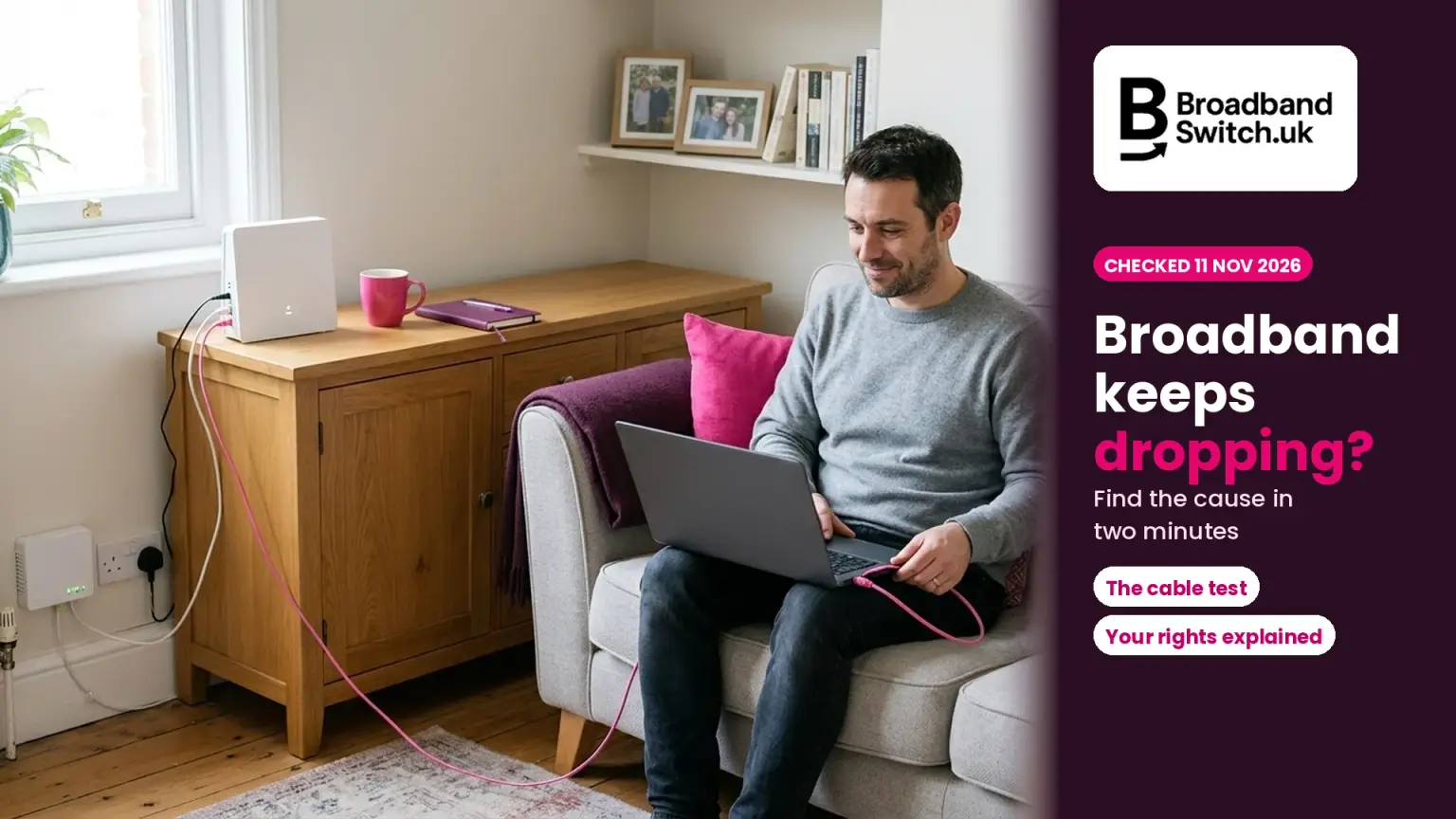
Your broadband keeps dropping. Here's how to find where it's going wrong, fix what you can, and get the rest fixed
Checked 11 November 2026
Where your dropouts are coming from, and what to do
The device
Phone, laptop or console
If one device drops and the rest don't, restart it and update it first.
Your Wi-Fi
Range, walls, interference
Move the router into the open, away from other electrical kit.
1 to 2 days
Working days, for many faults on Openreach's network
Report it to your provider, not Openreach, with a log of the drops.
£10.34 a day
If not fixed 2 full working days after you report it
At providers in Ofcom's scheme. Drops that come and go don't count.
If your broadband keeps dropping, plug a laptop or console into the router with a cable first. If the cabled device stays online while the Wi-Fi drops, the problem is in your home: restart the router once, move it into the open and keep it away from other electrical kit. If everything drops, even on a cable, report it to your provider with a log of when it dropped. Drops that come and go don't qualify for automatic compensation, but an unresolved complaint can go to a free ombudsman after six weeks.
Had enough of a connection that keeps dropping?
Put your postcode in and see every deal at your address, from every connection type that reaches you.
- ✓Every deal at your address, including providers that don't pay us
- ✓Setup fees and price rises shown next to each deal
- ✓Switching is led by your new provider
Prefer to talk it through? Call us on 0330 122 1223
Key facts, verified 11 November 2026
- A slow Wi-Fi test "does not always mean there is a fault with your broadband line" (Ofcom, updated 25 August 2026).
- Openreach says intermittent problems "can be caused by line faults, network issues, or even equipment in your home" (Openreach, checked 11 November 2026).
- Your provider is responsible for fixing faults, "even if another company like Openreach owns the network" (Ofcom, updated 25 August 2026).
- Openreach says many faults on its network are fixed within 1 to 2 working days, while underground cable damage can take longer (Openreach, checked 11 November 2026).
- If you rely on your connection for telecare or a health device, "You might qualify for priority fault repair" (Ofcom, updated 25 August 2026).
- Automatic compensation pays £10.34 a day if a service that stops working isn't fixed two full working days after you report it, at the ten providers in Ofcom's scheme (Ofcom, checked 11 November 2026).
- The providers' code for automatic compensation says a provider "is not required to pay compensation where a customer experiences an intermittent loss of service" (code published by Ofcom, updated 7 March 2025).
- If your speed falls below your minimum guaranteed speed, the problem is on the provider's network and it isn't fixed within 30 days, providers in Ofcom's speeds code must let you leave without an early exit fee (Ofcom, 21 November 2022).
- If a complaint is still unresolved after six weeks, or you get a deadlock letter, you can take it to a free, independent dispute resolution scheme (Ofcom, updated 25 August 2026).
Who this is for: anyone whose broadband or Wi-Fi keeps cutting out: people working from home, families, gamers, renters, older readers and anyone who relies on a telecare alarm. We follow one example: Janet works from home three days a week. Her video calls keep dropping, and her provider says it's her Wi-Fi. Janet is an example built from the calls we take on our help line, not a real customer.
Why does my broadband keep dropping?
Direct answer: It's usually one of four things: your Wi-Fi, your router, the wiring in your home, or a fault on the line or network. A two-minute test with a cable at the router tells you whether to look inside your home or outside it.
Openreach, which looks after much of the network behind UK broadband, puts it simply: intermittent problems "can be caused by line faults, network issues, or even equipment in your home." That's why the first job isn't ringing anyone. It's working out which of those it is, because the fix, and who pays for it, depends on the answer.
In your home, the usual suspects are distance and walls, interference from other electrical kit, a router tucked away in a cupboard, and a single device that's struggling. Outside your home, it's the line, the street cabinet or the provider's network. Ofcom's own guidance says a slow Wi-Fi test "does not always mean there is a fault with your broadband line", so it pays to check before you report.
Faults were among the biggest reasons people complained in Ofcom's latest complaints figures (26 October 2026), even though broadband complaints overall hit a record low of six per 100,000 customers in early 2026.
One more cause catches people out. If the power goes off, so does your router, and with the switch to digital phone lines, Ofcom says "a digital phone will only work in a power cut if it has a battery back-up". If you rely on your landline, our power cut guide explains the free back-up you can ask for.
Broadband not working at all, rather than dropping? Start with broadband not working: fix it and check for an outage.
Is it my Wi-Fi or my broadband line?
Direct answer: Plug a laptop or console into the router with a network cable. If it stays connected while your Wi-Fi devices drop, it's your Wi-Fi. If the cabled device drops too, it's the router, the line or the network.
Ofcom says a wired connection "is usually faster and more reliable", which is exactly why it makes a fair test: it takes the Wi-Fi out of the picture. Run a speed test on UKSpeedTest while you're plugged in, and note the time.
The two-minute test
Is it your Wi-Fi, your home or the line?
Is it one device, or all of them?
One device
It's probably that device. Restart it and update it. Ofcom says that if one device is much slower than the others, the problem "might be with that device rather than your broadband".
All of them
Go to step 2.
Plug a laptop or console into the router with a cable. Does it stay connected when the Wi-Fi drops?
Yes, the cable stays on
It's your Wi-Fi. Move the router into the open and away from other electrical kit, then try RouterMap.
No, it drops too
Go to step 3.
Watch the router, or the fibre box on full fibre, when it drops. Does a light change?
Yes, a light changes
The connection itself is going. Check your provider's status page for an outage, then report it.
No change
The router may be the problem. See the signs of a failing router.
Copper or part fibre line? Plug the router into the main phone socket. Do the drops stop?
Yes, they stop
It's the wiring or an extension in your home. Our wiring guide explains who pays.
No, they carry on
It's the line or the network. Report it to your provider.
Janet tried this on a Tuesday morning. Her laptop, plugged into the router, stayed online all morning while her phone dropped off the Wi-Fi twice. That told her the line was fine and the fix was in her house. For a fuller version of the test, with what the numbers mean, see how to test whether it's your line or your Wi-Fi.
What should I try first?
Direct answer: Check everything is switched on, restart the router once, pause anything big that's downloading, undo any recent changes and check for an outage. Ofcom suggests simple fixes like these before you contact your provider.
Ofcom's checklist is short and sensible, and most of it costs nothing. Work down this list in order and test again after each step, so you know which one made the difference.
Eight simple things to try, in order
Check it's all switched on
The router, any mesh units or boosters, and the fibre box if you have one.
Restart the router once
Ofcom says: "Turn your router off, wait about 30 seconds, then turn it back on." Once is enough.
Pause anything heavy
Big game downloads, updates and HD streaming on other devices can make things feel worse.
Disconnect what you're not using
Ofcom notes devices can use your Wi-Fi "even when you aren't using them".
Undo a recent change
A new gadget or a moved router? Ofcom says: "Try reversing the change, if you can".
Give the router some space
Out in the open, off the floor and roughly central, away from microwaves, baby monitors and cordless phones.
Check for an outage
Look at your provider's status page or app. If nothing's listed, report it, as "they might not know about it yet".
Use the main phone socket
On copper or part fibre lines, plug the router into the main socket and avoid extension leads where you can.
Ofcom's Wi-Fi advice adds that "Water, metal and glass also block the signal", so a router behind a fish tank or a mirror will struggle.
More free fixes: free ways to improve your Wi-Fi, and why your broadband or Wi-Fi is slow.
Should I keep restarting my router?
Direct answer: No. Restart it once, then leave it switched on. On many lines an automatic system watches for drops, and turning the router off again and again can make it look as if the line can't cope.
Providers such as Plusnet and TalkTalk use a system called Dynamic Line Management, or DLM. Plusnet describes it as "an automated system that manages the performance of your broadband service", and says that after "line errors or frequent disconnections", DLM will reduce your sync, which is the speed your router connects at.
Why restarting again and again can backfire
Step 1
The line drops
Or the router is switched off and on a lot.
Step 2
DLM notices
It sees line errors or frequent disconnections.
Step 3
Speed drops
It lowers the sync speed to make the line stable.
Step 4
Leave it on
Let it settle. Report it if the drops carry on.
Plusnet says DLM "is the main reason that we advise you to leave your router switched on". TalkTalk says a new line goes through a stabilisation period "for around 10 days", that "it's normal to get varying speeds or occasional drops" during that time, and asks you to "keep your router switched on at all times".
So, our advice: restart it once the way Ofcom describes, off for about 30 seconds and back on, then leave it alone. If your line is new, give it those first days to settle. If the drops carry on after that, it's a fault to report, not something to keep fixing with the power button.
What do the lights on my router and fibre box mean?
Direct answer: On a BT Smart Hub 2, blue means connected and orange means it isn't connected to the internet. On an Openreach fibre box, solid PON and LAN lights mean connected, while a flashing PON or red LOS light suggests a connection problem.
The lights are your best clue during a drop, so glance at them when it happens and write down what you see. If the router's light changes from connected to connecting, the drop is on the connection, not your Wi-Fi. Other providers' routers use different colours, so check your provider's guide.
What the lights are telling you
BT Smart Hub 2
Blue
"Your Hub is connected to your broadband ok"
Green
"Your Hub is starting up"
Flashing orange
"Your Hub is connecting to broadband"
Orange
"Your Hub is working but isn't connected to the internet"
Flashing purple
"Your Hub is working but the broadband cable isn't connected"
Red
"There's a problem somewhere"
Openreach full fibre box (ONT)
Power on
The power light "should be illuminated"
Solid PON and LAN
"you're connected and ready to go"
Flashing PON
"there may be a connection issue"
Red LOS
"there may be a connection issue"
No lights
"there may be a connection issue"
Sources: BT's hub lights guide and Openreach's full fibre set-up guide. If your fibre box shows no power light at all, Openreach says an engineer may need to visit. Our advice: never open the fibre box or bend its cables. Report it instead.
Need into your router's settings to check its logs? Our router login guide covers every major provider.
Why does it only drop in some rooms, on one device or in the evening?
Direct answer: The pattern is a clue. One device points to that device, far rooms point to Wi-Fi range or walls, and evenings point to heavy use at home or a busy network. Everything dropping at once points to the line.
Before you report anything, spend a day noticing when it happens. Here's how the common patterns usually read.
| What you notice | Most likely cause | What to do |
|---|---|---|
| Only one phone or laptop drops | That device | Restart and update it, then forget the Wi-Fi network and rejoin |
| Drops in rooms far from the router | Wi-Fi range, walls or floors | Move the router into the open, or add mesh. Try RouterMap |
| Drops when the microwave or baby monitor is on | Interference | Move the router away from other electrical kit |
| Started after new kit or a moved router | The change you made | Undo it and test again |
| Evenings only | Heavy use at home, or a busy network | Pause big downloads, then test on a cable at a quiet time and at 8pm |
| Everything drops, even on a cable, and a light changes | The line, network or router | Check for an outage, then report it |
| Slower after a run of drops (part fibre) | DLM steadying the line | Leave the router on and let it settle |
| Everything goes off in a power cut | No mains power | Ask your provider about a battery back-up for your phone |
Ofcom's Wi-Fi guidance explains the rooms pattern: "it is usually more difficult to get wifi throughout a house with brick internal walls than one with hollow walls." It also notes that "lower frequencies provide better coverage, but at the expense of lower speeds", which is why a far room may get a steadier signal on the 2.4GHz band, the lower frequency, even though it's slower.
Evenings the worst time? See why broadband slows in the evening, and if it's calls that suffer, why broadband drops on video calls.
My provider blames my Wi-Fi. How do I prove it's the line?
Direct answer: Show that a device on a cable drops too. Keep a log of each drop with the time and how long it lasted, note the router's light, and test at the main phone socket on copper or part fibre lines.
We hear this one on our help line, and Janet's story is a good example. Her provider's first answer was to move her router. What changed the conversation was evidence: a week of drops written down, with her cabled laptop dropping at the same moments as her phone.
Your evidence pack, in six parts
A cabled device drops too
The clearest proof. If the laptop on a cable loses the connection at the same moment as your phone, it isn't the Wi-Fi.
A log of every drop
Ofcom suggests sending "a record of when your service dropped and how long each interruption lasted." A note on your phone is fine.
What the lights showed
For example, a BT Smart Hub 2 turning orange during the drop means it "isn't connected to the internet".
Speed tests on a cable
One at a quiet time and one in the evening on UKSpeedTest, plus a ping and jitter check on laggy.uk. Screenshot each one.
The main socket test
On copper or part fibre, plug the router into the main phone socket. If the drops carry on there, your extension wiring is ruled out.
What you've tried, and a reference
Ofcom says to tell your provider "what checks and fixes you have already tried". Ask for a fault reference every time.
Give it to your provider in one go, and stay calm and specific: "My laptop on a cable dropped at 7.42pm, 8.15pm and 9.03pm on Monday, the same times as my phone." That's hard to argue with, and it saves you repeating yourself on the next call.
How do I report a broadband fault so it gets fixed?
Direct answer: Contact your provider, not Openreach. Say when it started, whether it's constant or comes and goes, what you've tried, and share your log. Mention telecare or anyone vulnerable, and ask about charges before an engineer is booked.
Openreach is clear that only your provider "has access to your service details and can raise a repair with us." Your provider can test the line and your equipment from their end, and if it can't be fixed remotely, they book the engineer.
Report it once, report it well
Check for an outage
Your provider's status page or app. If nothing's listed, carry on: they may not know yet.
Contact your provider
Not Openreach. Your provider is responsible for the fix, whoever owns the network.
Give them the facts
When it started, constant or on and off, what you've tried, and your log. Mention telecare or anyone vulnerable.
Ask about charges
Before an engineer is booked, ask if there'll be a charge. Get a fault reference.
If you rely on your connection for telecare or a health device, Ofcom says "You might qualify for priority fault repair and your provider can help you register for this."
Will an engineer cost you? It can if the engineer finds nothing wrong, or the fault is inside your home. TalkTalk, for example, says "The maximum potential charge for your appointment is £75" in those cases, and "You won't be charged for faults caused by Openreach equipment." Charges vary by provider, and our wiring guide compares them and explains the test that tells you who pays.
Test it on a cable before you call
Run a free speed test with your laptop plugged into the router, and screenshot the result for your evidence pack. It takes under a minute.
Run a free speed test →How long should a broadband fault take to fix?
Direct answer: Openreach says many faults on its network are fixed within 1 to 2 working days. Faults that need digging, or that affect lots of homes, may take longer. Where the fault is also decides whether you need to be in.
How long it takes depends mostly on where the fault is. If it's inside your home, Openreach says your provider "will arrange a time slot" for an engineer. If it's outside, for example in a street cabinet, "you might not need to be home."
Where the fault is changes what happens next
Inside your home
You'll need to be in
Openreach says your provider "will arrange a time slot".
There may be a charge
If the fault is in your wiring or kit. TalkTalk's maximum is £75.
No automatic compensation
Not for faults caused by "equipment or activity within your home".
On the network
You might not need to be in
For example, if the fault is in a street cabinet.
1 to 2 working days
Openreach says many faults on its network are fixed in this time.
Longer if digging is needed
Or if lots of homes are affected. A total loss still counts, at providers in the scheme.
Openreach says network faults may take longer, "especially if digging is needed or if the fault affects multiple properties." If you're with Virgin Media or another full fibre network, the repair happens on that company's network instead, but the first step is the same: report it to your provider.
If your connection keeps failing after a repair, say so when you report it, and quote the earlier fault reference.
Can I get compensation if my broadband keeps dropping?
Direct answer: Only if it stops working completely. At providers in Ofcom's scheme, you get £10.34 a day if a total loss of service isn't fixed two full working days after you report it. Drops that come and go aren't covered.
This is the part most guides blur. The providers' code for automatic compensation, published by Ofcom, says a provider "is not required to pay compensation where a customer experiences an intermittent loss of service." It pays out for a "Total Loss of Service", which for broadband means "the customer is unable to access the public internet". Virgin Media's scheme terms add that it "does not include loss of service of Wi-Fi when the service is still available through a wired connection".
What automatic compensation covers, and what it doesn't
It stops working completely
£10.34 a day if it isn't fixed two full working days after you report it.
The engineer doesn't turn up
£32.31 if they miss the appointment or cancel with less than 24 hours' notice.
Bad weather or a third party caused it
Still covered, unless an exclusion applies. Ofcom lists "extreme weather, strikes and third-party acts".
Drops that come and go
"not required to pay compensation where a customer experiences an intermittent loss of service".
A fault in your home
Not covered if caused by "equipment or activity within your home".
Wi-Fi on its own
If a cabled device still works, it isn't a total loss of service.
When it does stop completely, the clock matters, and Ofcom is clear it starts when you report the fault, not when it began. The code sets the trigger at 11.59pm on the second working day after you report it, "unless the customer has requested a later date for repair."
The compensation clock starts when you report it
The ten providers in the scheme are BT, EE, Hyperoptic, Plusnet, Sky (including NOW Broadband), TalkTalk (restrictions apply for customers not on the Openreach network), Utility Warehouse, Virgin Media, Vodafone and Zen Internet. Work out what you're owed with our compensation calculator, and see the 2026 rates explained.
Can I leave my contract if my broadband keeps cutting out?
Direct answer: Sometimes. If repeated drops leave your speed below your minimum guaranteed speed, and the problem is on the provider's network, providers in Ofcom's speeds code must fix it within 30 days or let you leave without an exit fee.
The speeds code is about speed, not dropouts as such. But the two often go together, because a line that keeps dropping may be slowed down to keep it stable. Ofcom says: "If the problem is on their network and they can't fix it within 30 days, they must let you leave your contract without having to pay an early exit fee."
Not every provider has signed up to both protections, so we checked Ofcom's two lists side by side.
| Provider | Automatic compensation | Speeds code |
|---|---|---|
| BT | Yes | Yes |
| EE | Yes | Yes |
| Hyperoptic | Yes | No |
| NOW Broadband | Yes, via Sky | Yes |
| Plusnet | Yes | Yes |
| Sky | Yes | Yes |
| TalkTalk | Yes | Yes |
| Utility Warehouse | Yes | Yes |
| Virgin Media | Yes | Yes |
| Vodafone | Yes | No |
| Zen Internet | Yes | Yes |
| Any other provider | Check terms | Check terms |
TalkTalk: "restrictions apply for customers not on the Openreach network" (Ofcom). "No" means the provider isn't on Ofcom's list for that protection; its own contract terms still apply.
If your provider isn't on either list, your contract terms still matter, and a complaint can still go to an ombudsman. Our guides to minimum guaranteed speeds and leaving early over poor speeds go further.
What if my provider still won't fix it?
Direct answer: Make a formal complaint and keep the reference. If it isn't sorted after six weeks, or you get a deadlock letter, take it to your provider's ombudsman scheme, the Communications Ombudsman or CISAS. It's free.
Ofcom says that if your complaint is "still unresolved after six weeks, or if your provider has sent you a deadlock letter", you can take it to a "free, independent dispute resolution scheme". The Communications Ombudsman confirms the wait came down from eight weeks to six on 8 April 2026, and Ofcom's ADR page says "ADR schemes are free to use".
From complaint to ombudsman
Ofcom explains that "Parliament has not given us powers to resolve people's complaints about their phone or broadband service", which is why the ombudsman route matters. Our complaints and your rights hub walks through each step, and how to escalate to the ombudsman covers the forms.
And if you've done everything right and it still drops, it may be time to look at a different connection. Switching is led by your new provider, and our One Touch Switch guide explains how it works.
What should I do now?
Today
Plug a laptop into the router with a cable and see if it drops too. Restart the router once, then leave it on. Start a simple log of every drop.
This week
Check your provider's status page, then report the fault with your log, what you've tried and what the lights showed. Get a reference. Mention telecare if it applies.
If it isn't fixed
Complain in writing. After six weeks, or with a deadlock letter, go to the free ombudsman. If it stops completely, check what you're owed.
When you're ready
If it still drops, compare what else reaches your address. Ring us on 0330 122 1223 if you'd like a hand.
Find a connection that stays put
See every deal at your address, then check your current line on a cable so you know what you're comparing against.
- ✓Every deal at your address, including providers that don't pay us
- ✓Setup fees and price rises shown next to each deal
- ✓Free help on 0330 122 1223, Monday to Friday
Prefer to talk it through? Call us on 0330 122 1223
In summary
- A cable test at the router tells you whether it's your Wi-Fi or the line. Start there.
- Restart the router once, then leave it on. Repeated restarts can make the line look unstable.
- Report faults to your provider, not Openreach, with a log of each drop and what you've tried.
- Automatic compensation covers a total loss of service, at £10.34 a day after two full working days from your report. Drops that come and go don't qualify.
- If a complaint is unresolved after six weeks, or you get a deadlock letter, the ombudsman is free.
Alex's closing thought
A connection that keeps dropping was one of the questions callers brought to our help line this month, and I understand why it wears people down. It's often more frustrating than a line that's simply off, because you never know when it'll go. The good news is that a cable and a bit of patience find the cause in most homes, and when it's the line, fixing it is your provider's job, not yours. Test on a cable, keep a log, and report it once with everything in one go. If you're stuck, or your provider keeps pointing at your Wi-Fi, ring us on 0330 122 1223 and we'll help you work out the next step.
Keep going
Find the cause
Your rights
Know someone whose broadband keeps dropping?
Share this guide. The cable test takes two minutes.
Cite this page
You're welcome to quote or link to this guide. Please credit BroadbandSwitch.uk and link to this page.
In a sentence: If your broadband keeps dropping, a cable test at the router shows whether it's your Wi-Fi or the line; report line faults to your provider with a log of the drops, because automatic compensation only covers a total loss of service, while an unresolved complaint can go to a free ombudsman after six weeks.
Martin-Smith, A. J. (2026, November 11). Broadband keeps dropping? Fix it, or get it fixed (2026). BroadbandSwitch.uk. https://broadbandswitch.uk/insights/broadband-keeps-dropping/
Frequently asked questions
Why does my broadband keep dropping out every few minutes?
Openreach says intermittent problems can be caused by line faults, network issues or equipment in your home. Test with a device on a cable: if that drops too, report it to your provider with the times.
Why does my Wi-Fi keep disconnecting on one device only?
Ofcom says that if one device is much slower than the others, the problem might be with that device rather than your broadband, and the same logic applies if only one device drops. Restart and update it, then forget the Wi-Fi network and join it again.
Should I turn my router off at night?
Ofcom suggests keeping your router, mesh units and fibre box switched on, even when you're not using them, so they can receive automatic updates. Switching off often can also make some lines look unstable.
Does losing Wi-Fi count as a total loss of service?
No. Virgin Media's scheme terms say a total loss of service on broadband does not include loss of Wi-Fi when the service still works through a wired connection. The test is whether a device on a cable can reach the internet.
Who do I report a broadband fault to, Openreach or my provider?
Your provider. Ofcom says your provider is responsible for fixing faults even if another company like Openreach owns the network, and Openreach says only your provider can raise a repair with it.
Will I be charged if the engineer finds no fault?
You might be. TalkTalk, for example, says the maximum potential charge is £75 if no fault is found or it's inside your property. Ofcom advises asking about charges before an engineer is booked.
How long does an Openreach fault take to fix?
Openreach says many faults on its network are fixed within 1 to 2 working days. More complex problems, such as underground cable damage, can take longer.
Can I get compensation if my broadband keeps cutting out?
Not automatically if it comes and goes, because the providers' code excludes an intermittent loss of service. If it stops completely and isn't fixed two full working days after you report it, providers in the scheme pay £10.34 a day.
Does bad weather stop me getting compensation?
No. Ofcom says automatic compensation still applies when the problem is caused by events such as extreme weather, strikes and third-party acts, unless an exclusion applies.
Can I leave my contract if my broadband keeps dropping?
If the drops leave your speed below your minimum guaranteed speed and the problem is on the provider's network, providers in Ofcom's speeds code must fix it within 30 days or let you leave without an exit fee.
When can I take a broadband complaint to the ombudsman?
After six weeks, or sooner if your provider sends a deadlock letter. The Communications Ombudsman and CISAS are free to use.
Will my broadband and phone work in a power cut?
Your router needs mains power, so broadband stops. Ofcom says a digital phone will only work in a power cut if it has a battery back-up, which should be free for people who depend on their landline.
References
- BT. (n.d.). What do the lights on my BT Hub mean? Retrieved 11 November 2026, from https://www.bt.com/help/broadband/fix-a-problem/broadband-and-wi-fi/can-t-connect/what-do-the-lights-on-my-bt-hub-mean-
- Communications Ombudsman. (2026, April 8). Ofcom reduces consumer wait time from 8 to 6 weeks. Retrieved 11 November 2026, from https://www.commsombudsman.org/news/ofcom-reduces-consumer-wait-time-from-8-to-6-weeks
- Ofcom. (n.d.-a). Automatic compensation: What you need to know. Retrieved 11 November 2026, from https://www.ofcom.org.uk/phones-and-broadband/service-quality/automatic-compensation-need-know
- Ofcom. (n.d.-b). The future of landline calls. Retrieved 11 November 2026, from https://www.ofcom.org.uk/phones-and-broadband/landline-phones/future-of-landline-calls
- Ofcom. (2022, November 21). Broadband speeds: What you need to know. Retrieved 11 November 2026, from https://www.ofcom.org.uk/phones-and-broadband/coverage-and-speeds/broadband-speeds-code-practice
- Ofcom. (2023, October 26). The types of complaint Ofcom deals with. Retrieved 11 November 2026, from https://www.ofcom.org.uk/make-a-complaint/complaints-ofcom-deals-with
- Ofcom. (2024, February 19). Improving your wifi experience. Retrieved 11 November 2026, from https://www.ofcom.org.uk/phones-and-broadband/coverage-and-speeds/improving-your-wifi-experience
- Ofcom. (2025, March 7). Communications providers' voluntary code of practice for an automatic compensation scheme. Retrieved 11 November 2026, from https://www.ofcom.org.uk/siteassets/resources/documents/consultations/uncategorised/98684---automatic-compensation/associated-documents/industry-code-of-practice-for-automatic-compensation-2024-v1.pdf
- Ofcom. (2026, May 5). Making a complaint and using ADR schemes. Retrieved 11 November 2026, from https://www.ofcom.org.uk/phones-and-broadband/service-quality/adr-schemes
- Ofcom. (2026, July 23). Broadband complaints fall to record low. Retrieved 11 November 2026, from https://www.ofcom.org.uk/phones-and-broadband/service-quality/ofcom-telecoms-and-pay-tv-complaints-fall-to-record-low
- Ofcom. (2026, August 25). Get help with broadband and Wi-Fi problems. Retrieved 11 November 2026, from https://www.ofcom.org.uk/phones-and-broadband/service-quality/broadband-wifi-help
- Ofcom. (2026, October 26). Latest telecoms and pay-TV complaints revealed. Retrieved 11 November 2026, from https://www.ofcom.org.uk/phones-and-broadband/service-quality/latest-telecoms-and-pay-tv-complaints-revealed-q2-26
- Openreach. (n.d.-a). How to set up full fibre broadband. Retrieved 11 November 2026, from https://www.openreach.com/help-and-support/full-fibre-broadband-setup
- Openreach. (n.d.-b). What to do if your broadband stops working. Retrieved 11 November 2026, from https://www.openreach.com/help-and-support/service-stopped-working
- Plusnet. (n.d.). Broadband terminology guide [Archived help article]. Retrieved 11 November 2026, from https://www.plus.net/help/archive/broadband/broadband-terminology-guide/
- TalkTalk. (n.d.-a). Engineer charges. Retrieved 11 November 2026, from https://help-centre.talktalk.co.uk/Billing_and_Payments/Something_else/Engineer_charges
- TalkTalk. (n.d.-b). Your first 10 days of broadband. Retrieved 11 November 2026, from https://help-centre.talktalk.co.uk/Setting_up_my_service/New_order/Your_first_10_days_of_broadband
- Virgin Media. (n.d.). Terms and conditions for automatic compensation. Retrieved 11 November 2026, from https://www.virginmedia.com/legal/fibre-optic-services-terms-conditions/automatic-compensation