By Adrian James, broadband editor (LinkedIn)
Reviewed by Dr Alex J. Martin-Smith CMgr MBA LLM DBA, head of editorial (profile)
Last reviewed: 24 May 2026. Next review within 90 days. How we rank deals · Submit a correction · AI disclosure · Affiliate disclosure
Direct answer: Mesh Wi-Fi systems beat Wi-Fi extenders in most UK homes larger than a one or two-bedroom flat, especially in brick-built terraces, semis and homes with the router in a corner. Extenders are cheaper and can work well for one stubborn room. Before you spend on either, run a wired speed test next to the router to confirm whether your problem is in-home Wi-Fi or your broadband line. If the line is the limit, compare broadband deals by postcode first.
Mesh vs extenders at a glance (May 2026)
| What | Figure | Source |
|---|---|---|
| Current dominant Wi-Fi standard in new UK mesh systems | Wi-Fi 6 and Wi-Fi 6E, with Wi-Fi 7 emerging | IEEE 802.11 and TechRadar mesh testing, 2026 |
| Typical UK brick or concrete home node coverage | 1 mesh node per 1,000 to 1,500 sq ft (93 to 140 sq m) | Independent 2026 mesh testing |
| UK average fixed-line data use per connection per month | 583 GB (July 2025), up 10% on July 2024 | Ofcom Connected Nations UK Report 2025 |
| Average data use on full fibre connections | 738 GB per month, around 30% higher than other connections | Ofcom Connected Nations UK Report 2025 |
| UK premises with FTTP available | 82% (24.9 million homes), January 2026 | Ofcom Connected Nations update, Spring 2026 |
| Right to exit a broadband contract penalty-free | Where the minimum guaranteed speed cannot be delivered after fault resolution | Ofcom Broadband Speeds Code of Practice |
Before spending on hardware, check what is available at your postcode. The biggest single improvement often comes from upgrading the line, not the router.
What is the actual difference between mesh and Wi-Fi extenders?
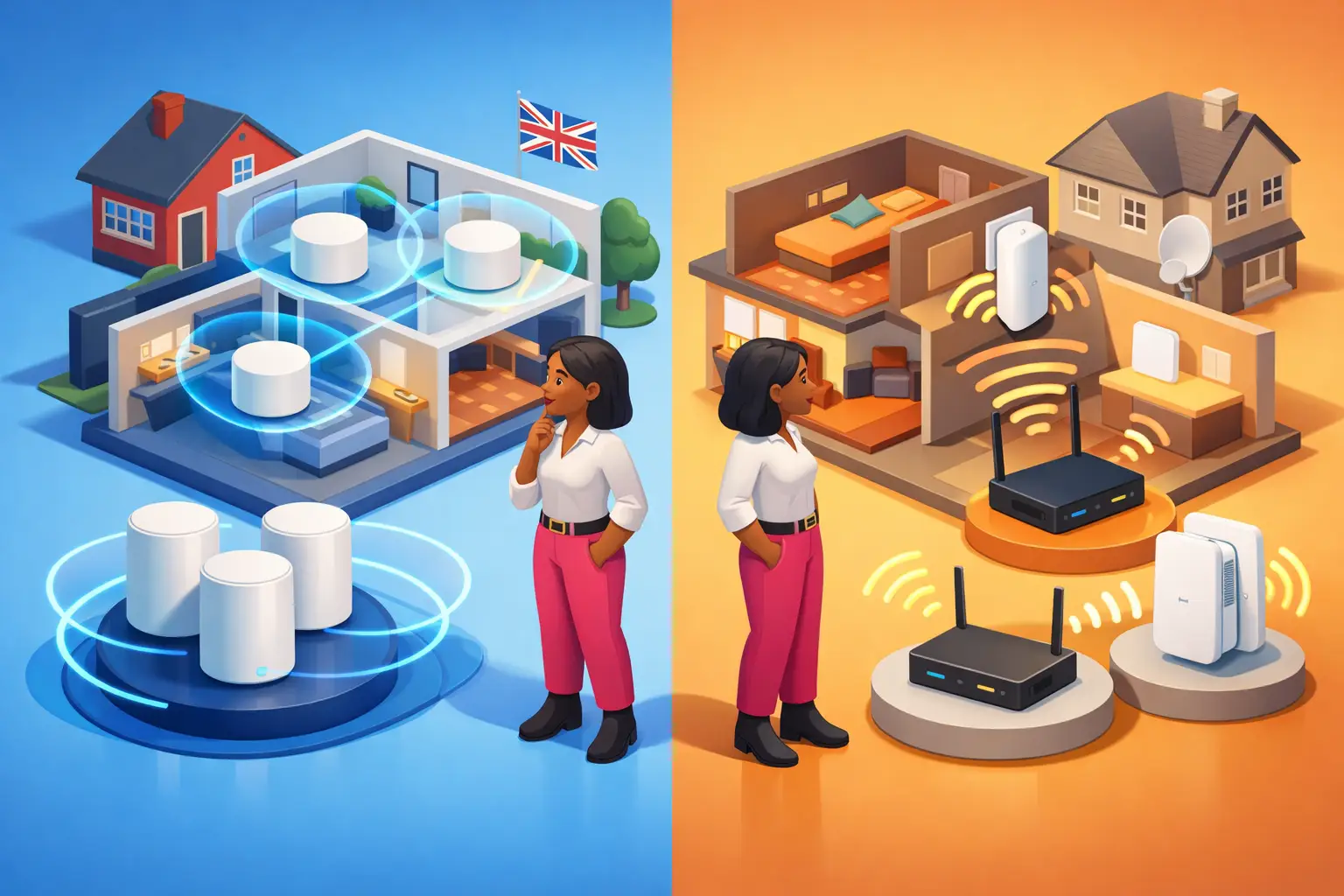
Mesh systems build one coordinated Wi-Fi network from several nodes. Extenders rebroadcast the signal from an existing router to reach a single weak spot.
That sounds like a small distinction, but it changes daily experience. A mesh system uses a main router or hub plus one or more satellite nodes that work together as a single network, sharing one network name (SSID) and password. Devices roam between nodes automatically as you move through the house, with each node coordinated by mesh software (often using protocols like 802.11s, EasyMesh or a vendor system such as TP-Link's Mesh Technology or eero TrueMesh).
A Wi-Fi extender, also called a repeater or booster, sits between the router and the dead zone. It picks up the existing signal, then retransmits it onward. Older or budget extenders create a separate network name (for example "BT-Hub-EXT") and your phone or laptop stays on whichever it joined until you intervene. Newer dual-band extenders are better, but the fundamental architecture is still a single weaker link in the chain.
Three practical consequences follow. Mesh keeps you on one network as you move through the house. Mesh nodes communicate over a dedicated backhaul band where the hardware supports it (the third band on tri-band systems), so they preserve more speed. Extenders, by contrast, generally share the same band for sending and receiving, which halves usable throughput in the affected room. For households with a spare-room office, a loft conversion or a thick-walled terrace, that difference shows up quickly.
If you want to confirm whether the issue is your in-home Wi-Fi or the broadband line itself, run a wired speed test next to your router, then a wireless test in the room you struggle in. Our UK broadband speed test page covers the diagnostic process.
Which is better for UK homes with thick walls or awkward layouts?
Mesh is the more reliable choice where the building itself blocks signal.
UK homes are difficult terrain for Wi-Fi. Victorian terraces with two solid brick walls between living room and back kitchen, post-war semis with steel-reinforced concrete floors, Edwardian conversions with thick lath-and-plaster, and modern townhouses on three or four floors all weaken signal. Independent testing by Wi-Fi specialists in 2026 puts the practical coverage of a single Wi-Fi 6E or Wi-Fi 7 node in a UK brick-built home at around 1,000 to 1,500 square feet (93 to 140 sq m), which means a typical three-bedroom house often needs two nodes and a four-bedroom house can need three.
The position of your main hub matters as much as the kit. Most UK broadband enters the property near the front door or in the living room because that is where the master phone socket sits. If the hub stays there, the signal has to push through walls and across floors to reach the kitchen extension, the loft conversion or the garden room. A mesh system lets you put nodes where people actually use Wi-Fi, with the original hub still in place where the line terminates.
Ofcom's own consumer guidance recognises this. Halogen lamps, electrical dimmer switches, stereo speakers, fairy lights and AC power cords can all reduce Wi-Fi performance, as can placing the router on the floor (Ofcom, n.d.b). Most of those interferences are local to a room. Mesh side-steps them by giving you a strong signal source nearby; an extender amplifies whatever signal it has.
This is the central reason households sometimes blame BT, Sky, TalkTalk, Vodafone, EE or Plusnet for poor performance when the broadband line itself is fine. Ofcom does not count in-home Wi-Fi problems as provider complaints, so they do not appear in the regulator's league tables, but they are a genuine source of consumer dissatisfaction. Our broadband speed guide sets out how to separate line speed from in-home signal issues.
Mesh Wi-Fi systems versus Wi-Fi extenders on speed
Mesh preserves usable speed better across the home; extenders typically cost more speed than people expect.
The Wi-Fi standard inside the box matters in 2026. The dominant retail standard is Wi-Fi 6 (802.11ax), with Wi-Fi 6E (which adds the 6 GHz band) common in mid-range systems, and Wi-Fi 7 (802.11be) emerging in flagship hardware. Independent tech reviewers including Engadget, RTINGS and TechRadar broadly agree that Wi-Fi 6E remains the sensible mainstream choice for most UK homes in 2026, with Wi-Fi 7 worth the premium only if you have a gigabit line and several Wi-Fi 7 devices already in the home.
Here is why the technology matters for the mesh-versus-extender choice. A tri-band Wi-Fi 6E mesh system can dedicate the third radio band to backhaul (the link between the nodes), which means the speed delivered to your laptop in the back bedroom barely drops. A dual-band Wi-Fi extender uses the same band for both receiving and rebroadcasting, which typically halves the usable throughput in the room it serves. In real terms, a 500 Mbps FTTP line from an Openreach retailer or an altnet such as Hyperoptic, Community Fibre, YouFibre or Gigaclear will reach a 300 to 450 Mbps real-world figure on a good mesh node and a 100 to 200 Mbps figure through a basic extender.
This is also why mesh does not create speed. If your underlying line is a 67 Mbps FTTC service, no router or mesh kit will deliver gigabit performance. What good in-home Wi-Fi does is distribute the available connection more evenly, so the speed reaches the rooms where people actually work, stream and game. Ofcom's Connected Nations UK Report 2025 records the UK average data use at 583 GB per fixed-line connection per month in July 2025, with full fibre connections averaging 738 GB, around 30% higher (Ofcom, 2025). Modern household demand has grown faster than older Wi-Fi 4 and Wi-Fi 5 routers can serve.
If your line itself is the limit, switching to a faster service will deliver more than any router upgrade. Our full fibre vs FTTC vs cable vs 4G/5G guide and FTTP broadband deals page show what's available at your postcode.
Mesh vs Wi-Fi extender: a side-by-side comparison
The right answer depends on the size of the gap you are trying to fix.
| Feature | Mesh Wi-Fi system | Wi-Fi extender |
|---|---|---|
| Best for | Whole-home coverage in larger or brick-built UK homes | One stubborn room in an otherwise covered home |
| Typical UK cost (mid-range) | £120 to £350 for a 2 to 3-node Wi-Fi 6E system | £25 to £80 for a single Wi-Fi 6 unit |
| Setup | Moderate, app-driven, 20 to 40 minutes | Usually simple, often via WPS button |
| Network experience | One joined-up network with automatic roaming | Often separate SSID and slower handoff |
| Speed impact | 70 to 90% of source speed preserved | 30 to 60% of source speed in extended room |
| Larger UK brick homes (3 or 4 bed) | Better fit, especially across floors | Often inadequate |
| Temporary or rental use | Higher upfront cost, harder to take with you | Good fit, low commitment |
| Wi-Fi standard in 2026 | Wi-Fi 6, 6E or 7 readily available | Wi-Fi 6 standard; Wi-Fi 6E less common |
If you rent, have a smaller flat, or only want signal in one spare bedroom, an extender is a sensible low-cost fix. Our renters broadband guide covers the practical limits of installing new kit in a rented property.
Is your provider-supplied router enough, or should you upgrade?
UK provider hubs in 2026 are dramatically better than they were five years ago, but they still vary widely.
BT's Smart Hub 2 is a Wi-Fi 5/6 hybrid that comes with most BT plans, with the newer Smart Hub 3 now standard on Full Fibre packages. BT's Complete Wi-Fi adds mesh Wi-Fi 6 discs as an add-on subscription. Sky's Sky Hub is functional but basic, with Sky Wi-Fi Max adding Wi-Fi 6 and mesh support. Virgin Media's Hub 5 is a Wi-Fi 6 unit that performs strongly on its native cable network. Vodafone's Pro II Hub and Plusnet's Hub Two are competent mid-range Wi-Fi 6 units. Altnets vary: Hyperoptic, Community Fibre, YouFibre and Cuckoo generally include modern Wi-Fi 6 routers as standard, often with mesh features included or available as a low-cost add-on.
The honest position is that for many UK households, the provider-supplied hub plus one well-placed extender is enough, especially in a one or two-bedroom flat or a modern, lightly-walled home. Upgrading to a full third-party mesh system becomes worthwhile when three conditions apply: the home is larger than the hub can comfortably cover, the hub cannot be moved from its line termination point, and several people in the household genuinely need reliable Wi-Fi in different rooms at the same time.
The popular UK mesh systems in 2026 are TP-Link Deco (good price-to-performance), Amazon eero (clean app, easy setup, paywalled advanced features), Google Nest Wi-Fi Pro (Wi-Fi 6E, well-integrated with Google services), Netgear Orbi (high-end performance, premium pricing), ASUS ZenWiFi (strong for power users) and Linksys Velop. Prices for a two or three-node Wi-Fi 6E starter system range from around £120 at the budget end to £350 at the premium end. Wi-Fi 7 mesh systems cost more and are worth the premium only if you have a gigabit line and Wi-Fi 7 client devices.
If your hub is more than four or five years old, ask your provider whether a newer unit is available before buying anything. Many UK providers will supply an upgraded router at no cost when you recontract, especially if you mention coverage as the reason you are considering switching.
Which should you do first if you are switching broadband?
Review the broadband line first, the Wi-Fi setup second, and match both to the home.
People often conflate broadband and Wi-Fi performance. If your current package is FTTC and your postcode now has full fibre, the biggest single improvement comes from switching the line itself. Ofcom's Connected Nations update, Spring 2026 records 82% FTTP availability across the UK (24.9 million homes), up from 78% in July 2025 (Ofcom, 2026). Many UK households still on copper-based FTTC could move to FTTP today for a similar or lower monthly price.
If your line is already strong but the house layout defeats the router, mesh is the more useful spend. This sequencing matters because One Touch Switch has been live since 12 September 2024 and is operated by the not-for-profit TOTSCo on Ofcom's mandate. Over 2 million UK customers used it between launch and the end of 2025 (Ofcom, 2025). You contact the new provider only; they handle the cancellation of your old contract through the central messaging hub. Our step-by-step switching guide walks through the full process.
One useful rights point. Under the Ofcom Broadband Speeds Code of Practice, signed providers must offer a realistic speed estimate at point of sale, must publish minimum guaranteed speeds, and must help diagnose and resolve speed issues including in-home setup problems. If the minimum guaranteed speed cannot be delivered after the provider has tried to fix it, you have a right to exit the contract without penalty. Our guide on poor speeds and your exit rights covers when that route applies.
Affordability matters here too. Households receiving Universal Credit, Pension Credit, Employment and Support Allowance, Jobseeker's Allowance or Income Support should check UK social tariffs before spending on mesh hardware. A social tariff plus a single £30 extender often solves the problem more cost-effectively than a £200 mesh kit on a standard contract.
What about small businesses and home offices?
Mesh is usually the better answer where Wi-Fi reliability affects work or customer service.
A sole trader working from a garden room, a therapist taking bookings from a converted loft, a small shop running EPOS and guest Wi-Fi from a back office, or anyone running video calls with clients has less tolerance for patchy coverage than a household casually streaming. In those cases, an extender is often a compromise too far. Mesh keeps the network unified, holds video calls together as people move between rooms, and gives you somewhere clean to plug in business-grade kit.
The more useful question is often whether the underlying line is fit for purpose. If your current connection drops at peak times, if uploads are slow, or if you cannot get a static IP for remote access, a residential service plus mesh may not solve the real problem. Our business broadband hub sets out where residential ends and business begins, including service-level commitments, static IP options and 4G or 5G backup connections. The home working broadband guide covers the residential side.
Find the right line before buying the right router
Before you spend on mesh kit or an extender, check whether your broadband line itself is the limit. Compare broadband deals by postcode to see what is available at your exact address, across 35+ UK providers, sorted by Total Contract Value. Independent, free, no signup, and editorially reviewed under our methodology and trust framework.
Frequently asked questions
Is mesh Wi-Fi better than an extender for a two-storey UK house?
Usually, yes. A typical UK two-storey brick-built house with the router on the ground floor often loses 30 to 60% of usable Wi-Fi speed in upstairs rooms. Mesh distributes coverage more evenly across floors and keeps devices on a single network as people move between them. Extenders can help in a single room but rarely solve a whole-floor coverage gap.
Do Wi-Fi extenders slow broadband down?
They often reduce usable Wi-Fi speed because the device receives and retransmits on the same band, typically halving throughput in the room it serves. The effect depends on placement, device quality and the strength of the original signal. A modern tri-band extender placed correctly can preserve more speed than a budget dual-band model in the wrong location.
Will mesh Wi-Fi improve the speed delivered by my broadband provider?
No. Mesh improves in-home coverage, not the speed delivered to your property by Openreach, Virgin Media, an altnet or a 5G network. If the line itself is slow, review your broadband package first. Our broadband speed guide covers how to test the difference between line speed and Wi-Fi performance.
Is one Wi-Fi extender enough for a single bad room?
Yes, sometimes. If the rest of the property has good Wi-Fi and only one room struggles, a single extender is often a cost-effective fix. Place it roughly halfway between the router and the dead zone, not in the dead zone itself. Expect to pay £25 to £80 for a Wi-Fi 6 unit.
Should I buy mesh before switching broadband?
Not always. If your package is outdated, expensive or still on FTTC where FTTP is now available, switching broadband may deliver the bigger improvement. Ofcom's Spring 2026 update records 82% FTTP availability and 89% gigabit-capable coverage across the UK. A line upgrade plus a good router will often beat keeping the old line and adding mesh.
Is Wi-Fi 6E or Wi-Fi 7 worth paying for in 2026?
Wi-Fi 6E is the sensible mainstream choice for UK households in 2026. Wi-Fi 7 is worth the premium only if you have a gigabit line and several Wi-Fi 7 devices in the home, such as the latest iPhone, iPad Pro or high-end Android phones. For most UK households on 100 to 500 Mbps full fibre, Wi-Fi 6 or Wi-Fi 6E is more than enough.
References
- Ofcom. (2025, November 19). Connected Nations UK report 2025. Office of Communications. https://www.ofcom.org.uk/siteassets/resources/documents/research-and-data/multi-sector/infrastructure-research/connected-nations-2025/connected-nations-uk-report-2025.pdf?v=407947
- Ofcom. (2025, September 12). 1.6 million Brits hit switch on their landline or broadband provider. Office of Communications. https://www.ofcom.org.uk/phones-and-broadband/switching-provider/1.6-million-brits-hit-switch-on-their-broadband-provider
- Ofcom. (2026). Connected Nations update: Spring 2026. Office of Communications. https://www.ofcom.org.uk/phones-and-broadband/coverage-and-speeds/connected-nations-update-spring-2026
- Ofcom. (n.d.a). Broadband speeds: voluntary codes of practice. Office of Communications. https://www.ofcom.org.uk/phones-and-broadband/policy/protecting-consumers/voluntary-codes-of-practice/broadband-speeds-code-of-practice
- Ofcom. (n.d.b). How to improve your Wi-Fi at home. Office of Communications. https://www.ofcom.org.uk/phones-and-broadband/coverage-and-speeds/how-to-improve-your-wi-fi-at-home
- Ofcom. (2020). Wi-Fi performance testing of home broadband routers: Technical report. Office of Communications. https://www.ofcom.org.uk/phones-and-broadband/coverage-and-speeds/wi-fi-performance-testing
About the author and reviewer
Adrian James is broadband editor at BroadbandSwitch.uk and Sales Director at SearchSwitchSave®. Adrian writes the majority of the site's deal, provider and switching content and manages the corrections process and reader feedback integration. LinkedIn · Author profile
Dr Alex J. Martin-Smith CMgr MBA LLM DBA is head of editorial and founder at BroadbandSwitch.uk. Alex reviews every substantive page before publication, sets the methodology framework, and leads the site's regulatory and consumer-rights coverage. LinkedIn · Author profile