Broadband for flats: why your block shows as covered and you still cannot order, who has to sign, and how to find them today
In a great many blocks the fibre is already at the door. What is missing is a signature, not an engineer. The scale of it is Openreach's own figure, published on its own news page: “Openreach estimates the law change could unlock many of the estimated one million premises in UK flats or sub-divided houses where it has built Full Fibre to the door but hasn't been able to gain access.” And the reason is one published sentence that almost nobody quotes. “Right now, Openreach can use its existing wayleave agreements to enter communal areas in flats and repair its older copper network, but it can't use the same rights to install the latest technology.” The agreement that already lets an operator walk into your communal areas to mend the old copper does not let it install glass. That is why your coverage map says your block is done and the availability checker says nothing is there. Both are telling the truth about different things. nexfibre puts the effect plainly: “While this creates a facade of national-scale coverage, the reality is more like 'swiss-cheese', leaving many properties disconnected and left behind”. Now the part that is better news than anyone expects. You do not need to get your neighbours organised first. Openreach was asked directly whether a minimum number of residents is needed, and published the answer: “No, fibre can be installed regardless of how many residents are currently interested.” It costs the building nothing: “Nothing, it's completely free of charge to install fibre.” And the person who has to say yes is usually on a public register you can search today. Nobody in this is behaving badly. Operators will not build without permission, freeholders cannot give permission they were never asked for, and the letters that would join the two up mostly do not get sent. Find out who the freeholder or managing agent is, and give their details to the operator. That one act is what the whole thing waits on.
See what your postcode can actually get
Put in the exact flat rather than the street. In a block that distinction is the whole game: two flats on the same landing can sit on different networks, and the checker is the only thing that knows which.
Want the answer rather than the argument? Jump to the finder, and it will tell you who signs and write the letter. Are you the freeholder or the managing agent? What you would actually be agreeing to is here.
The short version, and the sentence nobody quotes
Direct answer: In a great many blocks the fibre is already at the door. What is missing is a signature, not an engineer.

Almost everything written about broadband in flats starts from the assumption that a block is harder to build to than a house. It is not, particularly. A flat is not harder to connect than a house. It is harder to get permission for, and those are different problems with different solutions.
Around a million UK homes are in exactly that position, and the number is not ours: “Openreach estimates the law change could unlock many of the estimated one million premises in UK flats or sub-divided houses where it has built Full Fibre to the door but hasn't been able to gain access.” On its policy pages the same operator is blunter about the cause: “Openreach is currently unable to reach hundreds of thousands of flats across the UK. This is because we are unable to secure the permissions required from landlords.” Not cost. Not distance. Not engineering. Permissions.
And nexfibre, a completely separate operator with no reason to agree, says the same thing independently: “gaining permissions from landlords or property owners is difficult and lengthy, making it challenging to upgrade from existing copper infrastructure, particularly in relation to multi-dwelling units (MDUs).” Then it describes what that does to the maps everybody relies on: “While this creates a facade of national-scale coverage, the reality is more like 'swiss-cheese', leaving many properties disconnected and left behind”
So here is the whole page in four lines. The fibre is often already there. One signature is missing. It costs the building nothing and it does not need your neighbours. And the person who has to sign is usually on a public register you can search in the next ten minutes.
If you rent the flat, everything here applies to you as it does to an owner, and there is a second permission that does not: our renters guide covers what your own landlord has a say in. If a line already works and you simply want a different company, that is a different question with a cheerful answer on the switching guide.
Why the map says yes and the checker says no
Direct answer: Both are telling the truth. A coverage map reports where the network has been built. An availability checker reports what can be sold to your door. In a block those are two different questions.
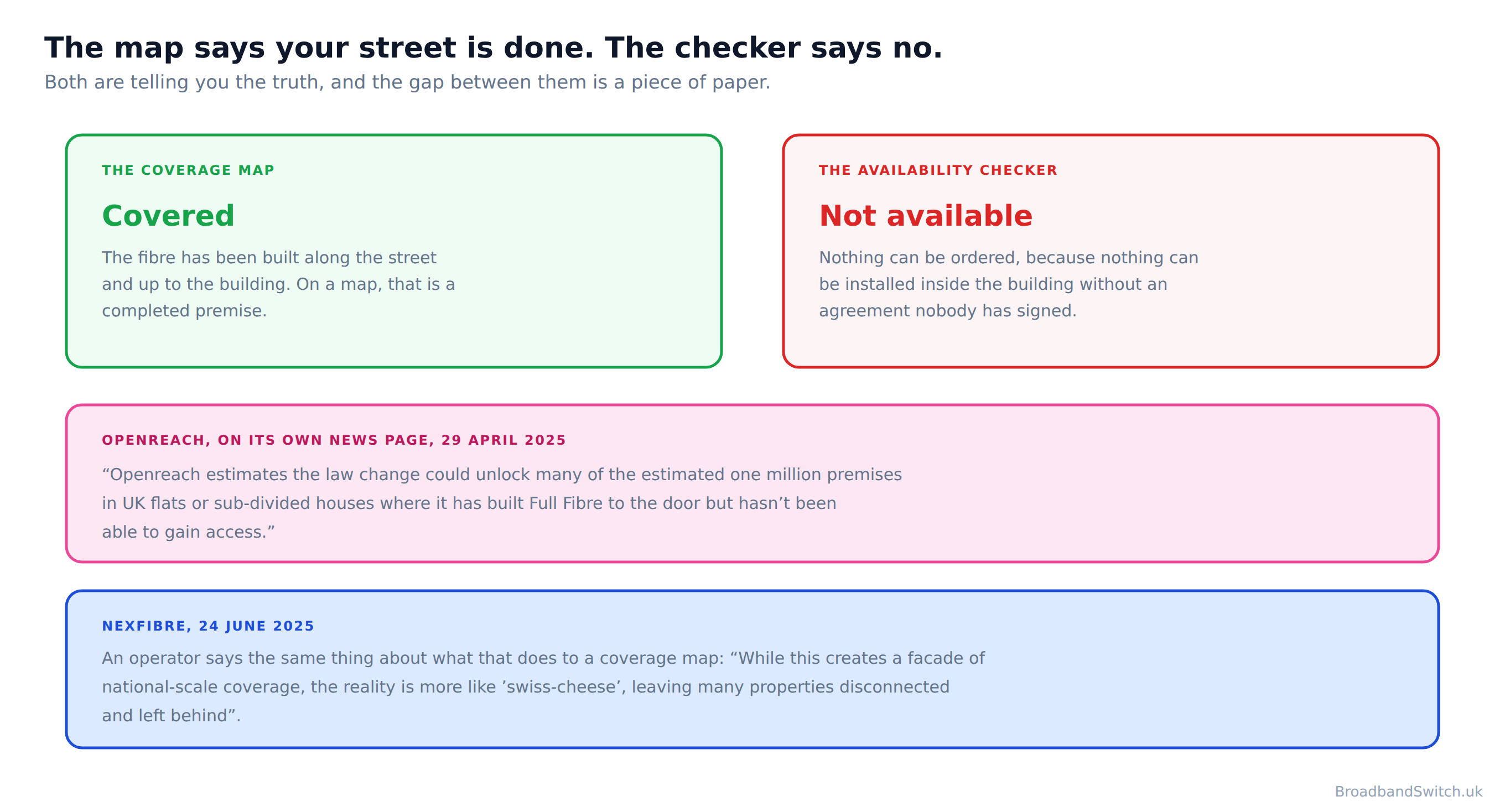
This is the experience that brings most people to a page like this one, and it is maddening precisely because both halves look like errors. Your street is inside the coloured area. Your address returns nothing. Somebody on a phone line tells you it is not available at your property, which is true and explains nothing at all.
What has happened is that the build reached the building and stopped, and then nothing happened for a very long time. It is not rare and it is not your block being singled out. In London alone: “More than 600,000 flats and apartments in London could miss out on a vital Full Fibre broadband upgrade”. The UK figure, quoted at the top of this page, is around a million premises already built to.
Read those two numbers carefully
One million is the UK figure and it counts premises already built to. Six hundred thousand is London. They get quoted interchangeably and they are not interchangeable, so this page states which is which. Both come from the same Openreach news page, read on 25 September 2026.
The useful consequence is that a no from a checker is not a verdict on your building. It is a verdict on one operator's permission to enter it, today. Which means the thing to do next is not to give up on the block, and it is not to wait for the map to change. It is to find out who has to sign.
Find who holds the pen, and write to them
Direct answer: Find out who the freeholder or managing agent is, and give their details to the operator. That one act is what the whole thing waits on.
Openreach's own resident form asks for one thing and it is not a survey or a petition: “Use this form to provide freeholder or managing agent details so we can ask for permission to install Full Fibre in your building.” A contact. And then nobody tells you where to get one, which is the gap this fills.
The finder runs entirely in your browser. There is no form to submit, no address sent to any server and nothing stored: what you type is assembled on this page and gone when you close the tab. Every quoted line in the letter is an operator's own published wording, including the awkward ones, so a freeholder who checks it will find it says exactly what you said it says.
Find the one person whose signature your building is waiting on
Every operator asks a resident for the same thing, and not one of them tells you where to get it. Three questions, and this gives you the person, the public register that names them, and a letter that answers what they are about to ask. Nothing you choose or type here leaves your browser.
Send it to the operator as well
Do not only write to the freeholder. Give the operator their name and address at the same time, because the formal request carries more weight coming from the company that would do the work than from a resident. Openreach describes the bottleneck from its own side: “The process is also complicated frequently by challenges in contacting landlords.” You are closing that gap, and it is the whole of your job here.
The one sentence that explains all of it
Direct answer: The agreement that lets an operator into your communal areas to mend the old copper does not let them install fibre. That one sentence explains most of this page.
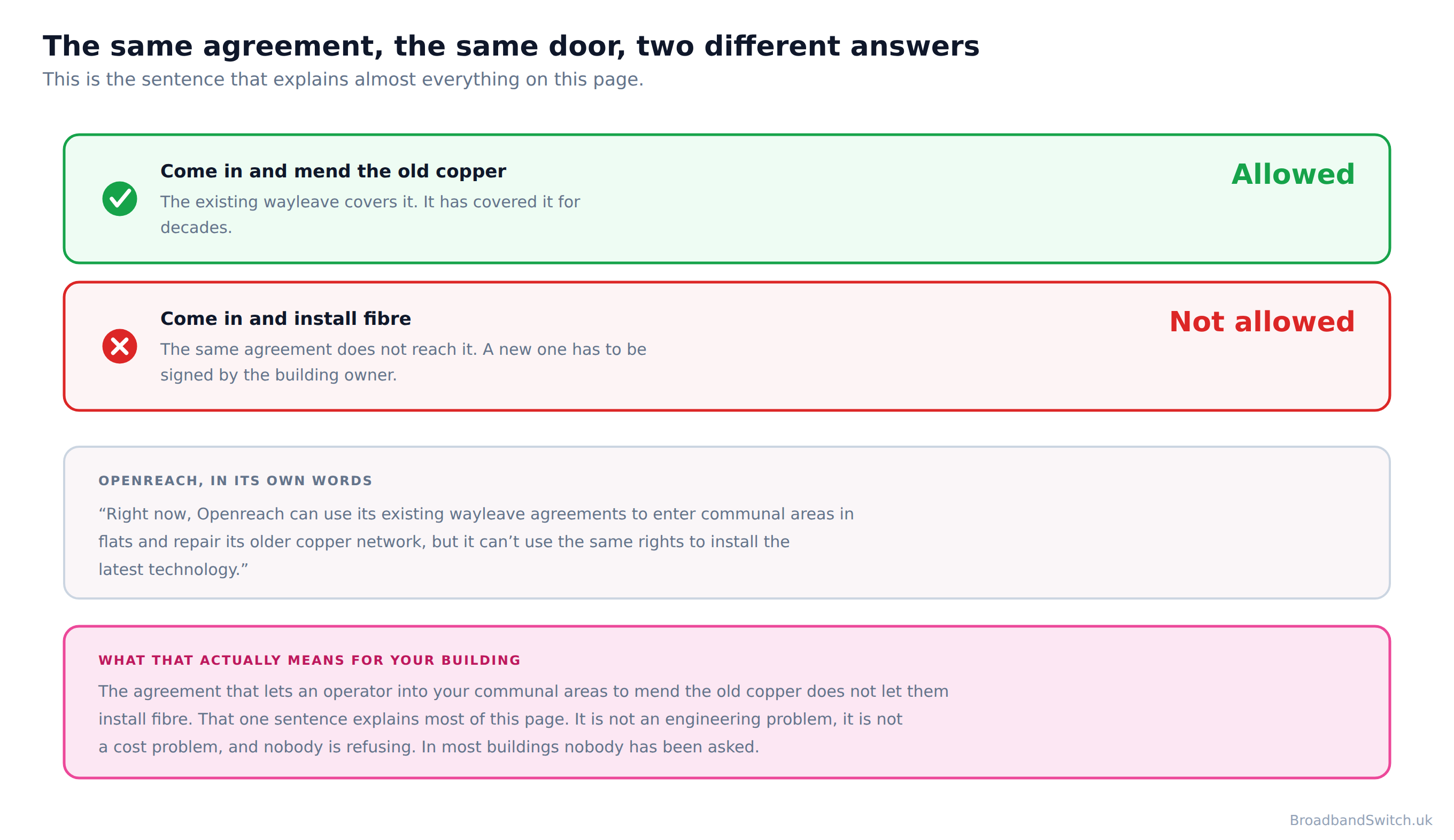
Here it is in Openreach's own words, from its news page: “Right now, Openreach can use its existing wayleave agreements to enter communal areas in flats and repair its older copper network, but it can't use the same rights to install the latest technology.” And again on its policy hub, phrased by the business rather than the press office: “Currently, we use our existing access rights - or wayleaves - to access communal areas in flats to repair the copper network, but we cannot use those same rights to upgrade tenants to the latest technology.”
Read that twice, because it is not a technicality and almost nobody quotes it. An engineer can already walk into your communal areas. They do it when the old copper breaks. The agreement that lets them do that was written for a network that is now being switched off, and it does not stretch to the one replacing it. So the fibre reaches the building, and waits at a door that nobody has the right to open.

Which is why this is a paperwork problem wearing an engineering problem's clothes. Everything a resident is tempted to do about it, registering interest, gathering neighbours, ringing providers, is aimed at the wrong thing. The thing that moves is a signature on a wayleave, and Openreach is plain about what waits on it: “We can't do any work until we've got your signed document. So please send it back to us as quickly as you can.”
There is no villain in this one
Nobody in this is behaving badly. Operators will not build without permission, freeholders cannot give permission they were never asked for, and the letters that would join the two up mostly do not get sent. It is worth saying plainly, because the temptation on a page like this is to find a villain and there is not one here. What there is, is a letter nobody has ever told a resident to send, about an agreement nobody explained, to an address nobody gave them. Every part of that is fixable in an afternoon, which is the cheerful thing about the whole subject.
Who signs, by the kind of block
Direct answer: Not you, and not your landlord if you rent. In a block it is whoever owns or manages the building, which usually means the freeholder or the managing agent.
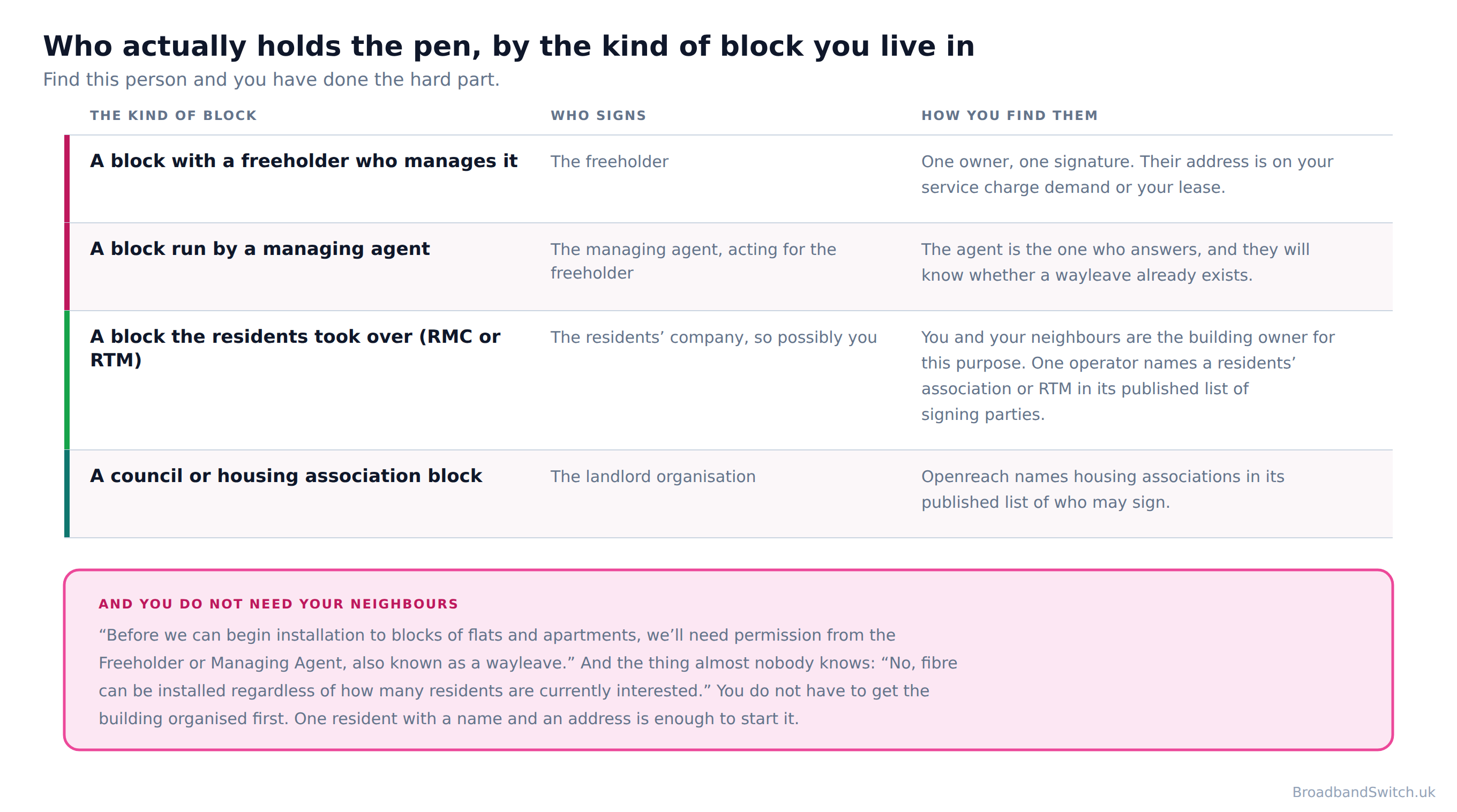
Openreach states it plainly: “Before we can begin installation to blocks of flats and apartments, we'll need permission from the Freeholder or Managing Agent, also known as a wayleave.” On its resident-facing page it puts the same point slightly wider: “We need permission from the Landlord, Freeholder or Managing Agent of your property to go ahead with an installation.” And CityFibre publishes the broadest list of who may give authority, being the only operator that names a residents' company: “As either the land or property owner or agent acting on their behalf, you have the written authority to enable us to carry out the route survey.” The table below has all four cases, with the wording behind each one.
| The kind of block | Who holds the pen | Where to find them | Published wording |
|---|---|---|---|
| A purpose-built block with an outside freeholder | The freeholder, usually through the managing agent | Service charge demand, then the land register | “Before we can begin installation to blocks of flats and apartments, we'll need permission from the Freeholder or Managing Agent, also known as a wayleave.” |
| A block the residents took over, or share of freehold | The directors of the residents company | Companies House, free, by name | “Leaseholders must set up a limited by guarantee company to carry out the management functions.” |
| A converted house or maisonette with a shared entrance | Whoever owns the freehold of the whole building | The land register for your nation | “We need permission from the Landlord, Freeholder or Managing Agent of your property to go ahead with an installation.” |
| A council or housing association block | The landlord body itself, which is also the freeholder | Your existing housing or repairs contact | “As either the land or property owner or agent acting on their behalf, you have the written authority to enable us to carry out the route survey.” |
| A new block finished in England after 26 December 2022 | The same people, but the ducting should already be in | The developer, or the managing agent it handed over to | “install gigabit-ready physical infrastructure necessary for gigabit-capable connections up to a network distribution point” |
The row that surprises people is the second one. If your block is run by its residents, through a right to manage company or a share of freehold arrangement, the signatories are the directors of that company. Companies House explains why they exist in the first place: “RTM companies allow long leaseholders in blocks of flats to take over the management of their building.” And the mechanism: “Leaseholders must set up a limited by guarantee company to carry out the management functions.”
Which is very good news, because a company has to publish who runs it. “You can get some details about a company for free”, and two of those free details are the ones you want: “company information, for example registered address and date of incorporation” and “current and resigned officers”. You can have the names and the address inside five minutes without asking anybody's permission to look.
One caution about right to manage
gov.uk describes what right to manage actually is: “The Right to Manage lets you and the other leaseholders take over certain management responsibilities from the landlord without having to prove bad management.” And it adds the part that matters for a letter: “You and the other leaseholders can manage the building yourselves or pay a managing agent to do it.” So a resident-run block may still answer through an agent. That is normal rather than a brush-off, and it is worth writing to both.
If your block has an outside freeholder and a managing agent in between, the agent is the right first door and it is also the door where this most often stops. Write to them, ask in the letter for it to be passed on, and get the freeholder's own address at the same time. You are entitled to it: the Landlord and Tenant Act 1987 requires that “A landlord of premises to which this Part applies shall by notice furnish the tenant with an address in England and Wales at which notices (including notices in proceedings) may be served on him by the tenant.” If they have not, then “any rent, service charge or administration charge otherwise due from the tenant to the landlord shall (subject to subsection (3)) be treated for all purposes as not being due from the tenant to the landlord at any time before the landlord does comply with that subsection”. Read that carefully: the money is suspended, not cancelled. It becomes due again the moment the landlord gives you the address.
And if nobody has ever told you who owns the building, look it up. In England and Wales the document you want is the title register: “It costs £7 to get a title register or a title plan.” The title register usually includes: the title number; who owns the property; how much the property was last sold for; whether the property has a mortgage; details of any 'restrictive covenants'; details of any 'easements'. There is a free tier as well, “It's free to get a property summary.”, and it is worth knowing what that does and does not carry: The property summary includes: the property's address, the address held by Royal Mail; the property description; the 'tenure type', the type of ownership the property has; whether there are any 'restrictive covenants'; whether there are any 'easements'. The free summary does not name the owner. Only the title register does, and that is the one that costs money. One honest caveat on the paid one: “You can download online copies of the information but you cannot use them as proof of ownership.” For writing a letter that is ample. In Scotland the register is a different one: “The land register is our main register. It records ownership of land and property in Scotland.” In Northern Ireland, “Land Registry is a record of land, houses and properties registered in Northern Ireland.” And: “Land & Property Services (LPS) is responsible for the registry.”
What the building is agreeing to, and what it costs
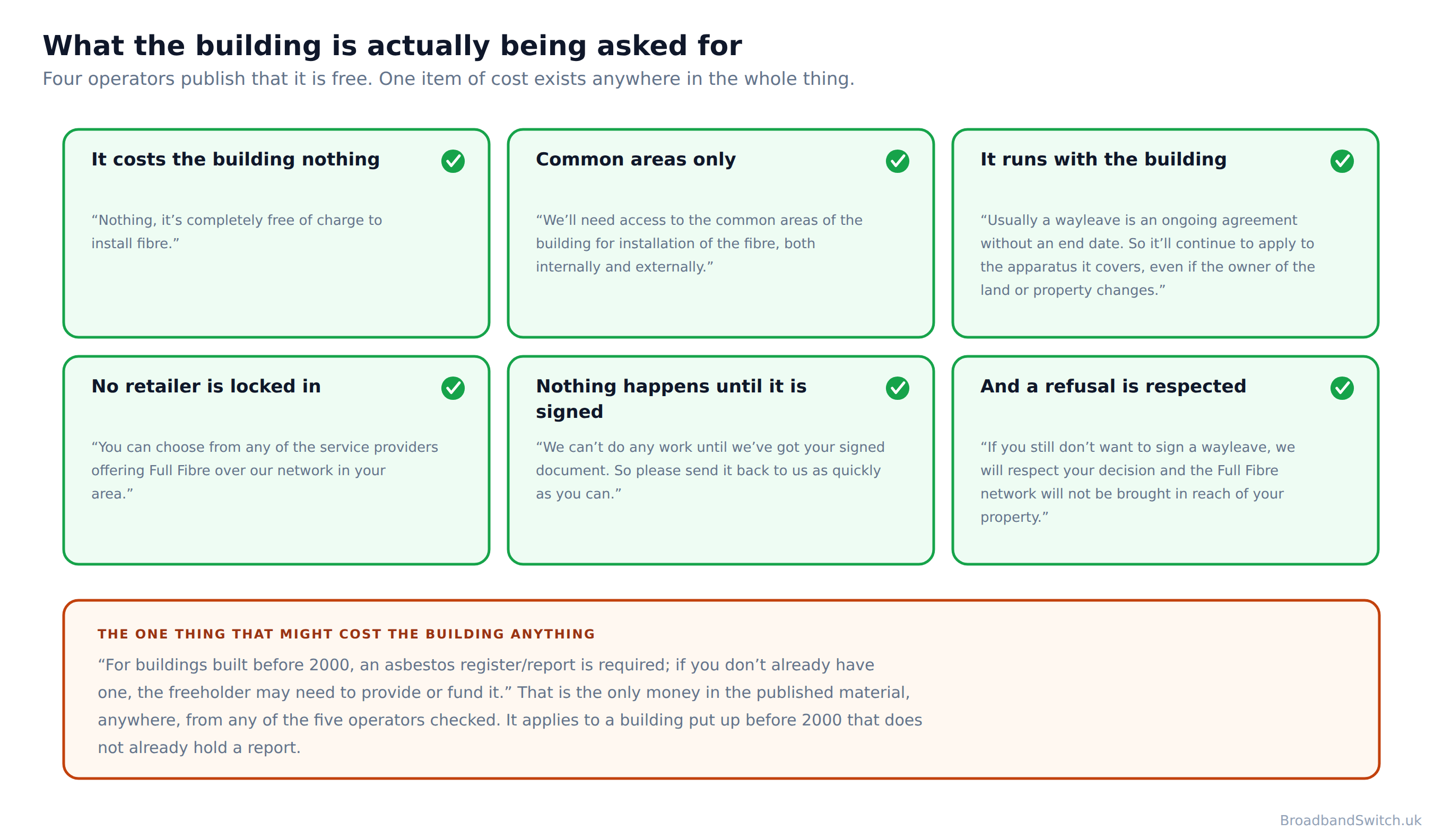
Direct answer: Nothing for the installation, on four operators' own published terms, with one published exception that applies to older buildings.
If you are the freeholder, the managing agent or a director of the residents' company, this section is written for you rather than about you. Every line in it is quoted from the people who would actually do the work, and where nothing is published this page says so instead of filling the gap.
On cost, Openreach publishes “Nothing, it's completely free of charge to install fibre.” and, on its landlord pages, “Free installation: No cost to landlords or tenants”. CityFibre publishes the same: “The survey of the property to establish an agreeable solution and the installation of full fibre to connect the property to our network is free and funded by CityFibre.” So does Hyperoptic: “We provide the equipment and install the infrastructure at no cost to you or your tenants.” Four operators, four published statements, one answer.
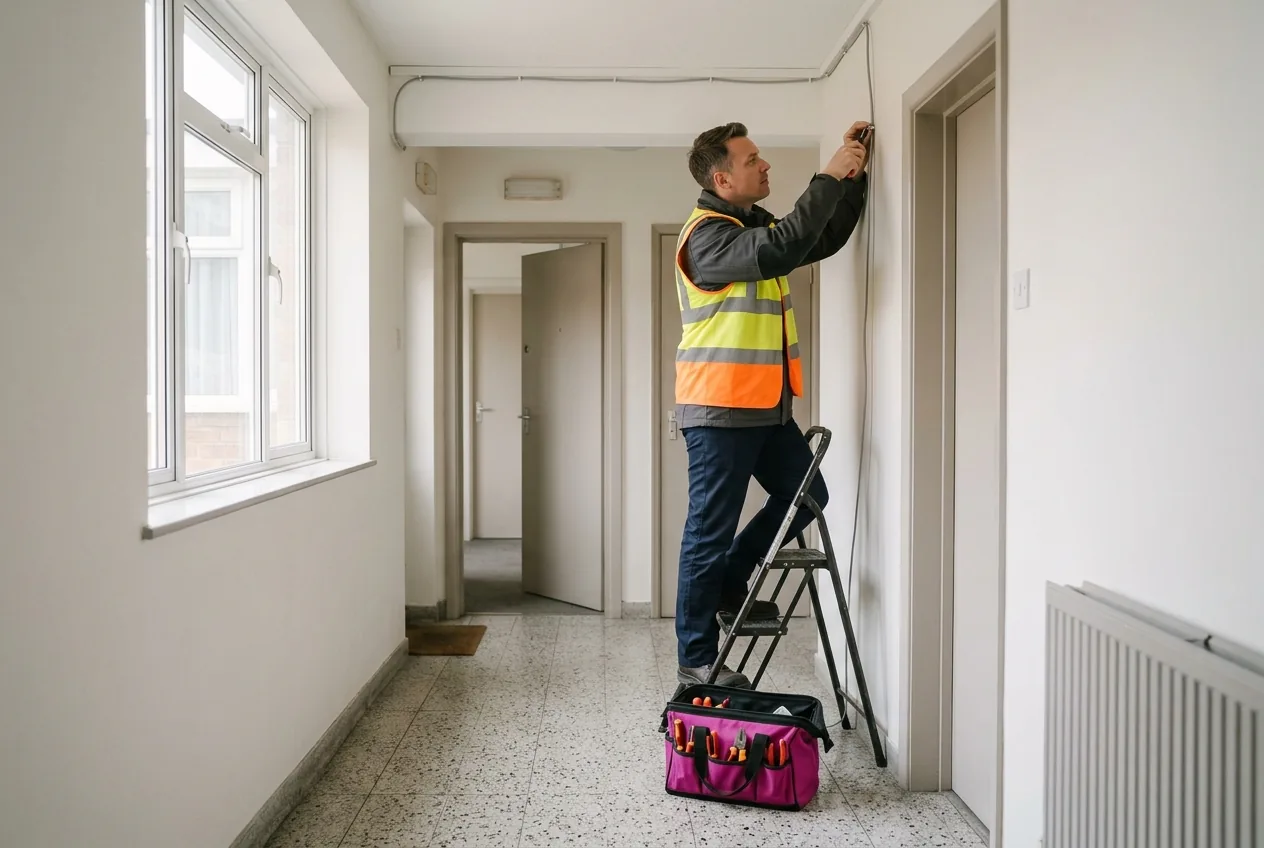
On where the work happens, Openreach: “We'll need access to the common areas of the building for installation of the fibre, both internally and externally.” Communal parts, inside and out. Nobody needs to enter a flat except the flats whose own residents order a service. Hyperoptic's published wayleave is the only operator document that spells out which communal parts, and it names “access to other parts of the Property (such as risers, or site access points, existing ducts for broadband and telephone services)”
The two things a freeholder should be told before signing, not after
First, duration. “Usually a wayleave is an ongoing agreement without an end date. So it'll continue to apply to the apparatus it covers, even if the owner of the land or property changes.” CityFibre says the same in one line: “A wayleave is indefinite. That's because it's an ongoing agreement that allows us to maintain the apparatus.” Second, the one published cost: “For buildings built before 2000, an asbestos register/report is required; if you don't already have one, the freeholder may need to provide or fund it.” A building that already holds a register, which most managed buildings do, pays nothing at all. Neither of these is a reason to refuse. Both are reasons to feel misled if you find them out afterwards, which is why they are here rather than buried.
On the objection that comes third, being tied to one company: you are not. Openreach publishes that “You can choose from any of the service providers offering Full Fibre over our network in your area.” A building connected by Openreach is a building every retailer on that network can sell into.
And on two things this page will not tell you, because nobody publishes them. No operator and no government source publishes a figure for what a connected building does to a flat's value or its rent, so none is offered here. You will have read that fibre sells or lets a flat faster, or supports a higher price. It may well be true. It is not published by anybody whose figures we could check, so it is not here. No operator publishes a list of buildings it will not serve, or the reasons a building would be turned down.
You do not need your neighbours
Direct answer: You do not need to get your neighbours organised first.

This is the most widely believed wrong thing about the whole subject, and Openreach contradicts it in a single word. Its published answer to the question opens with that word: “No, fibre can be installed regardless of how many residents are currently interested.”
No vote. No majority. No committee, no group email, no sign-up sheet on the noticeboard. One resident who can supply a name and an address for whoever can sign is enough to start the whole thing, which is exactly what the operator's own form asks for: “Use this form to provide freeholder or managing agent details so we can ask for permission to install Full Fibre in your building.”
Registering your interest with a network is still worth the two minutes, and it is worth knowing what it does and does not do. Hyperoptic, which runs exactly that kind of register, publishes the honest version: “Registering your interest helps us understand demand, but it doesn't guarantee that services will become available.” Its building form is the most open in the market about who may ask: Hyperoptic's building registration form accepts an enquiry from a freeholder, a leaseholder, a property manager, a resident management company, a residents' association or a tenant.
Why this matters more than it sounds
Telling somebody they need to organise their building is telling them to do a month of work before they start. Most people, reasonably, do not. Openreach's answer removes that month entirely, and it has been published on its own site the whole time. If one thing on this page is worth repeating to a neighbour, it is this one.
Why your neighbour has fibre and you do not
Direct answer: Because a building is rarely wired all at once. One operator publishes the two reasons, and neither of them is about you or your flat.
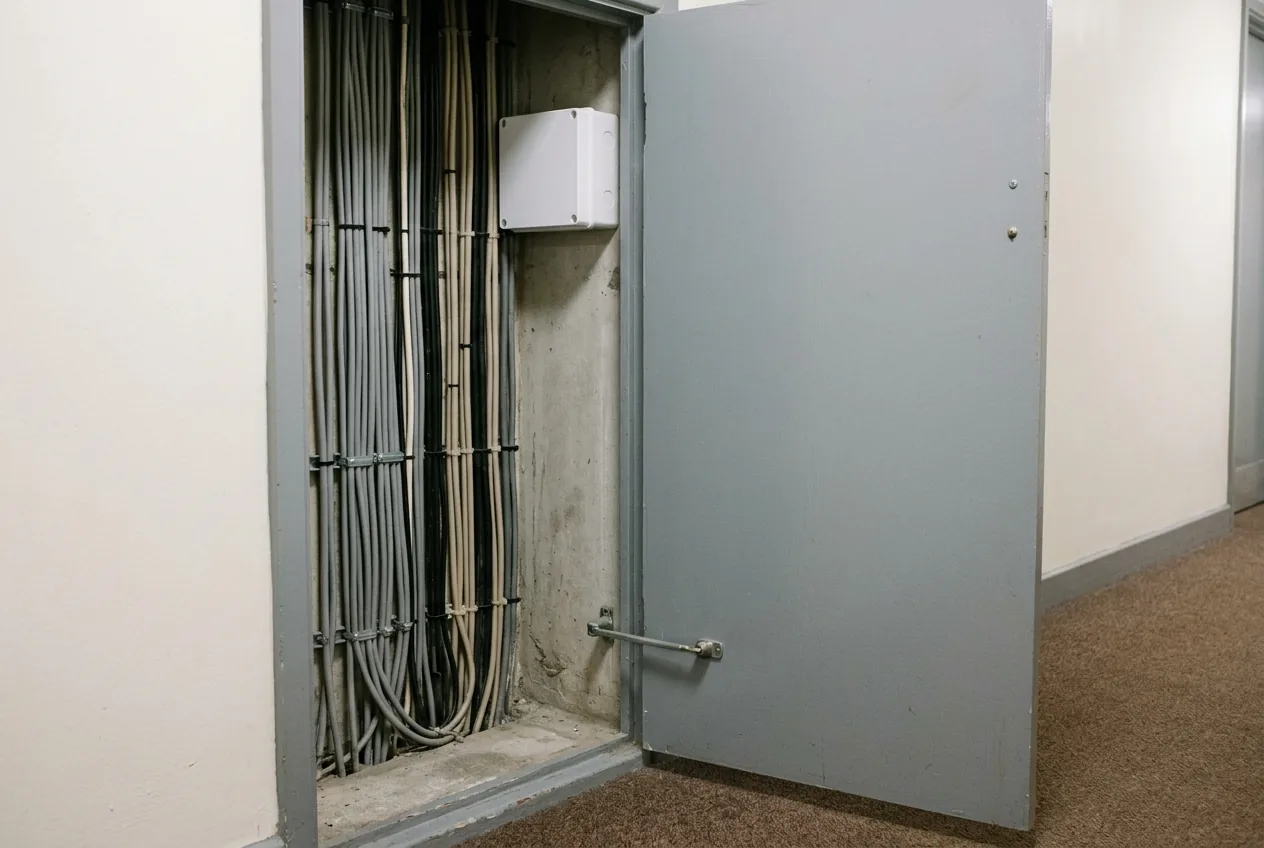
Hyperoptic is the one operator that addresses within-a-building variation head on, and its published answer names both causes: network infrastructure and building permissions. Neither of them is about you, and neither of them means your flat has been skipped.
In practice it usually comes down to how the building is plumbed. A riser serves one stack of flats and not another. A block built in two phases has two sets of ducting and only one was reached. Permission covered the communal areas on one side of a courtyard. From inside a flat none of that is visible, which is why the answer feels arbitrary and is not.
Virgin Media's model makes the same point from a different direction, because a Virgin block is generally either done or it is not: “A pre-wire is normally carried out in a block of flats. We connect individual premises to the building's integrated receiver system.” And from the resident's side: “Your block of flats may already be set up with our services. This means our cabling from individual premises link back into a main terminal, housed within a communal area of the building.” When a building is pre-wired, joining a flat to it is quick. When it is not, a flat cannot be done on its own.
What to do about it
Check your exact flat rather than your postcode, and check more than one operator, because a block can be reached by one and not another. Then ask the building, not the provider: the managing agent will know whether a wayleave was given for part of the site. And if your neighbour has a service you cannot get, ask them which company: that tells you which operator already has permission to be in the building, which is a shortcut worth having.
If your block was finished after Boxing Day 2022
Direct answer: Building Regulations in England have required gigabit-ready infrastructure in new homes since 26 December 2022, so a new block should already have the ducting.
Almost all of this page is about buildings that went up before anybody thought about fibre. If yours did not, the picture is much better and you deserve to hear it now rather than at the bottom.
Since 26 December 2022, developers in England have had to “install gigabit-ready physical infrastructure necessary for gigabit-capable connections up to a network distribution point”. And, separately, “Subject to a £2,000 cost cap per dwelling, install a functional gigabit-capable connection”. Two requirements rather than one, and it is worth noticing that the cap sits on the connection and not on the infrastructure.
So in a new block the ducting to each flat should already exist, which removes the physical half of the problem entirely. These are Building Regulations for England, so a new block in Scotland, Wales or Northern Ireland is not covered by them. A new block in Edinburgh, Cardiff or Belfast is governed by its own nation's rules rather than by this one.
If your new block still returns nothing from a checker, the infrastructure is probably there and the commercial arrangement is not yet. That is a much shorter conversation with a developer or a managing agent than the one the rest of this page is about, and it is worth having early, while the developer still has people on site.
What the law gives you, which is not a right
Direct answer: Part 4A of the Electronic Communications Code is the one route in this field that exists for blocks of flats and for nothing else, and it belongs to the operator rather than to you.
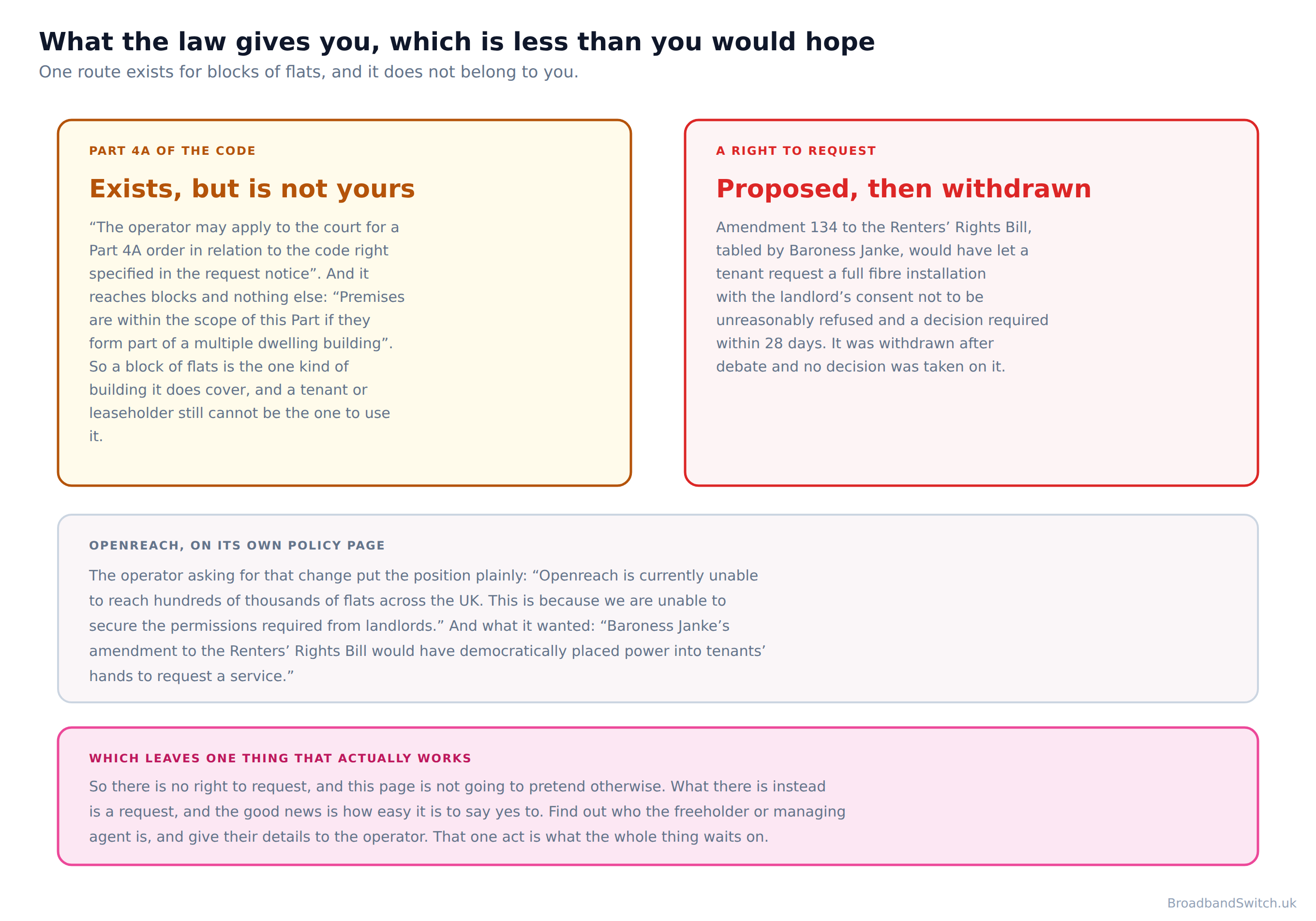
There is one legal route in this whole field that was written for blocks of flats and nothing else, and it is worth knowing precisely what it is before you rely on it. Part 4A of the Electronic Communications Code exists for the unresponsive building owner. It reaches blocks and nothing else: premises are in scope if they “Premises are within the scope of this Part if they form part of a multiple dwelling building”
And then the part people miss. The applicant is not you. “The operator may apply to the court for a Part 4A order in relation to the code right specified in the request notice” A resident cannot start it, cannot be a party to it and cannot compel an operator to use it. Four notices, not one: a request notice, two warning notices and a final notice, each with its own timing.
It is also, by design, easy to stop. The Act treats a reply of either kind as the end of the road: “the required grantor responds to the operator if the required grantor agrees or refuses, in writing, to confer or otherwise be bound by the code right specified in the request notice on the terms that the operator seeks, or otherwise acknowledges the request notice in writing”. So a refusal in writing closes the process as completely as a yes would. Which tells you what the route is actually for: silence, not refusal.
And the right that was proposed, and did not happen
Amendment 134 to the Renters' Rights Bill, tabled by Baroness Janke, would have let a tenant request a full fibre installation with the landlord's consent not to be unreasonably refused and a decision required within 28 days. It was withdrawn after debate and no decision was taken on it. Openreach publicly supported it: “Baroness Janke's amendment to the Renters' Rights Bill would have democratically placed power into tenants' hands to request a service.” An operator asking Parliament to give tenants a right is unusual enough to be worth reporting, and so is the fact that the amendment was withdrawn. As things stand there is no right to request a full fibre installation in a flat. There is a request, and the only thing you control is how good it is.
The practical reading is not gloomy. A legal route you cannot start is worth less than a letter you can send this afternoon, and a freeholder who answers is worth more than one who is taken to court in eighteen months. That is why the finder above is the centre of this page and the law is a section near the bottom. If you rent and the question is about your own flat rather than the building, the renters guide covers the second permission and has a letter for it.
What each operator actually does in a block
Direct answer: They differ more than the marketing suggests, and the differences are published.
Openreach
Publishes the most about blocks by a distance, including the asymmetry that explains the whole problem. Needs a wayleave: “Before we can begin installation to blocks of flats and apartments, we'll need permission from the Freeholder or Managing Agent, also known as a wayleave.” Free: “Nothing, it's completely free of charge to install fibre.” Does not need a minimum number of residents: “No, fibre can be installed regardless of how many residents are currently interested.” And a connected block is open to every retailer on the network: “You can choose from any of the service providers offering Full Fibre over our network in your area.”
CityFibre
The broadest published list of who may sign, including a residents' company: “As either the land or property owner or agent acting on their behalf, you have the written authority to enable us to carry out the route survey.” Free, and it says which parts: “The survey of the property to establish an agreeable solution and the installation of full fibre to connect the property to our network is free and funded by CityFibre.” It is also the only operator that publishes what happens on a refusal: “If you still don't want to sign a wayleave, we will respect your decision and the Full Fibre network will not be brought in reach of your property.” And the only one honest enough to decline a timescale: “There is no 'one size fits all' when it comes to connecting our full fibre network to MDUs or the time it can take from placing your order.”
Hyperoptic
Built around blocks rather than adapted to them. Free: “We provide the equipment and install the infrastructure at no cost to you or your tenants.” Its published wayleave is the only one that names the riser: “access to other parts of the Property (such as risers, or site access points, existing ducts for broadband and telephone services)”. It is also the only operator that tells you why two flats in one building differ: “Availability can vary between properties within the same street or building due to differences in network infrastructure or building permissions.” And it does not oversell registering interest: “Registering your interest helps us understand demand, but it doesn't guarantee that services will become available.”
Virgin Media and nexfibre
A different model, in which the building is wired as one job: “A pre-wire is normally carried out in a block of flats. We connect individual premises to the building's integrated receiver system.” From inside: “Your block of flats may already be set up with our services. This means our cabling from individual premises link back into a main terminal, housed within a communal area of the building.” nexfibre, which builds for Virgin Media, is unusually candid about what patchy permissions do to a coverage map: “While this creates a facade of national-scale coverage, the reality is more like 'swiss-cheese', leaving many properties disconnected and left behind”. And about the cause: “gaining permissions from landlords or property owners is difficult and lengthy, making it challenging to upgrade from existing copper infrastructure, particularly in relation to multi-dwelling units (MDUs).”
Community Fibre
Community Fibre publishes nothing readable about blocks of flats. Its landlord pages are generated in the browser and return nothing to an automated reader, and its readable help pages carry no multi-dwelling content at all. It is a real presence in London blocks and this page is not going to describe its terms from somebody else's summary of them. If you are dealing with Community Fibre, ask them directly and get the answer in writing.
There is one thing not one of the five publishes, and its absence is worth noticing. No operator publishes a list of buildings it will not serve, or the reasons a building would be turned down. So a no from a checker is never a statement that your block is unsuitable. It is a statement about permission, today.
There is a second absence, and this one is universal. Nobody publishes how long it takes to get a block connected. Only one operator gives any figure at all, and its clock starts at the moment permission is granted, which is the step that actually takes the time. So every figure you will see quoted elsewhere is measuring the easy half, and this page is not going to add another one to the pile.
If you rent the flat rather than own it
Direct answer: Everything on this page applies to you. There is a second permission that does not, and it belongs to your own landlord rather than to the building.
A wayleave for the building is the freeholder's to give whoever pays the rent, so the finder above works for you exactly as it works for an owner. Openreach's resident form does not ask whether you own the flat. It asks for the freeholder's details.
The part that is different is anything happening inside your own flat. That is your landlord's decision rather than the freeholder's, it is a much smaller ask than most landlords expect, and our renters guide has a generator that writes that request with every quoted line taken from the operator's own published wording.
And if a line already works in the flat and you simply want to pay a different company for it, you are not asking anybody's permission for anything: that is a switch, your landlord is not a party to it, and the switching guide sets out what Ofcom's rules give you.
The three pages, in one line each
This page is about the building: who owns the walls and who signs. The renters guide is about your tenure: what you may ask your landlord for, and how to ask so you get an answer. The switching guide is about the contract: changing who bills you, which needs nothing from anybody. Most people arrive needing two of the three.
What this page used to say, and why it changed
Direct answer: Three of these are statements the operators' own published material contradicts, and they had been on this page for months.
Naming a correction rather than quietly making it is the house rule here, and this page needed five. The version being replaced was not careless. It was built from secondary sources about a subject where the primary ones are unusually good and unusually easy to find.
Whether a resident can sign
What it saidThis page said of a wayleave that “you can ask for one to be arranged, but you cannot sign it yourself”, with no qualification.
What it says nowThat is right where there is an outside freeholder and wrong for every block the residents run. Companies House: “Leaseholders must set up a limited by guarantee company to carry out the management functions.” In a right to manage or share of freehold block the signatories are that company's directors, who may include the reader. CityFibre's published list of who may give authority is broader still: “As either the land or property owner or agent acting on their behalf, you have the written authority to enable us to carry out the route survey.”
Whether you need your neighbours
What it saidThe page said that “a quiet word from several neighbours to the managing agent helps too, since owners are far more likely to grant a wayleave when residents are asking for it”.
What it says nowNo operator publishes anything of the kind, and the implication behind it is the single most widely believed wrong thing about this subject. Openreach was asked directly whether a minimum number of interested residents is required and answered: “No, fibre can be installed regardless of how many residents are currently interested.” Neighbours are welcome. They are not a precondition, and telling people they are has kept buildings waiting.
What registering interest does
What it saidThe page said that “registering interest with a flats-focused network signals demand, and several will approach the building owner on residents' behalf”.
What it says nowHyperoptic, which runs exactly that kind of register, publishes the caveat: “Registering your interest helps us understand demand, but it doesn't guarantee that services will become available.” Registering is worth doing and it is not the lever. What moves a building is a contact for whoever can sign, which is what Openreach's own form asks for: “Use this form to provide freeholder or managing agent details so we can ask for permission to install Full Fibre in your building.”
Where the facts came from
What it saidThe page's authorities were a House of Commons Library briefing and two gov.uk consultation pages, and it quoted no operator at all on the thing every reader wants to know.
What it says nowEvery statement on this page is now quoted from the operator's or the Government's own site, read on 25 September 2026. The sentence that explains the whole problem had been published by Openreach and was not on this page: “Right now, Openreach can use its existing wayleave agreements to enter communal areas in flats and repair its older copper network, but it can't use the same rights to install the latest technology.”
What was missing entirely
What it saidThe page explained that a wayleave is needed and never said why a block already inside the coverage area cannot order, which is the question readers actually arrive with.
What it says nowBoth things are true at once and the operator publishes the reason. The agreement that lets an operator into your communal areas to mend the old copper does not let them install fibre. That one sentence explains most of this page. And the scale of it, in a figure that has been on its news page since April 2025: “Openreach estimates the law change could unlock many of the estimated one million premises in UK flats or sub-divided houses where it has built Full Fibre to the door but hasn't been able to gain access.”
If you read the old version and acted on it, the two that mattered were the flat statement that you cannot sign a wayleave yourself, which is wrong for every resident-run block, and the implication that you need neighbours on side before anything can happen, which Openreach contradicts in one word. Both cost people time.
Broadband at your postcode
Every provider that reaches your exact flat
One postcode shows every provider we can switch you to, lowest price first, across full fibre, FTTC, cable and 5G home broadband. If your block is waiting on a signature, a 5G package needs nothing from the building at all and can be cancelled when the fibre arrives.
Show every provider at my postcode →Broadband in flats: frequently asked questions
Why does the coverage map say my block has full fibre when I cannot order it?
Because both things are true at once. The fibre has been built to the building and the operator cannot legally bring it inside. Openreach publishes the reason: “Right now, Openreach can use its existing wayleave agreements to enter communal areas in flats and repair its older copper network, but it can't use the same rights to install the latest technology.” The wayleave it already holds covers repairing the old copper network in your communal areas and does not extend to installing the new one. A coverage map is drawn from where the network has been built. An availability checker answers whether it can be sold to your door. The gap between the two is a signature.
Do I need my neighbours to agree before fibre can be installed?
No, and this is the most widely believed wrong thing about the subject. Openreach was asked whether a minimum number of residents is needed and published a one-word answer: “No, fibre can be installed regardless of how many residents are currently interested.” One resident who can supply the freeholder's contact details is enough to start it. Openreach's own form asks for exactly that: “Use this form to provide freeholder or managing agent details so we can ask for permission to install Full Fibre in your building.”
Who actually signs the permission for a block of flats?
Openreach: “Before we can begin installation to blocks of flats and apartments, we'll need permission from the Freeholder or Managing Agent, also known as a wayleave.” It is not your own landlord if you rent, and it is not you. In a block the residents have taken over it is the directors of the residents' company, who are named free of charge at Companies House. CityFibre's published list is the broadest: “As either the land or property owner or agent acting on their behalf, you have the written authority to enable us to carry out the route survey.” The finder on this page asks three questions and tells you which of those you are dealing with.
What does it cost the freeholder or the building?
Nothing for the installation itself, on four operators' own published terms. Openreach: “Nothing, it's completely free of charge to install fibre.” And on its landlord pages: “Free installation: No cost to landlords or tenants”. CityFibre: “The survey of the property to establish an agreeable solution and the installation of full fibre to connect the property to our network is free and funded by CityFibre.” Hyperoptic: “We provide the equipment and install the infrastructure at no cost to you or your tenants.” There is one published exception and it is worth naming rather than hiding: “For buildings built before 2000, an asbestos register/report is required; if you don't already have one, the freeholder may need to provide or fund it.” A building that already has a register, which most managed buildings do, pays nothing at all.
What is a wayleave, and what is the freeholder actually signing?
Openreach defines it: “A wayleave is a legal agreement giving Openreach, as the operator, permission to install, maintain or repair broadband equipment on private land or in communal areas of a building.” Two things about it deserve to be said out loud before anybody signs. It normally has no end date: “Usually a wayleave is an ongoing agreement without an end date. So it'll continue to apply to the apparatus it covers, even if the owner of the land or property changes.” And CityFibre publishes the same thing in one line: “A wayleave is indefinite. That's because it's an ongoing agreement that allows us to maintain the apparatus.” That is not a reason to refuse, but a freeholder who finds it out afterwards is a freeholder who feels misled, and this page would rather they heard it here.
Can a resident sign the wayleave themselves?
It depends entirely on what kind of block you live in, and the flat no that used to be on this page was wrong. If there is an outside freeholder, you cannot. If the residents own the freehold between them or run the block through a right to manage company, then the people who sign are the directors of that company, and they may well include you. Companies House publishes why: “Leaseholders must set up a limited by guarantee company to carry out the management functions.” CityFibre's wayleave page names the same range of signatories: “As either the land or property owner or agent acting on their behalf, you have the written authority to enable us to carry out the route survey.”
How do I find out who owns my building?
In England and Wales, HM Land Registry, and go straight to the title register because that is the document with the name on it. “It costs £7 to get a title register or a title plan.” The title register usually includes: the title number; who owns the property; how much the property was last sold for; whether the property has a mortgage; details of any 'restrictive covenants'; details of any 'easements'. There is a free tier, “It's free to get a property summary.”, but check what it carries before you rely on it: The property summary includes: the property's address, the address held by Royal Mail; the property description; the 'tenure type', the type of ownership the property has; whether there are any 'restrictive covenants'; whether there are any 'easements'. The free summary does not name the owner. Only the title register does, and that is the one that costs money. Before you spend anything, check your own paperwork: the Landlord and Tenant Act 1987 requires that “A landlord of premises to which this Part applies shall by notice furnish the tenant with an address in England and Wales at which notices (including notices in proceedings) may be served on him by the tenant.” In Scotland it is Registers of Scotland, and in Northern Ireland it is Land & Property Services.
How long does it take to get a block connected?
Nobody publishes how long it takes to get a block connected. Only one operator gives any figure at all, and its clock starts at the moment permission is granted, which is the step that actually takes the time. CityFibre says so itself rather than giving a number: “There is no 'one size fits all' when it comes to connecting our full fibre network to MDUs or the time it can take from placing your order.” Every timescale you will read elsewhere starts its clock at the moment permission is granted, which is the part that actually takes the time. This page would rather tell you that than invent a figure.
Does registering my interest with a network get my block connected?
It helps and it is worth two minutes, but it is not the lever people think it is. Hyperoptic publishes the honest version: “Registering your interest helps us understand demand, but it doesn't guarantee that services will become available.” The thing that actually moves a building is a name and an address for whoever can sign. Openreach: “The process is also complicated frequently by challenges in contacting landlords.”
Why does my neighbour have full fibre and I do not, in the same building?
Hyperoptic is the one operator that addresses this directly, and it names both causes: “Availability can vary between properties within the same street or building due to differences in network infrastructure or building permissions.” A block can be part-built, a riser can serve one stack of flats and not another, and permission can have been given for some communal areas and not others. It is worth checking your exact flat rather than your postcode, and then asking the building.
Is there a law that forces a freeholder to allow fibre?
Not one you can use, and the one that came closest was withdrawn. Part 4A of the Electronic Communications Code exists for exactly this situation and it belongs to the operator rather than to you: “The operator may apply to the court for a Part 4A order in relation to the code right specified in the request notice”. It reaches blocks and nothing else: premises are in scope if they “Premises are within the scope of this Part if they form part of a multiple dwelling building”. And the whole process stops the moment the freeholder replies, because a response is defined as agreeing or refusing: “the required grantor responds to the operator if the required grantor agrees or refuses, in writing, to confer or otherwise be bound by the code right specified in the request notice on the terms that the operator seeks, or otherwise acknowledges the request notice in writing” A refusal in writing ends it as effectively as a yes. As for a tenant's own right, one was proposed and it did not happen: Amendment 134 to the Renters' Rights Bill, tabled by Baroness Janke, would have let a tenant request a full fibre installation with the landlord's consent not to be unreasonably refused and a decision required within 28 days. It was withdrawn after debate and no decision was taken on it. Openreach publicly supported it: “Baroness Janke's amendment to the Renters' Rights Bill would have democratically placed power into tenants' hands to request a service.” So as things stand there is no right to request a full fibre installation. There is a request, and the quality of the request is the only thing you control.
My block is a new build. Is it already wired?
Very probably, and this is the cheerful corner of the subject. Building Regulations in England have required since 26 December 2022 that developers “install gigabit-ready physical infrastructure necessary for gigabit-capable connections up to a network distribution point” and, “Subject to a £2,000 cost cap per dwelling, install a functional gigabit-capable connection”. So the ducting to each flat in a block finished after that date should already be in place. These are Building Regulations for England, so a new block in Scotland, Wales or Northern Ireland is not covered by them.
What happens if the freeholder says no?
Then that is the answer, and you will get it in writing, which is worth more than silence. CityFibre publishes what follows: “If you still don't want to sign a wayleave, we will respect your decision and the Full Fibre network will not be brought in reach of your property.” The position this page is written against is not refusal, it is the letter that nobody answers. Openreach names it from its own side: “The process is also complicated frequently by challenges in contacting landlords.”
I rent my flat. Does any of this apply to me?
All of it, and one thing more. A wayleave for the building is the freeholder's to give whoever pays the rent, so the finder on this page works for you exactly as it does for an owner. What changes is the second permission: if work is needed inside your own flat, your landlord has a say in that part. The renters guide has the letter for that, and the switching guide covers the case where a line already works and you simply want a different company.
In short
- In a great many blocks the fibre is already at the door. What is missing is a signature, not an engineer.
- The agreement that lets an operator into your communal areas to mend the old copper does not let them install fibre. That one sentence explains most of this page.
- Openreach, on the asymmetry: “Right now, Openreach can use its existing wayleave agreements to enter communal areas in flats and repair its older copper network, but it can't use the same rights to install the latest technology.”
- And on its own policy pages: “Currently, we use our existing access rights - or wayleaves - to access communal areas in flats to repair the copper network, but we cannot use those same rights to upgrade tenants to the latest technology.”
- The scale of it: “Openreach estimates the law change could unlock many of the estimated one million premises in UK flats or sub-divided houses where it has built Full Fibre to the door but hasn't been able to gain access.”
- In London alone: “More than 600,000 flats and apartments in London could miss out on a vital Full Fibre broadband upgrade”
- Openreach names the cause as permissions, not engineering: “Openreach is currently unable to reach hundreds of thousands of flats across the UK. This is because we are unable to secure the permissions required from landlords.”
- And names the practical blocker: “The process is also complicated frequently by challenges in contacting landlords.”
- nexfibre, independently: “gaining permissions from landlords or property owners is difficult and lengthy, making it challenging to upgrade from existing copper infrastructure, particularly in relation to multi-dwelling units (MDUs).”
- And on what that does to a coverage map: “While this creates a facade of national-scale coverage, the reality is more like 'swiss-cheese', leaving many properties disconnected and left behind”
- You do not need to get your neighbours organised first. Openreach: “No, fibre can be installed regardless of how many residents are currently interested.”
- What a resident actually does: “Use this form to provide freeholder or managing agent details so we can ask for permission to install Full Fibre in your building.”
- Who signs: “Before we can begin installation to blocks of flats and apartments, we'll need permission from the Freeholder or Managing Agent, also known as a wayleave.”
- And on the resident-facing page: “We need permission from the Landlord, Freeholder or Managing Agent of your property to go ahead with an installation.”
- CityFibre's broader list of signatories: “As either the land or property owner or agent acting on their behalf, you have the written authority to enable us to carry out the route survey.”
- Cost to the building: “Nothing, it's completely free of charge to install fibre.” And: “Free installation: No cost to landlords or tenants”
- CityFibre: “The survey of the property to establish an agreeable solution and the installation of full fibre to connect the property to our network is free and funded by CityFibre.” Hyperoptic: “We provide the equipment and install the infrastructure at no cost to you or your tenants.”
- The only published cost: “For buildings built before 2000, an asbestos register/report is required; if you don't already have one, the freeholder may need to provide or fund it.”
- What is accessed: “We'll need access to the common areas of the building for installation of the fibre, both internally and externally.”
- Hyperoptic's wayleave names the riser: “access to other parts of the Property (such as risers, or site access points, existing ducts for broadband and telephone services)”
- What a wayleave is: “A wayleave is a legal agreement giving Openreach, as the operator, permission to install, maintain or repair broadband equipment on private land or in communal areas of a building.”
- And how long it lasts: “Usually a wayleave is an ongoing agreement without an end date. So it'll continue to apply to the apparatus it covers, even if the owner of the land or property changes.”
- Everything waits on it: “We can't do any work until we've got your signed document. So please send it back to us as quickly as you can.”
- Residents are not locked to one retailer: “You can choose from any of the service providers offering Full Fibre over our network in your area.”
- Within-building variation, from the one operator that addresses it: “Availability can vary between properties within the same street or building due to differences in network infrastructure or building permissions.”
- What registering your interest is actually worth: “Registering your interest helps us understand demand, but it doesn't guarantee that services will become available.”
- Virgin Media's block model: “A pre-wire is normally carried out in a block of flats. We connect individual premises to the building's integrated receiver system.” And: “Your block of flats may already be set up with our services. This means our cabling from individual premises link back into a main terminal, housed within a communal area of the building.”
- A refusal is respected and it is final: “If you still don't want to sign a wayleave, we will respect your decision and the Full Fibre network will not be brought in reach of your property.”
- Nobody publishes a timescale: “There is no 'one size fits all' when it comes to connecting our full fibre network to MDUs or the time it can take from placing your order.”
- Part 4A of the Electronic Communications Code is the one route in this field that exists for blocks of flats and for nothing else, and it belongs to the operator rather than to you. The applicant is the operator: “The operator may apply to the court for a Part 4A order in relation to the code right specified in the request notice”
- It reaches blocks and nothing else: “Premises are within the scope of this Part if they form part of a multiple dwelling building”
- And a written reply ends it: “the required grantor responds to the operator if the required grantor agrees or refuses, in writing, to confer or otherwise be bound by the code right specified in the request notice on the terms that the operator seeks, or otherwise acknowledges the request notice in writing”
- Amendment 134 to the Renters' Rights Bill, tabled by Baroness Janke, would have let a tenant request a full fibre installation with the landlord's consent not to be unreasonably refused and a decision required within 28 days. It was withdrawn after debate and no decision was taken on it.
- Openreach asked for it: “Baroness Janke's amendment to the Renters' Rights Bill would have democratically placed power into tenants' hands to request a service.”
- New blocks in England since 26 December 2022: “install gigabit-ready physical infrastructure necessary for gigabit-capable connections up to a network distribution point”
- And: “Subject to a £2,000 cost cap per dwelling, install a functional gigabit-capable connection”. These are Building Regulations for England, so a new block in Scotland, Wales or Northern Ireland is not covered by them.
- Finding the owner in England and Wales means the title register: “It costs £7 to get a title register or a title plan.”
- The free tier will not name them: The property summary includes: the property's address, the address held by Royal Mail; the property description; the 'tenure type', the type of ownership the property has; whether there are any 'restrictive covenants'; whether there are any 'easements'. The free summary does not name the owner. Only the title register does, and that is the one that costs money.
- What you get: The title register usually includes: the title number; who owns the property; how much the property was last sold for; whether the property has a mortgage; details of any 'restrictive covenants'; details of any 'easements'.
- In Scotland: “The land register is our main register. It records ownership of land and property in Scotland.”
- In Northern Ireland: “Land Registry is a record of land, houses and properties registered in Northern Ireland.” And: “Land & Property Services (LPS) is responsible for the registry.”
- Your own paperwork, first: “A landlord of premises to which this Part applies shall by notice furnish the tenant with an address in England and Wales at which notices (including notices in proceedings) may be served on him by the tenant.”
- For a resident-run block, Companies House: “You can get some details about a company for free”, including “current and resigned officers”
- Nobody publishes how long it takes to get a block connected. Only one operator gives any figure at all, and its clock starts at the moment permission is granted, which is the step that actually takes the time.
- No operator publishes a list of buildings it will not serve, or the reasons a building would be turned down.
- Community Fibre publishes nothing readable about blocks of flats. Its landlord pages are generated in the browser and return nothing to an automated reader, and its readable help pages carry no multi-dwelling content at all.
- No operator and no government source publishes a figure for what a connected building does to a flat's value or its rent, so none is offered here.
- Nobody in this is behaving badly. Operators will not build without permission, freeholders cannot give permission they were never asked for, and the letters that would join the two up mostly do not get sent.
- Find out who the freeholder or managing agent is, and give their details to the operator. That one act is what the whole thing waits on.
Each line stands on its own and carries its date. Reviewed by a person at least quarterly, last on 25 September 2026.
References
- Openreach
Openreach. (2025, April 29). Law change could unlock Full Fibre for London flats, the estimate that many of around one million premises in UK flats or sub-divided houses have Full Fibre built to the door without access having been gained, the figure of more than 600,000 flats and apartments in London, the statement that existing wayleave agreements allow entry to communal areas to repair the older copper network but not to install the latest technology, and the note that the process is frequently complicated by challenges in contacting landlords. openreach.com
- Openreach
Openreach. Budgies but not broadband, policy hub, the statement that Openreach is currently unable to reach hundreds of thousands of flats across the UK because it cannot secure the permissions required from landlords, the same wayleave asymmetry in Openreach’s own words, and its support for Baroness Janke’s amendment to the Renters’ Rights Bill. The page carries no publication date and was read on 25 September 2026. openreach.com
- Openreach
Openreach. Ultrafast Full Fibre broadband to your apartment, the answer that fibre can be installed regardless of how many residents are currently interested, the statement that permission is needed from the landlord, freeholder or managing agent, the resident form for providing those details, the answer that installation is completely free of charge, the need for access to the common areas internally and externally, and the statement that residents may choose from any service provider offering Full Fibre over the network. openreach.com
- Openreach
Openreach. Landlords: multi dwelling unit and Broadband for landlords, the statement that permission from the freeholder or managing agent, also known as a wayleave, is needed before installation to blocks of flats and apartments can begin, the free installation with no cost to landlords or tenants, the definition of a wayleave, and the requirement for an asbestos register or report for buildings built before 2000 which the freeholder may need to provide or fund. Neither page carries a visible publication date, so both were read on 25 September 2026. openreach.com
- Openreach
Openreach. Obtaining wayleaves, the statement that a wayleave is usually an ongoing agreement without an end date which continues to apply to the apparatus it covers even if the owner of the land or property changes, and that no work can be done until the signed document has been returned. openreach.com
- CityFibre
CityFibre. Landlords and Resident wayleaves, the list of parties who may give written authority for a route survey, the statement that the survey and the installation are free and funded by CityFibre, and the statement that a decision not to sign a wayleave will be respected and the network will not be brought in reach of the property. Read on 25 September 2026. cityfibre.com
- CityFibre
CityFibre. I live in a flat or apartment, how will I be connected?, the statement that there is no one size fits all when it comes to connecting the full fibre network to multi-dwelling units or the time it can take from placing an order. cityfibre.com
- Hyperoptic
Hyperoptic. Existing buildings, Check availability and register interest and the published Wayleave Agreement, the statement that Hyperoptic provides the equipment and installs the infrastructure at no cost to the property or its tenants, the statement that availability can vary between properties within the same street or building due to differences in network infrastructure or building permissions, the statement that registering interest does not guarantee that services will become available, and the wayleave’s own reference to access to risers, site access points and existing ducts. hyperoptic.com
- nexfibre
Sykes, H. (2025, June 24). What is build density and why does it matter? nexfibre, the description of patchy building as creating a facade of national-scale coverage while the reality is more like swiss cheese, and the statement that gaining permissions from landlords or property owners is difficult and lengthy, particularly in relation to multi-dwelling units. nexfibre.co.uk
- Virgin Media
Virgin Media. Network expansion and Where our network ends and yours begins, the statement that a pre-wire is normally carried out in a block of flats with individual premises connected to the building’s integrated receiver system, and the description of cabling from individual premises linking back to a main terminal housed within a communal area. virginmedia.com
- Legislation
Communications Act 2003, Schedule 3A, Part 4A, the Electronic Communications Code provisions inserted by the Telecommunications Infrastructure (Leasehold Property) Act 2021: paragraph 27B on what premises are in scope and what counts as the required grantor responding, and paragraph 27D on the operator’s application to the court. Read on 25 September 2026. legislation.gov.uk
- Legislation
Landlord and Tenant Act 1987, section 48, the requirement that a landlord of premises to which Part VI applies furnish the tenant by notice with an address in England and Wales at which notices may be served, and the consequence in subsection (2) that rent, service charge or administration charge is treated as not being due until the landlord complies. Read on 25 September 2026. legislation.gov.uk
- Parliament
UK Parliament. Renters’ Rights Bill, amendment 134, tabled by Baroness Janke, which would have implied into tenancies a right for a tenant to request the installation of a full fibre connection with consent not to be unreasonably refused and a decision within 28 days, and which was withdrawn after debate. Checked on the Bill’s own page on 25 September 2026. bills.parliament.uk
- Government
HM Land Registry. Search for land and property information, the statement that it is free to get a property summary, that it costs £7 to get a title register or a title plan, the list of what a title register usually includes, and the warning that online copies cannot be used as proof of ownership. Last updated 9 December 2024, read 25 September 2026. gov.uk
- Government
Companies House. Get information about a company, the statement that some details about a company can be obtained for free including company information such as the registered address and date of incorporation and current and resigned officers, and About flat management companies, RTM companies and commonhold associations, the statement that RTM companies allow long leaseholders in blocks of flats to take over the management of their building and that leaseholders must set up a company limited by guarantee to carry out the management functions. Read 25 September 2026. gov.uk
- Government
Department for Digital, Culture, Media & Sport. New build connectivity: information for developers, requirement RA1 to install gigabit-ready physical infrastructure necessary for gigabit-capable connections up to a network distribution point, requirement RA2 to install a functional gigabit-capable connection subject to a £2,000 cost cap per dwelling, and the coming into force of the amended Building Regulations on 26 December 2022 in England. Last updated 22 July 2026. gov.uk
- Registers of Scotland
Registers of Scotland. Land register of Scotland, the statement that the land register is the main register and records ownership of land and property in Scotland. Read 25 September 2026. ros.gov.uk
- nidirect
nidirect. Searching the Land Registry, the statement that Land Registry is a record of land, houses and properties registered in Northern Ireland, that Land & Property Services is responsible for the registry, and that a search of a registered folio shows the current registered owner. Read 25 September 2026. nidirect.gov.uk
Ready to see what your flat can get?
Send the letter first if your block is waiting on a signature, because that is the part with somebody else in it. Then compare: one postcode shows every provider that can reach your exact address, lowest price first.
Compare at your postcode →