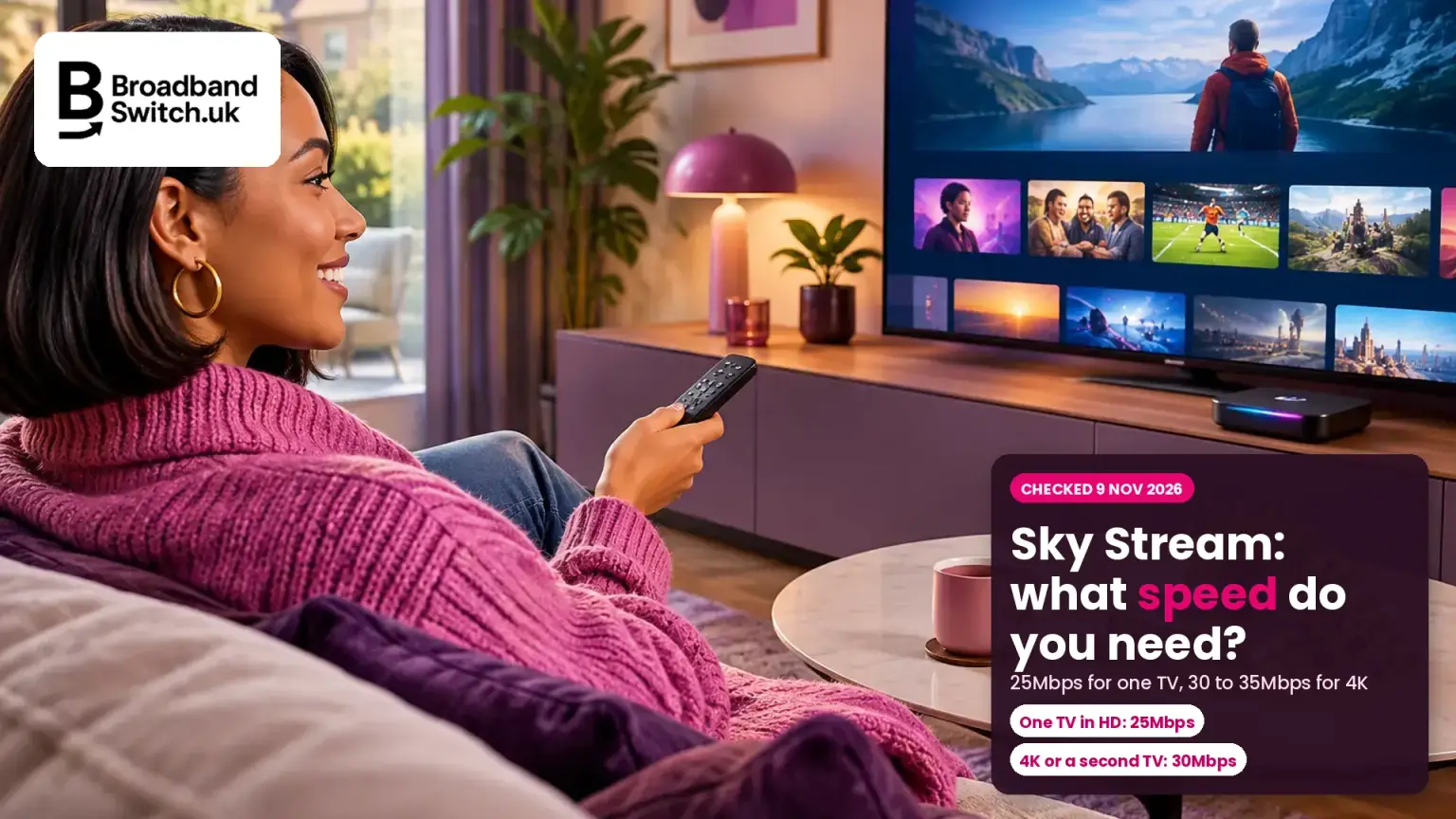
Sky Stream and Sky Glass need 25Mbps for one TV, and 30 to 35Mbps for 4K or more rooms, and that speed has to reach the TV itself
Sky Stream and Sky Glass, 9 November 2026
What broadband Sky Stream and Sky Glass need
25Mbps
Sky's recommended minimum
For one Sky Glass TV or one Sky Stream puck.
30Mbps
UHD, or one extra puck
Sky's figure to watch in UHD, or to add a puck in another room.
35Mbps
UHD with Whole Home
Each further puck adds 5Mbps, on our reading of Sky's rule.
None
Everything is streamed
No hard drive, so live TV, Playlist and apps all use your broadband.
Sky recommends at least 25Mbps for one Sky Glass TV or Sky Stream puck, 30Mbps to watch in 4K or add a second screen, and 35Mbps for 4K with Whole Home. That speed needs to reach the TV itself, after Wi-Fi and everyone else in the house have taken their share. Sky Stream works with other broadband providers too. Plug the TV in with a cable if you can, and choose an unlimited deal, because everything is streamed.
Find broadband that keeps Sky Stream smooth
Enter your postcode to see the deals available at your address, including full fibre, so your TV never has to wait.
- ✓Deals available at your exact address
- ✓Contract costs shown upfront
- ✓Your new provider handles the switch
Prefer to talk it through? Call us on 0330 122 1223
Key facts, verified 9 November 2026
- Sky's help pages say: "Recommended minimum broadband speed of 25Mbps. Or 30Mbps if you add an extra Sky Stream puck or to watch in UHD" (Sky Stream and Sky Glass FAQs, checked 9 November 2026).
- Sky says the minimum download speed "for UHD with Whole Home it's 35Mbps", and its Sky Stream page adds: "Additional 5Mb/s required for each Sky Stream puck added" (Sky, checked 9 November 2026).
- Sky's figures vary by page and package. The terms on its TV and broadband page say "minimum speed of 30Mbps recommended", and its help pages say minimum speeds "might change depending on your package" (Sky, checked 9 November 2026).
- Sky's speed guide lists HD streaming at 25Mbps and UHD at 30Mbps, and says "Your overall broadband speed is divided between all your devices" (Sky, checked 9 November 2026).
- Sky Stream works with other providers. Sky says: "If you're with another broadband provider, we recommend you check your broadband speeds with them." It also recommends fibre broadband (Sky Stream FAQs, checked 9 November 2026).
- Every Sky Stream puck and Sky Glass TV has an Ethernet port. Pucks "Will connect to your Hub or any Boosters you have over WiFi. They won't work as WiFi hotspots" (Sky, checked 9 November 2026).
- "Any recordings you have on Sky Q or Sky+ will not transfer to Sky Glass or Sky Stream puck" (Sky, checked 9 November 2026).
- Sky doesn't publish how much data Sky Stream uses. As a guide, Netflix says HD uses "up to 3 GB" an hour and 4K "up to 7 GB", per device (Netflix, checked 9 November 2026).
- Sky's Black Friday prices for new customers start at £32 a month for Essential TV with Full Fibre 500 on a 24-month term, until 9 December 2026, and "Prices may change during 24 month minimum term" (Sky, checked 9 November 2026).
Who this is for: Anyone getting Sky Stream or Sky Glass, moving from Sky Q, adding a puck in another room, or wondering whether their broadband is good enough. We'll follow Helen, an example built from the questions we get, not a real customer. Helen lives in Swindon, is swapping Sky Q for Sky Stream before Christmas, and wants a puck in the bedroom too. She's on a 36Mbps part fibre deal with another provider, and her router is in the hallway, two rooms from the TV.
What broadband speed do you need for Sky Stream and Sky Glass?
Direct answer: Sky recommends at least 25Mbps for one TV in HD, 30Mbps to watch in 4K or add a second screen, and 35Mbps for 4K with Whole Home. Each further Sky Stream puck adds 5Mbps.
Sky's help pages for Sky Stream and Sky Glass give the same figures: "Recommended minimum broadband speed of 25Mbps. Or 30Mbps if you add an extra Sky Stream puck or to watch in UHD." For 4K with Whole Home (Sky in more than one room), Sky says "for UHD with Whole Home it's 35Mbps".
Sky's Sky Stream page adds the rule for bigger homes: "Additional 5Mb/s required for each Sky Stream puck added." You can have up to six pucks and three Sky Glass TVs on one account.
Sky's recommended minimum speed, by set-up
For Helen, a main TV plus one bedroom puck in HD means 30Mbps. Her 36Mbps line clears that, but only just, and only if nobody else in the house is online at the same time.
Working out what the rest of your household needs? See what broadband speed do I need.
Why does Sky say 25Mbps on one page and 30Mbps on another?
Direct answer: Sky's help pages and its Sky Stream page say 25Mbps for one TV, while the terms for its TV and broadband bundles say 30Mbps. Sky says minimums can change by package. We'd plan for 30Mbps reaching the TV.
The terms on Sky's TV and broadband page say: "All content on Sky Stream and Sky Glass is streamed via broadband, minimum speed of 30Mbps recommended." Its Sky Stream page says 25Mbps, and its help pages explain that minimum speeds "might change depending on your package". Both are minimums and the gap is small, so 30Mbps is the safer number to plan around.
The bigger point is where you measure it. Sky's speed guide says "Your overall broadband speed is divided between all your devices. It's not the speed you'll get to each device." For a device on Wi-Fi, it adds: "It's normal for this to be lower than the speed you get to your hub."
Why your TV gets less than your broadband speed
Step 1
Your line
The speed to your router. Sky's quoted speeds are measured here, without Wi-Fi.
Step 2
Wi-Fi
Walls, floors and distance cut the speed reaching the TV.
Step 3
Everyone else
Phones, laptops and other TVs share the same connection.
Step 4
Your TV
What's left needs to be 25 to 35Mbps for Sky.
Sky's own example makes the point. On a 75Mbps line, it says "your mobile might get 2Mbps and your games console might get 25Mbps and so on". So a 36Mbps line like Helen's can leave the TV short at 8pm, when the rest of the house is online.
Evenings slower? Read why broadband speed drops in the evening.
Does Sky Stream need faster broadband than Netflix or YouTube?
Direct answer: For 4K, yes. Netflix recommends 15Mbps for 4K and YouTube 20Mbps, against 30Mbps for Sky in UHD. Sky says Disney+ Premium needs 25Mbps and HBO Max Premium 50Mbps. Plan for the most demanding service you use.
Netflix recommends "15 Mbps or higher" for Ultra HD, and YouTube a sustained 20Mbps for 4K. Sky's own terms recommend 25Mbps for Disney+ Premium and 50Mbps for HBO Max Premium, two services you can add through Sky. They also recommend 25Mbps per stream for Netflix Premium in Ultra HD through Sky, more than Netflix's own 15Mbps.
Recommended speed for each service's top picture quality
These add up when two things run at once. If one TV is on Sky in 4K and another is on Netflix in 4K, that's 45Mbps on Netflix's own figure, or 55Mbps using the 25Mbps Sky recommends for Netflix in Ultra HD, before anyone picks up a phone.
Sky doesn't say why its figure is higher than Netflix's. The useful rule is simple: if your line handles Sky in 4K at the TV, it'll handle most other apps on the same TV too.
Streaming in 4K a lot? See the best broadband for streaming in 4K without buffering.
How much do Sky Stream's extras cost, and what speed do they need?
Direct answer: The Ultra HD pack costs £6 a month and needs 30Mbps. Whole Home, for more rooms, costs £15 a month and needs 30Mbps with one extra puck, then 5Mbps more for each further puck. The first extra puck has no set-up fee.
Sky's Sky Stream page says the £6 Ultra HD and Dolby Atmos pack is "required to watch Sky content in UHD/HDR", on a 31-day rolling subscription, and its help pages add that your TV needs to be 4K compatible. Whole Home costs £15 a month, also on a 31-day rolling subscription, and lets you watch Sky Go on four devices at once. Each extra puck after the first has a £39.95 set-up fee.
| Extra | Price | Broadband Sky recommends |
|---|---|---|
| Ultra HD and Dolby Atmos pack | £6 a month, 31-day rolling | 30Mbps |
| Whole Home (Sky in more rooms) | £15 a month, 31-day rolling | 30Mbps with one extra puck, then 5Mbps more for each further puck (our reading) |
| Extra Sky Stream puck | £0 set-up for the first, then £39.95 each | Counted in the Whole Home figure |
| 4K with Whole Home | Both of the above | 35Mbps |
Helen wants Sky in the bedroom, so she'll need Whole Home and a puck: 30Mbps on Sky's figures, or 35Mbps if she adds 4K. That's nearly all of her 36Mbps line.
Comparing the ways to get Sky? Our Sky TV deals guide sets out what each route commits you to.
Can you use Sky Stream or Sky Glass with another broadband provider?
Direct answer: Yes. Sky Stream and Sky Glass work on other providers' broadband, as long as enough speed reaches the TV. The difference is support: Sky can test the line for Sky Broadband customers, but if your broadband comes from someone else, you check speeds and faults with them.
Sky's help pages say "If you're with another broadband provider, we recommend you check your broadband speeds with them." Its service status page for streaming TV puts it plainly: "If you're a Sky Broadband customer, you can test your connection below. If not, you'll need to check with whoever supplies your broadband."
So it's a trade-off, not a rule. One company for TV and broadband is simpler when something goes wrong. Keeping a cheaper or faster deal elsewhere is fine, as long as it gives the TV enough speed.
Sky Stream with Sky Broadband, or with another provider
With Sky Broadband
Faults
One company for the TV and the line, and Sky can test your connection.
Extras
Sky WiFi Max from £6 a month, with a speed guarantee in every room.
Watch for
Prices that may change during a 24-month term.
With another provider
Faults
Sky handles the TV. Your provider handles the line and the speed.
Choice
Keep a deal you like, or pick the fastest at your address.
Watch for
Enough speed at the TV, and unlimited data.
If you do take Sky Broadband, its WiFi Max add-on, from £6 a month, comes with a guarantee: "10Mbps in every room on selected packages, or 25Mbps in every room on faster eligible packages". Worth knowing: the 10Mbps level applies to Superfast and Full Fibre 75 and 100, below the 25Mbps Sky recommends for Sky Stream. Full Fibre 150 and faster get 25Mbps, enough for one TV in HD, but not the 30Mbps Sky recommends for 4K or a second screen.
Pucks are loaned, not sold. Sky says pucks ordered after 23 February 2023 "will need to be returned to us when you leave or downgrade", so keep the box.
Thinking of moving your broadband away from Sky? Read how to leave Sky Broadband and keep Sky TV.
Is Wi-Fi or a cable better for Sky Stream and Sky Glass?
Direct answer: A cable is better. Every Sky Stream puck and Sky Glass TV has an Ethernet port, and a wired link gives the TV a steadier speed than Wi-Fi. If you can't run a cable, move the router or add mesh Wi-Fi.
Sky says pucks connect "over WiFi or with an Ethernet port on the back", and that they "Will connect to your Hub or any Boosters you have over WiFi. They won't work as WiFi hotspots." So a puck can't pass Wi-Fi on to the next room; it needs a good signal where it sits.
Sky lists a "10/100MB" Ethernet port on Sky Glass Gen 2 and Sky Glass Air. That tops out at 100Mbps, well above the 30Mbps Sky recommends for watching in UHD, so the port won't hold the TV back.
Wi-Fi or a cable: a quick checklist
Plug in with Ethernet
Every puck and Sky Glass TV has a port. It's the steadiest option.
No cable route?
Try powerline adapters, or mesh Wi-Fi with a unit near the TV.
Test at the TV
Run a speed test on your phone, beside the TV, at a busy time.
Router in a cupboard
Cupboards, thick walls and floors cut the signal to the TV.
Relying on the puck
Pucks won't work as Wi-Fi hotspots, so they can't boost the signal.
Is your router in the right place?
RouterMap checks the best spot for your router at home, so the signal reaches your TV before you spend a penny on kit.
Check with RouterMap →Helen's router is in the hallway, two rooms from the lounge. A flat Ethernet cable along the skirting board, or a mesh unit beside the TV, is the cheapest way to make sure Sky gets the speed she's paying for.
Mesh or extender? See mesh Wi-Fi against extenders.
How much data does Sky Stream use?
Direct answer: Sky doesn't publish a figure. As a guide, Netflix says HD uses up to 3GB an hour and 4K up to 7GB. Four hours of HD a day could be around 360GB a month, so pick an unlimited deal.
Sky Q brought live TV in through the dish, so moving to Sky Stream puts much more through your broadband. Netflix's data guide gives "High definition: up to 3 GB" and "Ultra high definition (4K): up to 7 GB" an hour, per device. Sky's own figures may differ, so treat ours as estimates.
Rough data use in a 30-day month, one TV
Most home broadband deals are unlimited, so for most homes this is nothing to worry about. It matters on mobile or 5G home broadband, and on any deal with a monthly allowance or a fair usage policy. Our guide to broadband data caps by provider shows where limits still apply.
Check the small print: what a fair usage policy means on an unlimited deal.
What changes when you move from Sky Q to Sky Stream?
Direct answer: Live TV moves from the dish to your broadband, and there's no recording: you add shows to a Playlist instead. Your Sky Q recordings won't transfer, so watch anything you want to keep before you switch.
Sky's answer to "Can you record on Sky Stream?" is "You won't need to." Shows go into your Playlist, and you can restart most live programmes from the beginning. All of that is streamed, which is why the speed at your TV matters more than it did with Sky Q.
Sky says "We won't turn off your current Sky Q or Sky+ service until you activate Sky Stream", so you can sort out the Wi-Fi by the TV first. Once Sky Stream is active, Sky says your old Sky box "will no longer work", and Sky Q kit goes back to Sky: "Keep hold of it for the first 31 days."
| Feature | Sky Q | Sky Stream and Sky Glass |
|---|---|---|
| Live TV comes in by | Satellite dish | Broadband: "No dish needed" |
| Recordings | Stored on the box's hard drive | No recording: Playlist streams shows on demand |
| If the broadband stops | Live channels still come through the dish | Sky TV is streamed, so it needs the broadband back |
| Your old recordings | On the Sky Q box's hard drive | Won't transfer, and the old box stops working once Sky Stream is active |
Switching broadband at the same time? Read what happens to your TV package when you switch broadband.
What are Sky's Black Friday TV and broadband prices?
Direct answer: For new customers, Essential TV with 500Mbps full fibre is £32 a month and Ultimate TV with it is £40, both until 9 December 2026. 500Mbps full fibre on its own is £26 a month until 2 December. All are 24-month terms.
Sky's Black Friday page lists these as new-customer prices with no upfront fees, and adds the usual line: "Prices may change during 24 month minimum term." Sky says its full fibre is available to 79% of UK homes. If you already have Sky TV, check you qualify, as the offers say "New Sky customers only".
| Deal | Price a month | Offer ends |
|---|---|---|
| Essential TV and Full Fibre 500 | £32 | 9 December 2026 |
| Essential TV and Full Fibre Gigafast (900Mbps) | £35 | No end date shown |
| Ultimate TV and Full Fibre 500 | £40 | 9 December 2026 |
| Ultimate TV and Full Fibre Gigafast (900Mbps) | £41 | No end date shown |
| Full Fibre 500, broadband only | £26 | 2 December 2026 |
Any of these is far more speed than Sky Stream needs. On its TV and broadband page, Sky describes Full Fibre 150 as "Recommended for HD streaming and video calling" and Full Fibre 500 as "Perfect for streaming in UHD". The real question is the price over two years, against what else reaches your address.
Before you sign: Sky broadband deals and how Sky's price rises work.
How do I stop Sky Stream or Sky Glass buffering?
Direct answer: Test the speed at the TV first. If it's low there, plug in with a cable or move the router. If it's low at the router too, check for a fault with your provider. These five steps cover most problems.
How to fix Sky Stream buffering, in five steps
Test at the TV
Use your phone beside the TV at a busy time. You want 25 to 35Mbps, depending on your set-up.
Restart
Turn off the puck or Sky Glass and your router for a minute, then back on.
Fix the Wi-Fi
Plug in with Ethernet, move the router into the open, or add mesh.
Ease the load
Pause big downloads and other 4K streams while you watch.
Check the line
Sky Broadband customers can use Sky's status page. Otherwise, ask your provider.
If the speed at your router is regularly below the minimum your provider promised, you may have rights. Sky, for example, says that if your speed falls below the one it told you "for 3 days in a row", you might be entitled to cancel "without early termination charges". Our guide to the minimum guaranteed download speed explains how this works.
Check the speed your TV is really getting
Run our free speed test on your phone, standing next to the TV, to see what actually reaches it. Then compare it with Sky's 25 to 35Mbps.
Test with UK Speed Test →Not sure if it's the line or the Wi-Fi? Here's how to tell.
What should I do now?
Today
Run a speed test on your phone next to the TV. Compare it with Sky's 25Mbps, or 30 to 35Mbps for 4K or more rooms.
Before you swap from Sky Q
Watch any recordings you want to keep, and plan a cable or mesh unit for the TV.
By 9 December
If you want Sky's TV and broadband together, its Black Friday prices for new customers run until then.
At your next contract end
Compare full fibre at your address. Most deals give Sky Stream plenty of room, and unlimited data matters.
See which broadband suits Sky Stream at your address
Enter your postcode to compare the full fibre and other deals available where you live.
- ✓Deals available at your address
- ✓Contract costs shown upfront
- ✓Free and independent
In summary
- Sky recommends 25Mbps for one Sky Stream or Sky Glass TV in HD, 30Mbps for 4K or a second screen, and 35Mbps for 4K with Whole Home.
- Each further puck adds 5Mbps, and that speed needs to reach the TV, not just your router.
- Sky Stream works with other providers too, but if your broadband isn't Sky's, your provider handles speed and line faults.
- A cable beats Wi-Fi. Every puck and Sky Glass TV has an Ethernet port.
- There's no recording and no dish, so everything is streamed. Pick an unlimited deal, and watch your Sky Q recordings before you switch.
Alex's closing thought
The best thing about Sky Stream is that you don't need a dish or an engineer. The catch is that your broadband now does all the work, so the number that matters is the speed at your TV, not the one on your bill. Test it there first. If it's short, a cable or a better spot for the router usually sorts it for very little. If you'd like a hand checking what reaches your address, ring us on 0330 122 1223.
Keep going: Sky, speed and streaming
Know someone swapping Sky Q for Sky Stream?
Send them this. It shows the speed they need, and how to test it at the TV.
Cite this page
You're welcome to quote or link to this guide. Please credit BroadbandSwitch.uk and link to this page.
In a sentence: Sky recommends a minimum broadband speed of 25Mbps for one Sky Glass TV or Sky Stream puck, 30Mbps to watch in UHD or add an extra puck, and 35Mbps for UHD with Whole Home; that speed needs to reach the TV, and Sky Stream also works with other providers' broadband.
Martin-Smith, A. J. (2026, November 9). Sky Stream and Sky Glass: what broadband speed do you need? BroadbandSwitch.uk. https://broadbandswitch.uk/insights/sky-stream-broadband-speed-needed/
Frequently asked questions
What broadband speed do I need for Sky Stream?
Sky recommends at least 25Mbps for one TV in HD, 30Mbps for 4K or an extra puck, and 35Mbps for 4K with Whole Home. Each further puck adds 5Mbps.
What speed does Sky Glass need?
The same as Sky Stream: a recommended minimum of 25Mbps, or 30Mbps to watch in UHD or add a Sky Stream puck in another room.
Can I have Sky Glass with a different broadband provider?
Yes. Sky Glass and Sky Stream work on other providers' broadband, as long as enough speed reaches the TV. Sky recommends checking your speeds with your own provider.
Is 30Mbps enough for Sky Stream?
It meets Sky's recommendation for one TV in HD or 4K, or a main TV plus one puck in HD, as long as 30Mbps reaches the TV. Other devices online at the same time take a share.
Can Sky Stream work over Wi-Fi?
Yes. Pucks connect over Wi-Fi or with an Ethernet cable. A cable is steadier, and pucks won't work as Wi-Fi hotspots.
Does Sky Stream use a lot of data?
Sky doesn't publish a figure. As a guide, Netflix says HD uses up to 3GB an hour and 4K up to 7GB. An unlimited deal is the safe choice.
Can you record on Sky Stream?
No. Sky says you won't need to: you add shows to your Playlist, and you can restart most live programmes. It all streams over broadband.
Will my Sky Q recordings move to Sky Stream?
No. Sky says recordings on Sky Q or Sky+ won't transfer, so watch anything you want to keep before you activate Sky Stream.
Does Sky Stream work with 4G, 5G or satellite broadband?
Sky says Sky Stream streams over any Wi-Fi, and it recommends fibre broadband. Other connections can work if they give a steady speed at the TV and enough data.
How much is Whole Home on Sky Stream?
£15 a month on a 31-day rolling subscription, on Sky's page checked 9 November 2026. The first extra puck has no set-up fee, then £39.95 each. Sky recommends 30Mbps with one extra puck, and on our reading 5Mbps more for each puck after that.
Why does my Sky Stream keep buffering?
Usually weak Wi-Fi or a busy connection. Test the speed at the TV, try an Ethernet cable, pause other big downloads, then check your line with your provider.
Is Sky Stream better than Sky Q?
It's different. Sky Stream needs no dish or engineer, but everything streams over broadband and there's no recording. Sky Q brings live TV through a dish and records to a hard drive.
References
- Netflix. (n.d.). How to control how much data Netflix uses. Netflix Help Center. Retrieved 9 November 2026, from https://help.netflix.com/en/node/87
- Netflix. (n.d.). Netflix-recommended internet speeds. Netflix Help Center. Retrieved 9 November 2026, from https://help.netflix.com/en/node/306
- Sky. (n.d.). Broadband speeds explained. Sky Help. Retrieved 9 November 2026, from https://www.sky.com/help/articles/broadband-speeds-explained
- Sky. (n.d.). Help for Streaming TV: service status. Sky Help. Retrieved 9 November 2026, from https://www.sky.com/help/servicestatus/streamingtv
- Sky. (n.d.). Sky Black Friday deals 2026. Retrieved 9 November 2026, from https://www.sky.com/deals/black-friday
- Sky. (n.d.). Sky Glass FAQs. Sky Help. Retrieved 9 November 2026, from https://www.sky.com/help/articles/sky-glass-faqs
- Sky. (n.d.). Sky Stream [product page and terms]. Retrieved 9 November 2026, from https://www.sky.com/tv/stream
- Sky. (n.d.). Sky Stream FAQs. Sky Help. Retrieved 9 November 2026, from https://www.sky.com/help/articles/sky-stream-faqs
- Sky. (n.d.). Sky TV and broadband packages. Retrieved 9 November 2026, from https://www.sky.com/tvandbroadband
- Sky. (n.d.). Sky WiFi Max. Retrieved 9 November 2026, from https://www.sky.com/broadband/wifi-max
- YouTube. (n.d.). System requirements and supported devices for YouTube. YouTube Help. Retrieved 9 November 2026, from https://support.google.com/youtube/answer/78358?hl=en-GB