11 in-depth articles written for UK families, aligned with CEOP, NSPCC and Internet Matters themes.
Moving home with your broadband
Quick answer
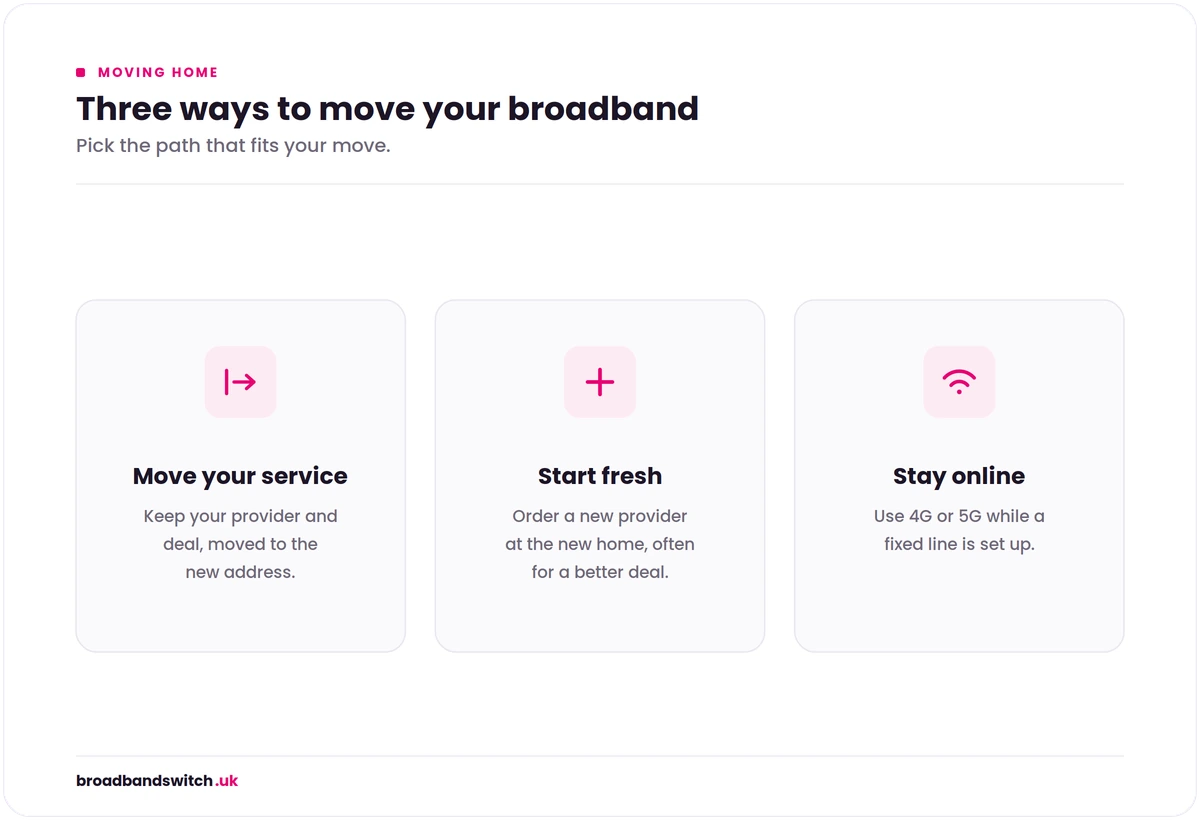
Start the broadband move-home process at least 6 weeks before your move date by checking exact-address availability at the new home using our postcode comparison tool. Your three practical paths. First, transfer your existing provider if they serve the new address and you are happy with the service: most major retailers run a "home move" process that keeps your account active at the new address with one phone call or online form, sometimes with a free or low-cost engineer visit; the trade-off is that some providers reset your minimum contract term as part of the home move (24-month contract starts again from the new address activation date). Second, switch to a new provider if better speeds or value are available at the new address, or if your current provider does not serve it: One Touch Switch (live since 12 September 2024) handles most fixed-line switches between providers with a single request to the new retailer. If your current contract is still in its minimum term you may face early termination fees, but providers are required to waive these where they cannot serve the new address (Ofcom General Conditions cover this). Third, bridge with mobile broadband if fixed-line install is delayed or your move date is uncertain: Three 5G Hub, EE 5G Smart Hub Plus, Vodafone GigaCube, or O2 Home Wireless on rolling 1-month delivers 100 to 300 Mbps in strong-signal areas with next-day setup and clean cancellation. The single biggest practical mistake UK home-movers make is signing a 24-month contract at the new address before confirming exact-address availability and engineer install timing; this is particularly relevant for new-build moves where the address may not yet be in providers' ordering systems. See our dedicated new-build broadband delays guide for the new-build scenario specifically.
6 to 8 weeks
Recommended notice period before your move date
3 paths
Transfer existing, switch to new, or bridge with mobile
Sep 2024
One Touch Switch live; one request handles most fixed-line switches
Next-day
5G Hub bridge available with rolling-month flexibility
Start 6 to 8 weeks before move
Check exact-address availability at the new home using our postcode tool plus direct retailer checkers. Decide which of the three paths fits your situation. Engineer installs can take 2 to 4 weeks to schedule, so early action protects against move-day downtime.
Three paths, three trade-offs
Transfer existing (simplest, may reset contract term). Switch to new (One Touch Switch makes it clean, may face exit fees if in minimum term). Bridge with mobile (rolling-month flexibility, no install). Each fits different circumstances.
Exit-fee waivers when new home not served
Ofcom General Conditions require providers to waive early termination fees when they cannot serve your new address. Document the unavailability and request the waiver in writing; reasonable providers comply without dispute.
Plan for move-date slippage
Property chains slip; rental move dates can shift; new-build completion dates can move by weeks. Build flexibility into your broadband choice: rolling-month bridges, no-exit-fee 12-month tariffs, or providers with free move-date changes protect against the slippage risk.
Postcode check
See what is available at your new address
FTTP, FTTC, cable, altnet partnerships, and 4G or 5G home broadband at your specific new postcode. Independent comparison from 35 plus UK retailers, refreshed multiple times daily.
The three practical paths for moving home with broadband
Every UK home-mover ends up taking one of three practical paths with their broadband: transfer the existing provider to the new address, switch to a new provider for the new address, or bridge with mobile broadband for the period between move-in and fixed-line activation. None of these is universally best; the right choice depends on your specific circumstances.
Three practical paths for a UK home move.
Path
When it fits best
Advantages
Trade-offs and risks
Transfer existing provider to new address
Your current provider serves the new address; you are happy with current service and pricing
Simplest process: one phone call or online form. Account and email continuity. Often free or low-cost engineer visit. No exit fees.
Some providers reset your minimum contract term as part of the move (24-month contract restarts from new address activation). Speed and pricing tier may change if the new address has different infrastructure.
Switch to a new provider via One Touch Switch
Better deals available at new address; current provider does not serve the new address; you want to upgrade speed or tier; current contract is at or near end
One Touch Switch since 12 September 2024 makes the process clean. Opportunity to get new-customer pricing and bundles. Can match speed and tier exactly to new address infrastructure.
If still in minimum contract term, early termination fees may apply unless current provider cannot serve new address (mandatory waiver applies). New install may need engineer visit (2 to 4 weeks).
Bridge with mobile (4G/5G home broadband)
Move date is uncertain or near; new address fixed-line install will take longer than acceptable; you need working internet from move-in day
Next-day setup; no install; no engineer; rolling-month flexibility; clean cancellation when fixed line live. Particularly useful for new-build moves and chain-dependent moves.
Speeds depend on local 4G/5G coverage and may be lower than FTTP. Monthly cost £25 to £40 typically. Not the long-term solution for most households.
The hybrid approach. Many UK home-movers in 2026 actually combine paths: a 4G or 5G bridge for the first 1 to 4 weeks at the new address, plus a switch to the optimal provider for the new address once the household pattern stabilises. This is the lowest-risk approach for moves with timing uncertainty (property chains, new-builds, complex household transitions) and is genuinely worth the modest extra cost of the bridge during the overlap. See the 4G and 5G bridge options section below for the practical bridge setup.
The decision pattern by typical situation. For a straightforward owner-occupier move from one established home to another within the same provider's footprint, the transfer path is usually cleanest. For moves where you are already considering a switch (your current contract is in its final months, or current pricing is poor), the move-home moment is the natural opportunity to switch. For moves with timing uncertainty (chain-dependent, new-build, rental transitions), the bridge approach removes the move-day risk and gives you flexibility to choose the right fixed-line option once you are settled.
The 8-week move-home broadband timeline
The right time to start the broadband move-home process is 6 to 8 weeks before your move date. This protects against engineer-install lead times (typically 2 to 4 weeks for FTTP installs requiring an engineer visit), gives you flexibility to handle any address-availability surprises, and avoids the move-day scramble that often results in rushed contract decisions.
Time before move
Action
Why it matters
8 weeks
Check broadband availability at new address using postcode tools and direct retailer checkers; note your current contract end date and any early termination fees in writing
Sets the foundation for choosing transfer, switch, or bridge; confirms whether your current provider serves the new address
6 weeks
Decide between transfer, switch, and bridge paths. If transferring, contact current provider's home-move team. If switching, identify new provider preference
6 weeks gives you margin for any provider response delays without affecting move-day timing
4 weeks
Place transfer or new-provider order with target activation on or shortly after move-in date. Book engineer appointment if needed. Order 4G or 5G bridge if needed
4 weeks ahead is when most major UK retailers can comfortably schedule engineer visits and ensure routers arrive in time
2 weeks
Confirm engineer appointment date and time window. Note your current Wi-Fi name and password to replicate on new router if you want to keep the same SSID
Avoids surprises in the final week; gives you time to react if scheduling conflicts emerge
1 week
Confirm router or new equipment has been dispatched. Test your 4G or 5G bridge if planning to use one. Pack router and broadband paperwork together for easy access
Final dry run before the move; identifies any logistics issues while there is still time to fix them
Move day
Take router and provider equipment with you (do not leave for next occupant). Set up 4G or 5G bridge at new home if engineer visit is later in the week. Be available for engineer if scheduled
The move-day execution; planning ahead means this should be straightforward
First week post-move
Test connection on Ethernet then Wi-Fi. Return old equipment to previous provider via tracked post. Cancel 4G or 5G bridge once fixed line is verified working
The first week is when issues typically surface; clean handling protects against bills for service not delivered
2 to 4 weeks post-move
Check first bill for unexpected charges; verify minimum-term reset status if you transferred; check Wi-Fi coverage in all rooms; assess whether speed tier matches actual demand
Final settling-in; opportunity to switch within the new-customer cooling-off period if anything is materially different from expectations
If your move date is closer than 8 weeks (often the case for renters with short-notice moves, urgent house sales, or family circumstances), compress the timeline accordingly: at minimum 2 weeks before move-in is enough to start the process and arrange a 4G or 5G bridge. Less than 2 weeks usually means a 4G or 5G bridge is unavoidable for the first few weeks, with the fixed-line install completing later. This is genuinely workable in 2026; do not let short-notice timing pressure you into bad contract decisions.
How to check broadband availability at your new address
Checking exact-address availability is the practical foundation of any UK move-home broadband decision. Postcode-level availability is rarely enough because UK postcodes can cover anywhere from a single building to hundreds of properties, and within any postcode some addresses may have FTTP while others have only FTTC. The 10-minute availability checklist:
Run our postcode comparison tool. Our postcode comparison aggregates major UK retailers and shows live availability at your exact new address. This is the fastest single check and covers most major providers.
Check Openreach FTTP availability via BT or Sky's checker. These are the most reliable Openreach FTTP indicators; Openreach has approximately 85% UK coverage by end 2026 and is the network underlying most major retailers (BT, Sky, EE, TalkTalk, Vodafone, Plusnet, NOW Broadband, Zen, Cuckoo).
Check Virgin Media at virginmedia.com. Virgin Media's checker shows whether your new address is on the HFC network or on Nexfibre FTTP; reactivation of previously-connected addresses is fast and clean.
Check Hyperoptic at hyperoptic.com. If your new address is in an apartment block (Hyperoptic serves approximately 800 plus UK MDU buildings), Hyperoptic FTTP may be available. See our broadband for flats guide for the MDU-specific decision.
Check Community Fibre if you are moving to London. Community Fibre at communityfibre.co.uk has substantial London MDU coverage including extensive social housing partnerships.
Check your current provider's "move with us" tool. Most major UK retailers have a "moving home" or "home move" tool that confirms whether they can serve your new address; this is the prerequisite for the transfer path.
Check altnets in your local area. 4th Utility, BeFibre under the Zzoomm/FullFibre Group, Toob (Southampton/Portsmouth area), YouFibre incorporating Brsk (Liverpool/Manchester/North West), Truespeed (Bath/Bristol), Connect Fibre (Lincolnshire/East of England), Quickline (Yorkshire), Gigaclear (rural England), Fibrus (Northern Ireland), Ogi (Wales), WightFibre (Isle of Wight) operate in specific UK regions. Check directly with any altnet operating in your local area.
Check 4G and 5G coverage. Three at three.co.uk/coverage, EE, Vodafone, and O2 all have coverage checkers; checking these confirms whether the bridge path is viable as a backup or short-term solution.
Use Royal Mail's address finder for new-builds. If your new home is a new-build, check royalmail.com to confirm whether your address is registered in the Postcode Address File (PAF); broadband providers cannot serve addresses not yet in PAF. See our new-build broadband guide for the new-build-specific sequence.
Ask neighbours at the new address. For owner-occupier moves, the previous owner or new neighbours often know what providers are practically available; this can surface altnet options you might miss otherwise.
One important note for new-build moves. If your new home is a new-build, the address may not yet be in providers' ordering systems even when the developer says broadband is available. This is a separate issue with its own troubleshooting sequence covered in detail in our dedicated new-build broadband delays guide. For new-build moves specifically, plan a 4G or 5G bridge for the first 4 to 12 weeks; do not assume fixed-line will be live on move-in day.
One Touch Switch and how it applies to home moves
One Touch Switch (OTS) launched on 12 September 2024 and changed the UK broadband switching landscape by making provider switches between fixed-line networks substantially cleaner and faster. Under OTS, customers wanting to switch broadband provider make a single request to the new gaining provider; the gaining provider coordinates with the losing provider to handle the transfer, including notice to the losing provider and scheduling of the switch. No more separate notice to the old provider; no more risk of double-billing during a transition; no more lengthy "switch by 30 days" notice processes.
How OTS applies to home moves. When you switch provider as part of a home move, OTS handles the process the same way as any other switch: you request the new provider through their normal sign-up flow specifying your new address, and the new provider coordinates with your old provider for the transition. Important practical implications:
OTS handles the cancellation of your old service. You do not separately phone your old provider to cancel; the new provider handles this through OTS. This protects against accidentally getting charged for both services during the transition.
OTS works for fixed-line broadband on Openreach and Virgin Media networks. Most major UK retailers participate (BT, Sky, EE, TalkTalk, Vodafone, Plusnet, NOW Broadband, Zen, Cuckoo, Virgin Media O2, and others). OTS does not currently apply to all altnets (Hyperoptic, Community Fibre, 4th Utility, BeFibre, Toob, others), although altnet participation is growing through 2026. For switches involving altnets, the traditional process (notice to old provider plus separate sign-up to new) still applies.
OTS does not handle 4G or 5G home broadband transitions. Mobile-network home broadband (Three Home, EE Home, Vodafone GigaCube, O2 Home Wireless) operates outside OTS; to switch to or from a mobile-network product you handle the cancellation directly with the operator.
OTS preserves your protection for exit-fee waivers. If you are switching because your current provider does not serve your new address, the exit-fee waiver still applies under Ofcom General Conditions; OTS does not override this.
OTS generally takes 1 to 14 days from request to switch completion. This is materially faster than the pre-OTS processes which often took 30 days plus. For home moves where you want activation on or near move-in date, target your OTS request for approximately 7 days before move-in for clean alignment.
What OTS does not do. OTS does not change your contract status with your new provider; you sign a new minimum-term contract with the new provider on their standard terms. OTS does not affect early termination fees if you are still in your minimum term with the old provider (although exit-fee waivers apply when the old provider cannot serve the new address). OTS does not transfer your email account, login credentials, or any provider-specific account data; you set up a fresh account with the new provider.
For more detail on OTS specifically including the exact request flow, timeline expectations, and dispute resolution if anything goes wrong, see our dedicated One Touch Switch UK guide.
Major UK retailer home-move processes
Each major UK broadband retailer has its own home-move process; understanding the specific process for your provider is genuinely useful because the practical differences affect cost, timing, and contract terms.
Retailer
Home-move process
Contract reset?
Engineer cost
BT (Home Move)
Online or phone via BT Home Move team; supports both speed-tier match and upgrade at new address
Yes (24-month restart typical)
Free for most house moves; new install may have setup fee
Sky (Sky Home Move)
Online via Sky account; coordinates with Openreach for any engineer visit needed
Yes (typical contract length restarts)
Free for most moves; engineer visit may apply
Virgin Media O2 (Home Move)
Phone via Virgin Media Home Move team; covers HFC and Nexfibre transitions; some new addresses may not be on Virgin's network
Yes (18-month standard contract restarts)
Free where Virgin already serves; new install may have charges
EE (Home Move)
Online or phone via EE; coordinates with Openreach where applicable; integrated with EE mobile
Yes (24-month typical restart)
Free for most moves
TalkTalk (Home Move)
Phone via TalkTalk Home Move team; supports speed-tier transitions
Yes
Generally free for established-property moves
Vodafone (Home Move)
Online or phone; Vodafone Pro II Broadband and standard tiers transferable
Yes (24-month typical)
Free for most moves
Plusnet (Home Move)
Phone via Plusnet support team
Yes (typically restarts)
Free for most moves
NOW Broadband (Home Move)
Online via NOW account; 12-month no-exit-fee plans particularly useful for movers
Yes for 12-month products (12-month restart)
Free for most moves
Zen (Home Move)
Phone via Zen customer service; strong reputation for handling complex moves
Yes
Free for most moves
Cuckoo (Home Move)
Online via Cuckoo account; rolling 1-month and 12-month no-exit-fee plans give strong move flexibility
Yes for fixed-term plans; rolling 1-month avoids the issue entirely
Free for most moves
Hyperoptic (Home Move)
Online or phone; Hyperoptic only serves where their MDU footprint exists, so move-home depends on whether new address is Hyperoptic-served
Yes for 12-month plans; rolling 1-month is the flexible option
Free where Hyperoptic already serves
Community Fibre (Home Move within London)
Online or phone; works within their London footprint only
Yes for fixed-term; some plans have fixed-price-for-term protection
Free for most London moves
The practical implications for your move-home decision. First, before initiating any home-move process, ask your current provider explicitly: does the home-move process restart my minimum contract term? Will I face any setup or move fees? What speed and pricing tier will I have at the new address? Are there any exit-fee waivers if you cannot serve my new address? Most retailers answer these questions clearly when asked specifically; not asking is what leads to surprises. Second, the contract-reset risk varies by retailer but is genuinely common; if you are happy with your current pricing and want to continue without restart, ask whether the retailer offers any moves-without-restart alternative (some do, particularly for short-term moves or where you have been a long-tenure customer). Third, where the contract reset is unavoidable and you would be locking into 24 months of new pricing anyway, the move-home moment becomes a strategic opportunity to switch to a different provider with better terms; this is when the One Touch Switch path becomes practically more attractive than the transfer path.
Contract reset risk: when home-moves restart your minimum term
One of the most common UK home-mover surprises is that transferring your existing provider to your new address often resets your minimum contract term. A 24-month contract that started at your old address with 6 months remaining can become a 24-month contract that starts again from your new address activation date, locking you in for another 24 months at whatever pricing the provider currently offers. This is not universal but it is common; understanding the specific provider's policy is genuinely useful before initiating the home-move process.
The strategic implications of contract reset:
Move-home pricing may not match your existing pricing. When the contract resets, the new minimum-term price is whatever the provider currently offers for your speed tier at the new address; this may be higher or lower than your existing price. Current customers sometimes negotiate retention pricing in advance to lock in better terms before the home-move; ask explicitly.
The April annual rise still applies. Under Ofcom's January 2025 in-contract price rise rule, retailers can apply pre-specified pounds-and-pence rises (typically £3 to £6 per month) each April. Whether your contract resets at home-move or not, this annual rise still applies; the rise is calculated from the contract activation date, so a reset contract will see its first rise from the new address activation rather than the original.
You can typically downgrade or upgrade speed tier as part of the move. Many retailers allow you to choose a different speed tier for the new address; this can match infrastructure (e.g. moving from a 100 Mbps FTTC area to a 1 Gbps FTTP area, or vice versa) and may change your monthly price.
Cooling-off period applies to the new contract. Most UK broadband contracts have a 14-day cooling-off period from contract start; for a reset home-move contract, this cooling-off period restarts from the new activation date. This gives you a brief window to cancel cleanly if the new address service is materially different from expectations.
The reset is not always automatic. Some retailers offer "move with current contract terms" alternatives where the existing contract continues at the new address without a reset; this is rarer but worth asking about, particularly for short-term moves or long-tenure customers.
The strategic move-home timing. Where you are within 6 months of your current contract end and considering a home move, the timing matters. Three options. First, transfer with reset: the contract restarts at the new address, locking in current pricing for typically 24 months. This is the simplest path but may not be the best value. Second, time the move with the contract end: where flexibility allows, completing the move just after your current contract ends means you can switch to the optimal new-address provider without exit fees; this gives you the best pricing leverage. Third, switch via OTS at move-home: if you are happy to take a new contract anyway, the move-home moment is when new-customer pricing becomes available at the new address; OTS makes the practical switch clean.
Exit-fee waivers when new home is not served
One of the most useful UK consumer protections for home-movers in 2026 is the requirement under Ofcom's General Conditions for retailers to waive early termination fees when they cannot serve the customer's new address. This protection means that if you have to switch provider because your existing one cannot deliver service at your new home, you should not pay exit fees on the existing contract regardless of how much time remains in the minimum term. Practical reality:
The waiver is mandatory under Ofcom General Conditions. Specifically General Condition C7 covers fairness in switching; provider terms and conditions also typically include the waiver explicitly. Reasonable providers comply without dispute when a customer documents that the new address is not served.
Documentation is what matters. Ask the retailer in writing to confirm that they cannot serve your new address; alternatively use their online "moving home" tool which typically generates a clear "not available" outcome. Save this evidence; it is what supports the exit-fee waiver request.
The waiver applies even when alternative service is available at the new address from a different provider. The test is whether your current provider can serve, not whether broadband is available at all.
The waiver does not always apply if you choose to switch even though your current provider can serve the new address. If your current provider can serve and you switch anyway because you want a different deal, normal early-termination terms apply. This is the standard contractual position; the waiver protection is specifically for the "new address not served" scenario.
Some providers offer goodwill waivers in other scenarios. Where you have been a long-tenure customer and are facing home-move circumstances (downsizing for retirement, relocating for work, etc), some providers waive early termination fees as a goodwill gesture. This is not mandatory but worth asking about; the worst that happens is they say no.
The practical request process. When your provider has confirmed they cannot serve the new address, contact them in writing (email or chat is acceptable; recorded post is preferable for important correspondence) to request the early termination fee waiver. Reference General Condition C7 if useful; keep the tone factual. Reasonable providers process the waiver within 5 to 10 working days. Where a provider disputes the waiver despite clear evidence the new address is not served, escalate first through the provider's internal complaints procedure (typically resolves within 8 weeks) and then if needed to the Communications Ombudsman or CISAS. This is rare in practice but the escalation route is available.
One important caveat for in-contract price rise rules. Where an annual April price rise has been applied and the rise is materially higher than was specified in your contract, you may also have an exit right under Ofcom's January 2025 in-contract price rise rule (which requires retailers to specify mid-contract rises in pounds-and-pence and gives customers the right to leave penalty-free if rises exceed the specified amounts). This is a separate route from the move-home waiver but can be useful in some situations.
Handling move-date slippage and chain delays
UK property chains are notoriously unreliable. Move dates slip by days or weeks; rental moves can be delayed by previous tenant transitions; new-build completion dates can shift by months. Smart UK home-movers in 2026 build move-date slippage tolerance into their broadband decisions.
The slippage scenarios and how to handle each:
Property chain delays of a few days. Most retailer home-move processes allow free move-date changes if you give reasonable notice (typically 48 to 72 hours). Rolling 4G/5G bridges absorb a few days of slippage with no impact. Engineer appointments can usually be rescheduled with 24 hours notice.
Property chain delays of 1 to 2 weeks. Most retailer home-move processes still accommodate; engineer appointments need rescheduling but can usually be done. 4G/5G bridges continue without disruption. The cumulative cost impact is modest (one extra month on a rolling bridge plus a fresh engineer-appointment slot).
Property chain collapse and re-start. If a property chain collapses entirely and you have to find a new property, broadband orders should be cancelled cleanly (typically within the cooling-off period if recent). Where a 4G or 5G bridge has been ordered, rolling-month plans cancel cleanly; 24-month bridge contracts (rare for typical UK home-movers) may have early termination implications. This is one reason rolling 1-month bridges are preferable for chain-dependent moves.
New-build completion delays. New-build move dates can shift by weeks or months as construction completion is signed off. If you have ordered fixed-line broadband for the original target date and the move slips materially, contact the retailer to reschedule activation; most retailers handle this without charge. Where activation has actually started, the situation is more complex; some providers may treat the activation as completed and your contract as live even though you are not yet at the property. This is one reason waiting until the move is genuinely close to confirmed (within 2 weeks) before placing fixed-line orders for new-build moves is sensible.
Rental move delays. Renter moves under the Renters' Rights Act 2025 framework (with new periodic tenancies replacing fixed-term ASTs from October 2025) can have flexible move dates by mutual agreement. This affects broadband planning: renters may have less precise move dates than owner-occupiers. Rolling-month bridges are particularly useful for renters with timing uncertainty.
The general slippage-tolerance principles. First, prefer rolling-month over fixed-term commitments at any decision point with timing uncertainty; the small monthly premium is worth the flexibility. Second, time fixed-term decisions for after the move is settled; the first 4 to 12 weeks at a new address are when surprises emerge, and signing 24-month commitments before this period is risky. Third, document everything during a slippage scenario; clear written records support any later dispute about contract status, exit fees, or refunds.
4G and 5G bridge options for the gap
The 4G and 5G home broadband bridge is the practical safety net for any UK move-home scenario where fixed-line activation may not align with move-in day. The 2026 UK options are mature, fast, and cancellable on rolling-month terms.
Provider
Product
Typical speed
Practical note for movers
Three Home
5G Hub on rolling 1-month
100 to 300 Mbps in strong-signal urban areas
Strongest UK 5G coverage in major cities; rolling-month flexibility; cancel cleanly when fixed line live
EE Home
5G Smart Hub Plus on rolling 1-month
100 to 500 Mbps in 5G areas
Excellent 5G coverage post-VodafoneThree merger May 2025; EE remains separate brand within BT Group
Vodafone
GigaCube on rolling 1-month or 24-month
50 to 200 Mbps
Available for both 4G and 5G; rolling 1-month recommended for move bridges
O2 Home Wireless
5G or 4G on rolling
50 to 300 Mbps in 5G areas; 30 to 100 Mbps on 4G
Useful where Three or EE 5G coverage is weak at your new address
Smarty
Mobile data plans plus tethering or hotspot device
50 to 200 Mbps
Cheapest option for very short bridges (1 to 2 weeks) for single tenant or couple
The practical setup sequence for a UK home-move bridge. Order the 5G Hub or equivalent 1 to 2 weeks before move date so it arrives at your old address or a held delivery point; rolling-month plans bill from activation so timing the activation for arrival day at the new home is fine. Set up the bridge on move-in day; verify signal strength in the room you will use as primary internet location; if signal is weak in 5G mode, switch to 4G mode or relocate the hub. Continue using the bridge until your fixed-line FTTP service is fully active and tested; cancel the rolling plan once the fixed line is verified working. The cost (£25 to £40 per month for major 5G Hubs) is modest insurance against move-day broadband downtime; for households with home workers, online learners, smart-home dependence, or digital voice phone service, the cost is genuinely worthwhile.
One important note on signal strength. 5G coverage varies significantly by location; some new addresses (particularly in rural areas, or in newer estates where mobile network operators have not yet upgraded local infrastructure) may have weaker signal than the surrounding area. Before ordering, check 5G coverage at your specific new address using each operator's coverage checker. Where 5G is weak but 4G is strong, 4G home broadband still delivers 30 to 100 Mbps which is workable for typical bridge use. Where both are weak (rare in urban areas; possible in rural locations), check whether mobile data tethering is workable for very short-term bridges, or whether the move-home process needs to wait for the fixed line specifically.
New-build moves: the handover gap consideration
Moving into a UK new-build home introduces a specific complication that owner-occupier and rental moves to established homes do not have: the handover gap between physical move-in and broadband-orderable status. The typical UK new-build handover gap in 2026 is 4 to 12 weeks; some addresses go live faster (especially in developments with strong developer-Openreach coordination), occasionally addresses take longer. This is a separate problem from typical home-move broadband decisions and warrants its own approach.
The brief summary for new-build movers:
Plan for the handover gap as a baseline assumption. Even if your developer says broadband will be live on move-in day, plan a 4G or 5G bridge for the first 4 to 12 weeks; the fixed-line activation depends on Royal Mail PAF registration, network operator commissioning, and retailer database synchronisation, all of which happen in sequence after physical handover.
Building Regulations Part R protects the infrastructure. Most UK new-builds since 26 December 2022 are built with full fibre infrastructure under Part R; the question is rarely "will my new-build have FTTP" and usually "when will the connection records activate".
Avoid 24-month commitments before the address is genuinely orderable. The single most common UK new-build buyer mistake is signing a 24-month broadband contract speculatively before retailers actually show the address as available; this can leave you paying for service that providers cannot deliver.
Use the Openreach "Get connected at a new development" form. Available at openreach.com/connecting-new-properties; this is the highest-leverage single tool for new-build residents stuck in the handover gap.
For developer-altnet partnership areas, check directly with the partnered altnet. Persimmon, Taylor Wimpey, Barratt Redrow following 2024 merger, Bellway, Berkeley Group, Crest Nicholson, Vistry, and Bloor each have varying altnet partnerships covering their developments; check what is built into your specific plot.
For comprehensive coverage of the new-build broadband decision (which providers, which contracts, when to order) see our broadband for new-build homes guide. For the deep practical troubleshooting of the address-not-recognised scenario including escalation routes, see our new-build broadband delays guide.
Renter moves and tenancy timing under Renters' Rights Act 2025
UK renters face a different move-home calculus from owner-occupiers because rental tenancies have different timing patterns, longer notice periods, and different rights structures. The Renters' Rights Act 2025 (which received Royal Assent in late 2025 with phased implementation through 2026) is the largest change to UK rental law in decades and has practical implications for renter broadband decisions during moves.
The key Renters' Rights Act 2025 provisions affecting renter move-home broadband:
Periodic tenancies as the new default. Fixed-term assured shorthold tenancies (ASTs) are converted to periodic (rolling month-by-month with no fixed end date) for new and renewing tenancies under the Act. Tenants leave with 2 months' notice; landlords end on specific grounds. This affects broadband planning because move dates may have shorter lead time than under previous fixed-term ASTs.
Section 21 abolition. Landlords can no longer end an assured tenancy by serving a 2-month no-reason notice; possession requires specific grounds. This reduces tenant uncertainty about future occupancy, which makes longer-term broadband contracts at the new address more reasonable.
Reasonable refusal limitations. Limits on landlord ability to refuse various tenant requests. For broadband specifically, this aligns with existing tenant rights under the Telecommunications Infrastructure (Leasehold Property) Act 2021 covering wayleave for broadband installs.
Rent rise restrictions. Landlords can raise rent only once per 12 months with 2 months' notice, challengeable through the First-tier Tribunal.
The practical implications for renter broadband moves. First, with periodic tenancies as default, renter move dates have shorter lead time; the typical 6 to 8 week broadband planning timeline may compress to 2 to 4 weeks. Plan for rolling-month bridges (Cuckoo, NOW Broadband 12-month, Hyperoptic 1-month, or a 4G/5G bridge) rather than 24-month commitments. Second, Section 21 abolition reduces uncertainty about being asked to move at short notice; this makes longer-term broadband contracts at a settled rental address more reasonable than under the previous regime. Third, where you are moving between rentals, the broadband move-home process is structurally similar to owner-occupier moves; the One Touch Switch process applies, exit-fee waivers apply where the new rental is not served, and the 4G/5G bridge approach is particularly useful for renters with shorter-notice timing.
For the broader UK renter broadband picture covering tenant rights, landlord permissions, social tariffs, HMO scenarios, Build-to-Rent considerations, and the full renter decision framework, see our broadband for renters guide.
Speed and tier changes when address infrastructure differs
One practical reality of UK home moves is that broadband infrastructure varies substantially between addresses, even within the same town or postcode. Your old address may have 1 Gbps FTTP; your new address may have 80 Mbps FTTC. Or vice versa. This affects move-home decisions.
The speed/tier change scenarios:
Upgrading from FTTC to FTTP. Common scenario as Openreach FTTP rollout reaches approximately 85% UK coverage by end 2026. Your new address may have FTTP where your old had only FTTC; the move-home moment is the natural opportunity to upgrade. Most retailers offer speed-tier upgrades as part of the home-move process at standard new-customer pricing. Symmetric or near-symmetric upload on FTTP is materially better than FTTC's much lower upload; helpful for video calls, file uploads, and home working.
Moving from FTTP to FTTC area. Less common but happens, particularly when moving to rural locations, smaller towns, or older urban areas. Your speed will drop materially; check what speeds are actually delivered at the new address before committing. Where genuinely no FTTP is available, FTTC at 50 to 80 Mbps is workable for many household demand profiles; alternatively 4G or 5G home broadband can deliver speeds matching or exceeding FTTC in strong-signal areas.
Moving to an altnet-served area. Hyperoptic in approximately 800 plus UK MDU buildings, Community Fibre across London, Connect Fibre in East of England, BeFibre under Zzoomm/FullFibre Group in selected cities, Toob in Southampton/Portsmouth area, YouFibre incorporating Brsk in Liverpool/Manchester/North West, Truespeed in Bath/Bristol area, Gigaclear in rural England, Quickline in Yorkshire and Lincolnshire, Fibrus in Northern Ireland, Ogi in Wales, WightFibre on Isle of Wight. Where you move into an altnet-served area, the altnet may offer better pricing and contract flexibility than your existing provider; this is often when switching makes more sense than transferring.
Moving to a Virgin Media area. Virgin Media's network covers approximately 16 million UK premises across HFC and Nexfibre FTTP combined; if your new address is on Virgin's network and your old was not (or vice versa), the move-home moment is a natural time to consider whether Virgin Media is the right choice. Virgin Media offers up to 2 Gbps Nexfibre but requires 18-month standard contracts, longer than most Openreach-retailer alternatives.
The strategic speed-tier choice at home-move. The move-home moment is when you can match your speed tier exactly to your new household pattern. If your new home has more occupants, more home workers, or more streaming devices than your old, upgrade. If your new home has fewer of these, downgrade and save money. The default for a typical UK family in 2026 is 100 to 200 Mbps FTTP; lower for single tenants and couples; higher for households with multiple gamers, content creators, or heavy upload demand. Most retailers allow speed-tier flexibility as part of the home-move process without exit fees on the speed-tier change specifically.
PSTN switch-off implications during moves
The UK Public Switched Telephone Network (PSTN) is being switched off on 31 January 2027, ending traditional copper landline services nationally. For the full picture of what the copper switch-off means at home, see our report The Last Dial Tone. All UK customers will migrate to digital voice services delivered over broadband (BT Digital Voice, Sky Talk via fibre, Virgin Media Digital Phone, similar) or mobile-only arrangements. For UK home-movers in 2026, this has specific practical implications.
The PSTN switch-off considerations for movers:
Your old address may be PSTN-served; your new may already be digital voice. As the switch-off date approaches, more UK addresses are migrating to digital voice on a rolling basis. Your move may coincide with the migration at one or both addresses.
Care alarms and telecare devices may need migration. Households with personal alarms, fall detectors, telecare pendants, healthcare monitoring devices that connect via the home phone line need explicit migration planning to digital voice or alternative connectivity. See our dedicated care alarm compatibility guide for the full process.
Legacy phone numbers transfer (mostly). Most UK landline numbers can transfer to digital voice services with the same provider during home moves; cross-network number porting is more complex and may not work in all cases. Confirm with your provider before the move.
Backup power for digital voice during outages. Unlike traditional PSTN which provides power for the phone over the line itself, digital voice requires the broadband router to be powered for phone service to work. During power outages, digital voice does not work unless you have a battery backup unit (which most UK retailers supply free for vulnerable customers). Worth confirming during a move that any battery backup is set up at the new address.
Some short-term moves may benefit from mobile-only arrangements. For very short stays or where digital voice setup at the new address would be complex, mobile phone with call forwarding is a practical alternative; landline number forwarding can be arranged with most providers.
For UK home-movers with vulnerable household members, telecare devices, or specific landline-dependent equipment, engaging with both your broadband provider and (where applicable) telecare provider 6 to 8 weeks before the move ensures the digital voice migration completes in time. Reasonable providers handle this constructively; the regulatory framework requires it.
The move-day broadband checklist
Move day is when planning meets reality. A clean broadband transition on move day is straightforward if the previous 6 to 8 weeks of preparation have been done; without that preparation, move day becomes a scramble. The practical move-day checklist:
Take your existing router with you. Most UK retailers issue routers as part of the broadband contract; you keep the router during the contract and return it only when the service is cancelled (or sometimes never). Do not leave it for the next occupant of your old home. Pack the router, the power supply, and any spare Ethernet cables in an easily-accessible box.
Bring all broadband paperwork in one folder. Account number, current contract details, recent bills (last 3 months), engineer appointment confirmation if relevant, equipment serial numbers, customer service phone numbers for current and new providers. Keep this folder in hand luggage rather than the removal van.
Note your existing Wi-Fi network name and password. If you are continuing with the same provider via transfer, you can configure the same SSID and password on your new router (assuming a new router is supplied; some providers ship pre-configured to match) so all your devices reconnect without manual reconfiguration. This is genuinely useful for households with smart-home devices, security cameras, and smart appliances that are tedious to reconfigure.
Set up the 4G or 5G bridge first thing. If you have ordered a 5G Hub or equivalent for the bridge, set it up immediately on arrival at the new home. Test signal strength in the room you will use as primary internet location; if signal is weak in 5G mode, switch to 4G or relocate. Verify the bridge is delivering acceptable speed for your needs.
Be available for engineer appointments if scheduled. Most UK broadband retailers schedule engineer visits in 2 to 4 hour windows; engineer arrival on move day is genuinely possible if you have planned ahead. Engineer visits typically require an adult at the property to sign off completion.
Keep your phone fully charged. Provider support, removal company coordination, and any broadband troubleshooting all happen via phone on move day; running out of battery is genuinely disruptive. A power bank is sensible insurance.
Know where the Optical Network Terminal (ONT) is at the new home for FTTP installs. In FTTP-equipped new addresses, the ONT is typically in the meter cupboard, hallway, or utility room; you may need to identify it for the engineer or for self-install setup. For Openreach FTTP self-installs, you connect your router to the ONT via Ethernet; the wireless network broadcasts from your router as normal.
Test before unpacking everything else. As soon as fixed-line broadband is live, test on Ethernet first (run a speed test at speedtest.net or our UK speed test) then on Wi-Fi from a few rooms. Identify any obvious issues immediately rather than discovering them weeks later.
Document any issues in writing within the first 7 days. Slow speeds, intermittent disconnections, Wi-Fi coverage problems, or service-quality issues should be reported to the retailer in writing within the first 7 days for fastest resolution. Most retailers have stronger service-restoration obligations during the first 14 days of a new install or home-move activation.
Save activation confirmation, install reports, and serial numbers. Keep this evidence in case of later disputes about contract status, billing errors, or service quality.
One specific note for households dependent on broadband for work or care. If you have a video call scheduled for move day, a critical online meeting, or vulnerable household members dependent on telecare devices, plan the bridge setup as the very first thing on arrival rather than a later task. Working broadband from the moment of arrival removes most of the move-day stress that affects households where broadband is treated as an afterthought.
Old router and equipment handling
What happens to your old router and broadband equipment after a move depends on whether you are continuing with the same provider (transfer) or switching to a new one. Getting this right protects against unexpected charges and avoids equipment getting lost in the move chaos.
The equipment handling scenarios:
Transferring to the same provider with same speed tier. Some retailers send a new router for the new address; others continue with your existing router. Confirm with the provider during the home-move setup. If your existing router stays in service, take it with you; if a new one ships, the old may need to be returned (most retailers send a returns label).
Transferring to the same provider with different speed tier. Speed-tier upgrades (e.g. FTTC to FTTP) typically require a new router; the old router needs to be returned. Speed-tier downgrades may keep the existing router or require a different one; confirm with the provider.
Switching to a new provider via One Touch Switch. Your new provider sends a router for the new address; your old provider's router needs to be returned to them (most providers send a tracked-return label by post; some have prepaid drop-off arrangements). Failure to return within the specified period (typically 28 to 60 days) results in router non-return charges, often £30 to £75.
Cancelling broadband entirely (no replacement). Old provider's router needs to be returned per their terms; non-return charges apply.
Downsizing or moving to a household where broadband is included (Build-to-Rent, halls of residence). Old provider's router needs to be returned; the included broadband at the new accommodation typically supplies its own equipment.
The practical router return process. Most UK retailers use Royal Mail tracked returns or designated courier collection. The retailer typically sends a returns label by email or post; pack the router in its original box where possible, include all accessories specified in the return instructions, and post via the tracked method specified. Get proof of postage and keep this for at least 3 months in case of dispute. Specific retailer return processes:
BT. Returns via Royal Mail tracked; returns label sent to email; specific instructions on which equipment must be returned.
Sky. Returns via specified courier or Royal Mail; returns label sent post-cancellation.
Virgin Media. Returns via Virgin Media's specified process; non-return charges typically £55 to £75 depending on equipment.
Vodafone. Returns via Royal Mail tracked; returns pack typically sent within 14 days of cancellation.
EE. Returns via Royal Mail tracked.
TalkTalk. Returns via specified process; non-return charges apply.
Plusnet. Returns via Royal Mail; relatively low non-return charges historically.
NOW Broadband. Returns via Royal Mail.
Hyperoptic. Returns process varies by building; some buildings use specific drop-off arrangements.
Cuckoo. Returns process via Royal Mail.
For more detail on router return charges and the specific process for each major UK retailer, see our router return charges guide.
Decision framework for your move-home scenario
Choose transfer if
Your current provider serves the new address.
You are happy with current pricing and service quality.
You can accept a contract reset (24-month restart from new activation) at current pricing.
You want minimum admin and continuity of email or account.
The new address has the same or similar infrastructure as your old.
Choose switch via OTS if
Better deals are available at the new address.
Your current provider does not serve the new address (with mandatory exit-fee waiver).
You want to upgrade speed tier (e.g. FTTC to FTTP).
Your current contract is at or near end so no exit fees apply.
The move-home moment matches a strategic decision to switch anyway.
Choose 4G/5G bridge if
Your move date is uncertain or chain-dependent.
Fixed-line install is delayed or you need internet from move-in day.
Moving to a new-build with handover gap.
Short-notice rental moves under Renters' Rights Act 2025 periodic tenancies.
Bridge for first 1 to 12 weeks, then fixed-line as the long-term solution.
Hybrid approach if
Move date has uncertainty plus you want to switch anyway.
5G bridge for first 1 to 4 weeks at new home.
Fixed-line switch (transfer or new provider) once settled.
Lowest-risk path for chain-dependent and new-build moves.
Modest extra cost (£25 to £40 for one extra month of bridge) is genuinely worth the flexibility.
Honest tie-break for UK home-movers in 2026
Start at least 6 to 8 weeks before move date. Engineer install lead times of 2 to 4 weeks plus retailer processing time mean late starts force suboptimal decisions.
Check exact-address availability at the new home before signing anything. Postcode-level availability is rarely enough; address-level matters.
For chain-dependent or new-build moves, prefer rolling-month bridges and 12-month no-exit-fee tariffs over 24-month commitments before move-in. The flexibility is genuinely worth the modest premium.
One Touch Switch (since 12 September 2024) makes provider switching at home-move materially cleaner than before; lean on it where the switch path makes sense.
Where your current provider does not serve the new address, the exit-fee waiver under Ofcom General Conditions is mandatory. Document the unavailability and request the waiver in writing.
Speed-tier flexibility is a feature of the home-move moment. If the new household pattern is different from the old (more or fewer occupants, more or less home working), match the speed tier to actual need rather than auto-transferring.
For households with care alarms, telecare devices, or vulnerable members, plan the digital voice migration alongside the broadband move ahead of the 31 January 2027 PSTN switch-off.
If your address is a new-build, see the dedicated new-build guides; the 4 to 12 week handover gap is a separate problem with its own approach.
Compare broadband at your new postcode
See FTTP, FTTC, cable, altnet partnerships, and 4G or 5G home broadband at your specific new address. Independent comparison from 35 plus UK retailers, refreshed multiple times daily.
Editorial accountability. This page was written by Adrian James (broadband editor at BroadbandSwitch.uk) and reviewed for accuracy by Dr Alex J. Martin-Smith (head of editorial). One Touch Switch process information is sourced from Ofcom published documentation on the OTS framework launched 12 September 2024. Major UK retailer home-move processes are from each retailer's published documentation and customer service guidance: BT Home Move, Sky Home Move, Virgin Media O2 Home Move, EE Home Move, TalkTalk Home Move, Vodafone Home Move, Plusnet Home Move, NOW Broadband Home Move, Zen, Cuckoo, Hyperoptic, Community Fibre. Exit-fee waiver framework is from Ofcom General Conditions including General Condition C7 covering fairness in switching. Renters' Rights Act 2025 information is from UK Government published guidance on the Act (received Royal Assent late 2025 with phased implementation through 2026) and Citizens Advice published guidance on tenant rights. Building Regulations Part R for new-build moves is covered in detail in our dedicated new-build broadband guide. PSTN switch-off framework is from BT Group, Openreach, and Department for Science, Innovation and Technology (DSIT) published guidance ahead of the 31 January 2027 switch-off date. 4G and 5G home broadband options are from Three Home, EE Home, Vodafone, and O2 published service descriptions for 2026. Where 2026 figures or provider tariffs may change after publication, that is signalled in the prose; we recommend confirming any specific tariff or process with the provider directly before committing. We never accept payment from providers in exchange for editorial coverage; full affiliate disclosure is on our affiliate disclosure page. This page was last updated on 26 April 2026; the next review is within 90 days.
Moving home broadband FAQs
Is moving broadband to a new home the same as switching providers?
No, they are different processes with different mechanics, costs, and timing. Moving broadband to a new home means transferring your existing provider account from your old address to your new address; the provider continues to serve you under your existing contract (with possible reset of the minimum term), and you typically keep your account, email, and any service-related preferences. Switching providers means cancelling service with one provider and starting fresh with a different one; the new provider takes over with a new contract. In 2026 most provider switches are handled by One Touch Switch (OTS, launched 12 September 2024), which makes the practical switch process clean: you make a single request to the new provider and they coordinate cancellation with the old. When you move home, you have to choose between these two paths (or use a 4G/5G bridge as a third option). The right choice depends on whether your current provider serves the new address, your contract status, and whether the move-home moment is a strategic opportunity to switch anyway. Practical tip: many UK home-movers default to the transfer path because it feels simpler, but the contract reset risk often means transferring locks you into 24 months of new pricing rather than continuing your existing pricing; sometimes the switch path via OTS gives better value even though it sounds like more work.
How early should I start the broadband move-home process?
Start at least 6 to 8 weeks before your move date for the cleanest result. Engineer install lead times are typically 2 to 4 weeks for FTTP installs requiring a visit; retailer home-move processing times are 1 to 14 days; address availability checks need to be done early enough to allow path-switching if your first choice is not available. The 8-week timeline gives margin for surprises. Practical sequence: at 8 weeks check exact-address availability at the new home; at 6 weeks decide between transfer, switch, and bridge paths; at 4 weeks place the order with target activation on or shortly after move-in date; at 2 weeks confirm engineer appointment if applicable; at 1 week confirm equipment dispatch; on move day take router with you, set up bridge if needed, be available for engineer. If your move date is closer than 8 weeks (often the case for renters with short-notice moves under Renters' Rights Act 2025 periodic tenancies, urgent house sales, or family circumstances), compress the timeline accordingly: at minimum 2 weeks before move-in is enough to start the process if you accept that a 4G or 5G bridge will be needed for the first few weeks at the new address. Less than 2 weeks usually means a 4G or 5G bridge is the practical answer for the immediate move, with the fixed-line install completing a few weeks later.
Will my contract reset when I move home?
Often yes, but it depends on the specific provider and the type of home-move. Most major UK retailers reset the minimum contract term as part of the home-move process: a 24-month contract that started at your old address with 6 months remaining becomes a 24-month contract starting again from your new address activation. Specific providers and their typical reset behaviour: BT, Sky, Virgin Media O2, EE, TalkTalk, Vodafone, Plusnet, NOW Broadband 12-month plans, Zen, Cuckoo (for fixed-term plans; Cuckoo's rolling 1-month avoids this entirely), Hyperoptic 12-month plans, Community Fibre fixed-term plans all typically reset. The strategic implications. First, the reset is at whatever pricing the provider currently offers for your speed tier at the new address; this may be higher or lower than your existing price. Second, where the reset is unavoidable and you would be locking into 24 months of new pricing anyway, the move-home moment becomes a strategic opportunity to switch to a different provider with potentially better terms. Third, some retailers offer "move with current contract terms" alternatives where the existing contract continues at the new address; this is rarer but worth asking about, particularly for short-term moves or long-tenure customers. Fourth, the cooling-off period (typically 14 days) restarts from the new address activation date; this gives you a brief window to cancel cleanly if the new address service is materially different from expectations. Always ask explicitly during the home-move setup: "Does this process restart my minimum term, and at what pricing?"
Can I get out of my broadband contract if my new home is not served?
Yes, the early termination fee waiver is mandatory under Ofcom General Conditions when your current provider cannot serve your new address. This is one of the most useful UK consumer protections for home-movers in 2026: regardless of how much time remains in your minimum term, if you have to switch provider because your existing one cannot deliver service at the new home, you should not pay exit fees on the existing contract. Practical request process. First, ask the retailer in writing to confirm that they cannot serve your new address (or use their online "moving home" tool which typically generates a clear "not available" outcome); save this evidence. Second, contact the retailer in writing requesting the early termination fee waiver, referencing General Condition C7. Third, switch to a new provider via One Touch Switch. Reasonable providers process the waiver within 5 to 10 working days without dispute. Where a provider disputes the waiver despite clear evidence the new address is not served, escalate first through the provider's internal complaints procedure (typically resolves within 8 weeks) and then if needed to the Communications Ombudsman or CISAS. This is rare in practice but the escalation route is available. One important caveat: the waiver applies when your current provider cannot serve, not when alternative service is available at the new address from a different provider; the test is whether your specific provider can serve, not whether broadband is available at all. If your current provider can serve and you choose to switch anyway because you want a different deal, normal early-termination terms apply.
What happens to my broadband if my move date slips?
It depends on the slippage size and your broadband path choice. For property chain delays of a few days, most retailer home-move processes allow free move-date changes if you give reasonable notice (typically 48 to 72 hours); engineer appointments can usually be rescheduled. Rolling 4G/5G bridges absorb a few days slippage with no impact. For property chain delays of 1 to 2 weeks, most retailer home-move processes still accommodate; engineer appointments need rescheduling but can usually be done. 4G/5G bridges continue without disruption; cumulative cost impact is one extra month on a rolling bridge. For property chain collapse and re-start, broadband orders should be cancelled cleanly (typically within the cooling-off period if recent); rolling-month bridges cancel cleanly. This is one reason rolling 1-month bridges are preferable for chain-dependent moves. For new-build completion delays, move dates can shift by weeks or months as construction completion is signed off; if you have ordered fixed-line broadband for the original target date and the move slips materially, contact the retailer to reschedule activation. Most retailers handle this without charge. This is one reason waiting until the move is genuinely close to confirmed (within 2 weeks) before placing fixed-line orders for new-build moves is sensible. General slippage-tolerance principles: prefer rolling-month over fixed-term commitments at any decision point with timing uncertainty (the small monthly premium is worth the flexibility); time fixed-term decisions for after the move is settled (the first 4 to 12 weeks at a new address are when surprises emerge); document everything during a slippage scenario (clear written records support any later dispute about contract status or refunds).
How does One Touch Switch work for moving home?
One Touch Switch (OTS) launched on 12 September 2024 and applies to home moves the same way it applies to any other broadband provider switch: you make a single request to the new gaining provider through their normal sign-up flow specifying your new address, and the new provider coordinates with your old provider for the transition. No separate phone call to cancel the old service; no risk of double-billing during transition; no lengthy 30-day notice processes. OTS handles fixed-line broadband on Openreach and Virgin Media networks; most major UK retailers participate (BT, Sky, EE, TalkTalk, Vodafone, Plusnet, NOW Broadband, Zen, Cuckoo, Virgin Media O2, others). OTS does not currently apply to all altnets (Hyperoptic, Community Fibre, 4th Utility, BeFibre, Toob, others) although altnet participation is growing through 2026; for switches involving altnets, the traditional process applies. OTS does not handle 4G or 5G home broadband transitions (Three Home, EE Home, Vodafone GigaCube, O2 Home Wireless); these operate outside OTS and you handle cancellation directly with the operator. OTS preserves your protection for exit-fee waivers if your current provider does not serve your new address. OTS generally takes 1 to 14 days from request to switch completion, materially faster than pre-OTS processes. For home moves where you want activation on or near move-in date, target your OTS request for approximately 7 days before move-in for clean alignment. What OTS does not do: it does not change your contract status with your new provider (you sign a new minimum-term contract on the new provider's standard terms); it does not affect early termination fees if you are still in your minimum term with the old provider (unless the exit-fee waiver applies); it does not transfer email accounts or login credentials. See our dedicated One Touch Switch UK guide for the full procedural detail.
Will my broadband speed be the same at my new address?
Often no, because broadband infrastructure varies substantially between UK addresses even within the same town or postcode. The most common variations. First, FTTP availability. Openreach FTTP rollout has reached approximately 85% UK coverage by end 2026; some addresses have FTTP and gigabit-capable speeds, others have only FTTC (50 to 80 Mbps maximum). If you move from FTTC to FTTP area or vice versa, your available speeds change materially. Second, altnet availability. Hyperoptic in approximately 800 plus UK MDU buildings, Community Fibre across London, regional altnets in specific UK areas (Connect Fibre, BeFibre, Toob, YouFibre, Truespeed, Gigaclear, Quickline, Fibrus, Ogi, WightFibre, others) provide different options at different addresses. Third, Virgin Media coverage. Virgin Media's HFC and Nexfibre networks combined cover approximately 16 million UK premises; some addresses are on Virgin's network and some are not. The strategic speed-tier choice at home-move. The move-home moment is when you can match your speed tier exactly to your new household pattern. If your new home has more occupants, more home workers, or more streaming devices than your old, upgrade. If fewer, downgrade and save money. The default for a typical UK family in 2026 is 100 to 200 Mbps FTTP; lower for single tenants and couples; higher for households with multiple gamers, content creators, or heavy upload demand. Most retailers allow speed-tier flexibility as part of the home-move process. Practical advice: check exact-address availability at the new home before signing anything; do not assume the same provider with the same package will deliver the same speed; FTTP at one address can be FTTC at the new address even with the same retailer.
What should I do with my old router and equipment when I move?
It depends on whether you are continuing with the same provider (transfer) or switching to a new one. Transferring to the same provider with same speed tier: some retailers send a new router for the new address, others continue with your existing router. Confirm during the home-move setup; if your existing router stays in service, take it with you. Transferring with speed-tier change: speed-tier upgrades (FTTC to FTTP) typically require a new router with the old returned; speed-tier downgrades may keep the existing router. Switching to a new provider via OTS: your new provider sends a router for the new address; your old provider's router needs to be returned to them via tracked-return label (most retailers send the label by post or email). Failure to return within the specified period (typically 28 to 60 days) results in router non-return charges, often £30 to £75 depending on retailer. Cancelling broadband entirely: old provider's router needs to be returned per their terms; non-return charges apply. Practical router return process. Most UK retailers use Royal Mail tracked returns or designated courier collection; pack the router in its original box where possible, include all accessories specified in the return instructions, post via the tracked method specified, get proof of postage, keep proof for at least 3 months in case of dispute. Specific retailer non-return charges in 2026: Virgin Media typically £55 to £75; BT, Sky, Vodafone, EE typically £30 to £55; Plusnet historically lower; altnet retailers vary. Always check the specific charge in your contract before assuming. See our router return charges guide for retailer-specific detail. One specific tip: take the old router with you on move day, pack it in clearly-labelled box marked "broadband return", and process the return within the first week at the new address rather than letting it sit in the move chaos for weeks.
References
1. Ofcom General Conditions and One Touch Switch framework
Ofcom (2024). Published documentation on One Touch Switch (OTS) framework launched 12 September 2024 covering fixed-line broadband on Openreach and Virgin Media networks. Plus Ofcom General Conditions of Entitlement covering fairness in switching including General Condition C7 on early termination fee waivers when providers cannot serve a customer's new address. Plus Ofcom (2025) in-contract price rise rule effective 17 January 2025 requiring retailers to specify mid-contract rises in pounds-and-pence.
Each retailer's published documentation and customer service guidance for home moves: BT Home Move, Sky Home Move, Virgin Media O2 Home Move, EE Home Move, TalkTalk Home Move, Vodafone Home Move, Plusnet Home Move, NOW Broadband Home Move, Zen, Cuckoo, Hyperoptic, Community Fibre. Plus router return processes and non-return charges from each retailer's published terms for 2026.
openreach.com home moves
3. Renters' Rights Act 2025, PSTN switch-off, Building Regulations Part R
UK Government (2025). Renters' Rights Act 2025 received Royal Assent in late 2025 with phased implementation through 2026 including periodic tenancies as default, Section 21 abolition, and rent rise restrictions. Plus BT Group, Openreach, and Department for Science, Innovation and Technology (DSIT) published guidance on the PSTN switch-off scheduled for 31 January 2027. Plus Building Regulations Part R (in force 26 December 2022) covered in detail in our dedicated new-build broadband guide.
FTTP, FTTC, cable, altnet partnerships, and 4G or 5G home broadband: see what is built at your new address with current pricing from 35 plus UK retailers.