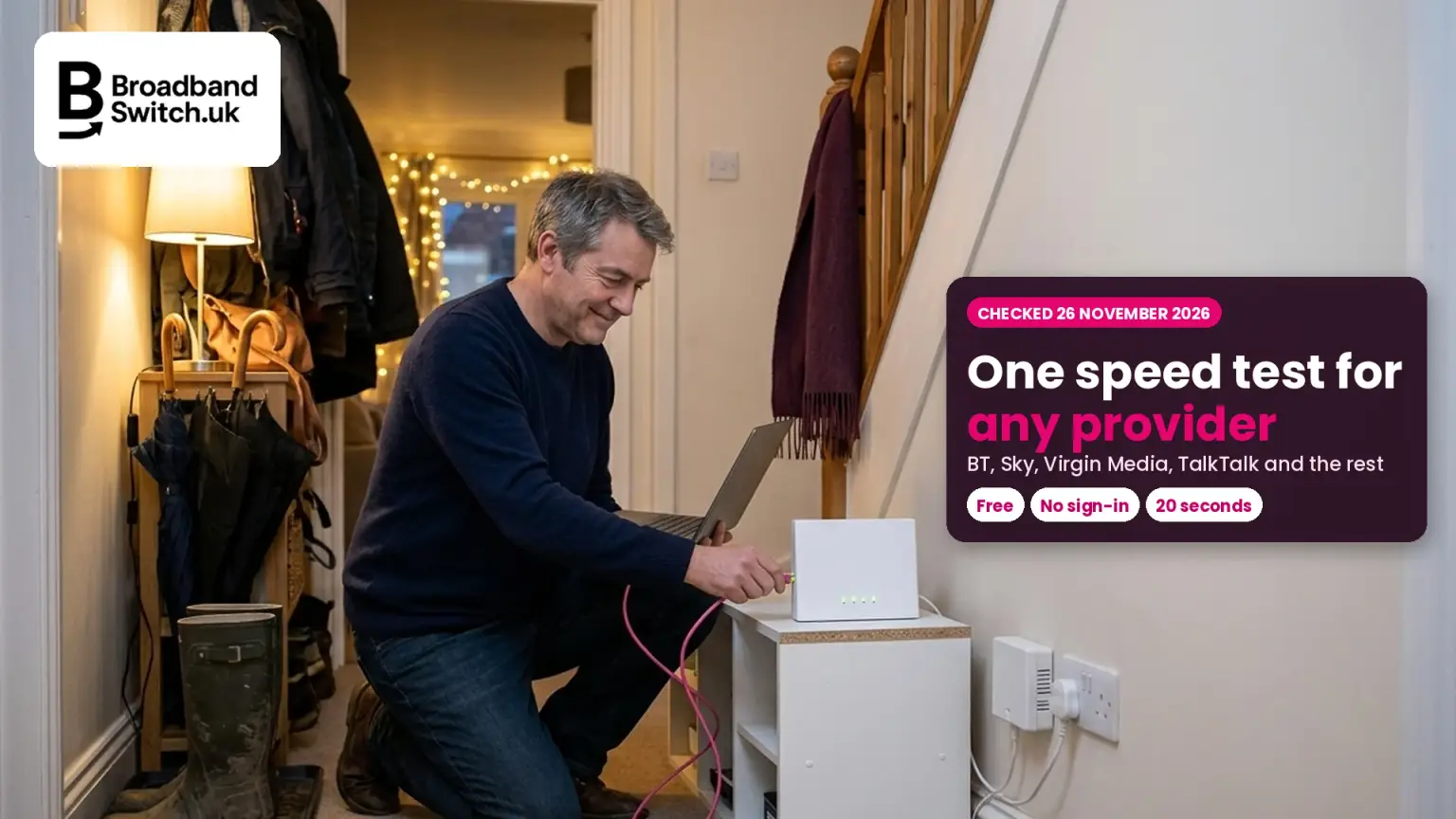
You don't need a different speed test for each provider. One free check works on any line, and it's worth knowing what your provider's own test adds
Checked 26 November 2026
One test, any provider
Any line
BT, Sky, Virgin Media, TalkTalk and the rest
No sign-in and nothing to install.
20 seconds
download, upload and ping
Run it on a cable for a fair result.
12
4 open, 4 sign-in, 4 with none
Their own tests, 26 November 2026.
30 days
then you can usually leave
If your provider has signed Ofcom's code.
Looking for a BT, Sky, Virgin Media or TalkTalk speed test? You can use one for all of them. Our free UK Speed Test runs in your browser on any provider's line and shows download, upload and ping in about 20 seconds. Your provider's own test is still worth running, because it measures the speed reaching your hub, which is the figure their guarantee is judged on. Today, plug a laptop into the hub with a cable and test. If the result is well under what you were promised, you have rights.
Slow, and your provider can't fix it?
Enter your postcode to see every provider we can find for your address, with speeds and prices side by side.
- ✓Every provider we can find at your address
- ✓Full fibre shown where it's available
- ✓Free to use, and your new provider handles the switch
Prefer to talk it through? Call us on 0330 122 1223
Key facts, verified 26 November 2026
- A browser speed test works on any provider's line. It measures the connection, not the brand (BroadbandSwitch.uk, 26 November 2026).
- Of 12 providers' own pages we opened, four had a test anyone can run, four needed an app or sign-in and four had no test of their own (BroadbandSwitch.uk, 26 November 2026).
- BT, EE and Sky say their own checks measure the speed reaching your hub (provider help pages, read 26 November 2026).
- Nine providers are listed as signed up to Ofcom's speeds code: BT, EE, NOW, Plusnet, Sky, TalkTalk, Utility Warehouse, Virgin Media and Zen (Ofcom, 21 November 2022).
- Under the code, if speeds fall below your minimum guaranteed speed and aren't fixed within 30 days, you can leave without an exit fee (Ofcom, 21 November 2022).
- Virgin Media sets its minimum guaranteed speed at 50% of the advertised speed (Virgin Media, read 26 November 2026).
- Automatic compensation pays £10.34 a day for a line that's down and not fixed after two full working days (Ofcom, read 26 November 2026).
- Ofcom's advice is to carry out a few tests over several days, at different times (Ofcom, 24 September 2024).
- An advertised "average" speed is one at least 50% of customers get at peak time, 8pm to 10pm (Advertising Standards Authority, 4 April 2024).
- Netflix asks for 5Mbps for Full HD and 15Mbps for 4K (Netflix, read 26 November 2026).
Who this is for: You, if you've typed your provider's name and "speed test" into Google and wondered whether you need a special one. Meet Dev. He's 34, works from home three days a week and is with TalkTalk. His video calls stutter after lunch, and he isn't sure whether to blame the line, the Wi-Fi or the laptop. He wants one number he can trust, and to know what to do with it. Dev is an example built from the calls we take on our help line, not a real customer.
Is there one speed test that works for BT, Sky, Virgin Media and TalkTalk?
Direct answer: Yes. A speed test measures your connection, whoever supplies it. Our free UK Speed Test runs in a browser on any provider's line and shows download, upload and ping in about 20 seconds. You don't need to sign in or install anything.
A speed test works by sending data to a server and back, and timing it. The server doesn't know or care whose name is on your bill. That's why one test covers every provider.
UK Speed Test is the one we recommend first. It gives you download, upload and ping, plus a grade for how busy your line is. We have three others for different jobs, and this guide explains which to use when.
Test your speed now
Works on BT, Sky, Virgin Media, TalkTalk, EE, Vodafone, Plusnet and every other provider. Free, with no sign-up.
Run UK Speed Test →Dev ran it on his laptop at his desk upstairs: 31Mbps. He pays for 67Mbps. Before he rings anyone, he needs to know whether that gap is the line or the Wi-Fi. That's what the rest of this page is for.
Does my provider have its own speed test?
Direct answer: Some do. Of the 12 providers whose pages we opened on 26 November 2026, four had a test anyone can run on their website, four needed their app or a sign-in, and four had no test of their own that we could find.
Twelve providers, and how each tests
My BT app or its online troubleshooter.
The EE app.
Service Checker, after signing in.
The YouFibre app.
A test on its website.
A test on its website.
A test on its website.
A test on its website.
None. It suggests the hub's own page or any web test.
None. It points you to Fast.com.
None found on the page we read.
None. It suggests the Ookla app.
A few details stand out. Plusnet sends its customers to Netflix's Fast.com. NOW suggests the status page built into its hub, or any web test. We couldn't find a test on Zen's speeds page.
The big three work differently. BT tests through the My BT app or its troubleshooter, EE through the EE app and Sky through its Service Checker. You need to be a customer and sign in.
Virgin Media and TalkTalk have a test on their websites. Virgin Media says customers who run it see two figures: the speed on the device and the speed reaching the Hub.
Which result does my provider go by?
Direct answer: The speed reaching your hub, not the speed on your phone. BT, EE and Sky all say their own checks measure the line to the hub. That's the figure a speed guarantee is judged on. A browser test on a cable gets you close to it.
Where each test measures
The line
Street to home
Your provider is responsible for this part.
The hub
Your provider's test
Speed guarantees are judged here.
Your device
A browser test
This adds your Wi-Fi or cable to the picture.
This is the most useful thing to understand about any speed test. Your provider promises a speed to the hub. What happens between the hub and your laptop is your Wi-Fi, and in most cases that isn't covered by the line-speed promise.
So use both. Run a browser test with a laptop plugged into the hub by cable. That takes Wi-Fi out of the picture and shows what the line can do. Then run your provider's own check, if it has one, for the figure they'll accept.
Dev carried his laptop downstairs and plugged it in: 64Mbps. The line is fine. His problem is the 33Mbps he loses between the hall and the box room.
What's the minimum speed my provider has promised me?
Direct answer: It's a personal figure you were given when you signed up, called your minimum guaranteed download speed. BT says it's in your order confirmation email. Plusnet puts it in your welcome email, Zen emails it at order and Hyperoptic prints it in your Contract Summary.
| Provider | Where to find it | If it's not met |
|---|---|---|
| BT | Order confirmation email | 30 days to fix, then leave free |
| EE | Plan details in the EE app | Leave without an exit charge |
| Sky | Service Checker, after signing in | Its guarantee applies below it three days running in a 30-day period |
| Virgin Media | 50% of the advertised speed | Below it three days running and not fixed in 30 days: leave free |
| Plusnet | Welcome email | See Ofcom's code |
| Zen | Emailed when you order | 30 days to fix, then exit free |
| Hyperoptic | Contract Summary | 30 days to fix, then leave free |
| NOW | Not stated on the page we read | 30 days to fix, then cancel free |
These aren't the headline speed in the advert. It's the lowest speed your provider says your line should deliver. Virgin Media is the simplest: half the advertised speed. Others work it out for your address.
Can't find yours? Ask. A provider signed up to Ofcom's code has to give you the figure before you buy. Our guide to minimum guaranteed speeds explains how they're set.
Can I leave my contract if my broadband is too slow?
Direct answer: Usually, if your provider has signed Ofcom's speeds code. If your speed drops below the guaranteed minimum and they can't fix it within 30 days, you can leave without an exit fee. That includes TV or phone bought with it. There's no cash compensation for slow speed alone.
From a slow test to the right to leave
Test on a cable
Compare the result with your minimum guaranteed speed, not the advert.
Report it
Tell your provider and note the date. They'll run their own check to the hub.
Give them 30 days
That's how long the code allows them to fix a problem on their network.
Leave without a fee
If it isn't fixed. The right covers TV or phone bought with the broadband.
Ofcom's guide to broadband speeds lists nine providers signed up to the code: BT, EE, NOW, Plusnet, Sky, TalkTalk, Utility Warehouse, Virgin Media and Zen. The page is dated 21 November 2022, so ask your provider if you're not sure.
Vodafone and Hyperoptic aren't on that list. Hyperoptic publishes its own guarantee, with the same 30 days. We couldn't find a line-speed guarantee on the Vodafone pages we opened, so ask them to put yours in writing.
People often expect money back. Ofcom's automatic compensation scheme pays £10.34 a day, but only when the line is down and not fixed after two full working days. A slow line isn't a dead line. The remedy for slow is the right to leave.
If your provider drags its feet, complain in writing. Since 8 April 2026 you can take an unresolved complaint to the ombudsman after six weeks, down from eight. See leaving a contract early and complaints and your rights.
How do I run a speed test my provider will take seriously?
Direct answer: Plug a laptop or computer into the hub with a cable. Close other programs and pause other devices. Test several times across a few days, including the evening. Write down the date, time and result. Ofcom advises several tests over several days, and providers ask for the cable.
A fair test, in five steps
Use a cable
Plug a laptop or computer into the hub. Wi-Fi results don't count for the line.
Quieten the line
Close other programs. Pause streaming and downloads on other devices.
Turn off any VPN
It routes your traffic elsewhere and lowers the result.
Test at different times
Morning, afternoon and 8pm to 10pm, on three different days.
Keep a note
Date, time and result. A screenshot is even better.
Ofcom's practical tips say to carry out a few tests over several days and vary the times. It separately suggests a cable for a faster connection. The providers ask for one when you test. Vodafone says to use a laptop on Ethernet, Hyperoptic says to switch off any VPN, and Community Fibre says to use a Cat5e cable or better.
The pattern of three tests a day for three days is ours. We couldn't find a provider that states a number. Nine results, spread across the day, are hard to dismiss as a one-off.
The cable matters more than people expect. An old or damaged one can cap your result at 100Mbps however fast the line is. Our guide to Ethernet cable types shows what to look for.
Why is my Wi-Fi speed test so much lower?
Direct answer: Because Wi-Fi loses speed with distance, walls and other devices. A lower result on Wi-Fi doesn't mean the line is at fault. Some providers sell a separate Wi-Fi guarantee, promising a set speed in every room or a credit if they can't deliver it.
| Provider | The promise | If they can't |
|---|---|---|
| BT Complete Wi-Fi | A reliable signal in every room | £100 credit |
| EE with its Wi-Fi 7 hubs | 100Mbps in every room | £100 credit one claim per contract |
| Sky WiFi Max, from £6 a month | 10Mbps in every room 25Mbps on faster packages | A month's broadband and WiFi Max credited |
| Virgin Media WiFi Max, £8 a month | 30Mbps in every room | £100 credit |
| Vodafone Pro broadband | 10Mbps in each room with up to three boosters | Leave without a fee |
Read those promises carefully. Sky's and Vodafone's are for 10Mbps in each room, which is enough for HD streaming and not much more. EE's 100Mbps is the highest we found. Virgin Media prices WiFi Max at £8 a month. TalkTalk sells Total Home Wi-Fi at £8 a month, without a speed figure or a payout.
Before you pay for any of them, try the free fix. Moving the hub out from behind the telly or off the floor often does more than a booster. Our free RouterMap shows whether that would be enough, and this guide walks you through it.
That was Dev's answer. His hub was on the floor behind a bookcase. On a shelf in the hall, his desk result went from 31Mbps to 52Mbps. It cost him nothing. We compare the paid options in provider Wi-Fi boosters: prices and guarantees.
What's a good speed test result?
Direct answer: One that covers what your home does at the same moment. Netflix asks for 5Mbps for Full HD and 15Mbps for 4K. A group video call needs about 3 to 4Mbps of upload. Add up what runs together at your busiest time, and leave some room.
What the services themselves ask for
Those figures come from the companies themselves: Netflix, YouTube, PlayStation and Nvidia. Each is for one stream. A family watching two 4K programmes while someone games needs them added together.
Upload gets forgotten. Zoom asks for 2.6Mbps of upload for a 720p group call and 3.8Mbps for 1080p. If your upload result is in single figures and two people work from home, that's where calls will stutter.
Our free RightSpeed calculator does the adding up for your household. And this guide explains ping and jitter, the two numbers that matter for calls and games.
Is my speed normal for the UK?
Direct answer: There's no current official average to compare with. The latest measured home speeds we could find from Ofcom are for March 2023, when the average download was 69.4Mbps. Speeds at peak time were about 95% of the best speeds, so the evening rush costs most homes very little.
The latest Ofcom report of measured home speeds we could find covers March 2023. Any page that quotes a "current Ofcom average speed" is using a figure that's more than three years old, or a figure for what's available, not what people get.
What has changed is what you could have. Ofcom says full fibre reached 82% of UK homes by January 2026, and gigabit-capable broadband 89%. A slow line today is more often a choice of package than a limit of the street.
Adverts have a rule too. The Advertising Standards Authority says an "average" speed must be one at least half of customers get at peak time, 8pm to 10pm. So up to half may get less. Your own minimum guaranteed speed is the number that counts. We look at the gap in why broadband is slower than advertised.
Can I do a broadband speed test by postcode?
Direct answer: Not quite. A postcode check shows which providers and speeds are available at your address. A speed test shows what your current line delivers right now. You need both: test first, then check your postcode to see whether something faster or cheaper reaches you.
Two different questions
A speed test
What am I getting?
Measures your line as it is now.
Three numbers
Download, upload and ping.
About 20 seconds
Run it on a cable for a fair result.
A postcode check
What could I get?
Shows which providers serve your address.
Speeds and prices
Side by side, with price rises shown.
What's new
Tells you whether full fibre has arrived.
People search for "speed test by postcode" because they want to know what's possible where they live. Put your postcode into our comparison and you'll see every provider we can find for your address.
Put the two answers together and the decision makes itself. If you're getting 30Mbps and the best on offer is 36Mbps, moving won't change much. If full fibre has arrived at 500Mbps for the same money, it will.
Which provider is fastest on a speed test?
Direct answer: It depends on the network at your address more than the brand. BT, Sky, TalkTalk, Plusnet, EE and Vodafone mostly share the same lines, so the package matters more than the name. Virgin Media and the full fibre builders run their own. Compare at your postcode.
Most of the big names sell broadband over the same Openreach network. On the same line and the same package, they deliver much the same speed. The differences are price, the hub and the help you get when it goes wrong.
There's no up-to-date official league table. The latest measured Ofcom figures we could find are from 2023. The results people run on UK Speed Test help us build our own picture, and we'll publish it once there's enough to be fair to every provider.
Until then, the honest answer is to look at what reaches your door. Our pages for BT, Sky, Virgin Media, TalkTalk, EE, Vodafone and Plusnet set out the speeds and prices each one lists.
Our free tools
Four speed tests for four jobs, and two more to help you act on the result. All ours, all free.
All-round check
The one to start with. Download, upload, ping and a busy-line grade in about 20 seconds.
Wi-Fi placement
Result fine on a cable but poor on Wi-Fi? See whether moving the hub would fix it.
Not sure which test to run? See our four speed tests and which one to use.
What should I do now?
Direct answer: Plug in and test. Compare the result with your minimum guaranteed speed. If the line is short, report it and give your provider 30 days. If the line is fine and the Wi-Fi isn't, move the hub. If you're out of contract, compare what else reaches you.
Today
Plug a laptop into the hub and run UK Speed Test. Find your minimum guaranteed speed in your sign-up email or your provider's app.
This week
Test morning, afternoon and evening on three days. If the line is below your minimum, report it and note the date. If it's only Wi-Fi, move the hub.
When you're ready
If 30 days pass with no fix, or your contract has ended, compare what reaches your address and switch.
See what your address can get
Enter your postcode for every provider we can find, with speeds and prices side by side. Or ring us and we'll talk it through.
- ✓Full fibre shown where it's available
- ✓Price rises and set-up fees shown
- ✓Free to use, and your new provider handles the switch
In summary
- One browser speed test works on any provider's line. You don't need a BT, Sky or TalkTalk one.
- Your provider's own check measures the speed reaching the hub, which is what a guarantee is judged on.
- Of 12 providers we checked, four had an open test, four needed an app or sign-in and four had none.
- Test on a cable, several times over a few days, and keep a note.
- Below your minimum guaranteed speed and not fixed in 30 days? With most big providers you can leave without a fee.
- There's no cash compensation for slow speed alone. Automatic compensation is for a line that's down.
- A lower Wi-Fi result is usually about the hub's position, not the line.
Alex's closing thought
People ask me for "the BT test" or "the Sky test" as if each provider had its own ruler. They don't need one. A line is a line, and one good test tells you what it's doing. What I'd like more people to know is the second half: that there's a minimum speed with your name on it, and a right to leave if it isn't met. Most people never look it up. So run the test, find that number and see how they compare. If you'd like a hand reading the result, or seeing what else reaches your street, ring us on 0330 122 1223. We're always happy to help.
Keep going: speed tests, slow broadband and switching
Slow broadband
Your rights and switching
Know someone who keeps blaming their provider?
Send them this. One test on a cable will tell them who's right.
Cite this page
You're welcome to quote or link to this guide. Please credit BroadbandSwitch.uk and link to this page.
In a sentence: Of 12 UK broadband providers whose own pages BroadbandSwitch.uk opened on 26 November 2026, four offered a speed test anyone could run in a browser, four required an app or sign-in and four had no test of their own; BT, EE and Sky say their checks measure the speed reaching the hub, the figure a minimum speed guarantee is judged on.
Martin-Smith, A. J. (2026, November 26). BT, Sky, Virgin or TalkTalk speed test? One free check. BroadbandSwitch.uk. https://broadbandswitch.uk/insights/speed-test-bt-sky-virgin-media-talktalk-any-provider/
Frequently asked questions
Is there a speed test that works for every broadband provider?
Yes. A browser speed test measures your connection, whoever supplies it. UK Speed Test at ukspeedtest.co.uk works on BT, Sky, Virgin Media, TalkTalk, EE, Vodafone, Plusnet and every other provider, with no sign-in.
Does BT have its own speed test?
Yes, through the My BT app or its online troubleshooter. BT says it measures the speed reaching your hub. You need to be a BT customer and sign in.
Does Sky have its own speed test?
Yes. Sky's Service Checker measures the speed to your hub after you sign in. For a quick check without signing in, use any browser speed test on a cable.
Does Virgin Media have its own speed test?
Yes, on its website. Virgin Media says customers who run it see the speed on their device and the speed reaching the Hub. It advises using a cable and turning off any VPN.
Does TalkTalk have its own speed test?
Yes, on its website. TalkTalk advises closing other apps and disconnecting other devices before you test.
Does Plusnet have its own speed test?
No. Plusnet's help page points customers to Fast.com and advises testing on a computer connected by cable with other tabs closed.
What is my minimum guaranteed speed?
It's the lowest download speed your provider says your line should deliver. BT puts it in your order confirmation email, Plusnet in your welcome email, and Hyperoptic in your Contract Summary. Virgin Media sets it at 50% of the advertised speed.
Can I leave my broadband contract if it's too slow?
With most large providers, yes. If your speed falls below the minimum guaranteed speed and isn't fixed within 30 days, you can leave without an exit fee. That applies to providers signed up to Ofcom's speeds code.
Can I get compensation for slow broadband?
Not for slow speed alone. Ofcom's automatic compensation scheme pays when a line is down and not fixed after two full working days, for missed appointments and for late starts. The remedy for slow speed is the right to leave.
Should I test on Wi-Fi or a cable?
A cable, to check the line. Providers ask for a wired test, and Ofcom suggests a cable for a faster connection. Then test on Wi-Fi in the rooms you use, to see how much speed you lose inside your home.
What is a good broadband speed?
One that covers what your home does at once. Netflix asks for 5Mbps for Full HD and 15Mbps for 4K, and a group video call needs about 3 to 4Mbps of upload. Add up what runs together at your busiest time.
Can I run a speed test by postcode?
A postcode check shows which providers and speeds are available at your address. A speed test shows what your current line delivers. Run the test first, then check your postcode to see what else reaches you.
References
- Advertising Standards Authority. (2024, April 4). Broadband and telecoms: Speed claims. Retrieved 26 November 2026, from https://www.asa.org.uk/advice-online/broadband-and-telecoms-speed-claims.html
- BT. (n.d.). Complete Wi-Fi. Retrieved 26 November 2026, from https://www.bt.com/broadband/complete-wifi
- BT. (n.d.). Understanding your broadband speed. Retrieved 26 November 2026, from https://www.bt.com/help/broadband/manage-service/more-about-broadband-speeds
- Community Fibre. (n.d.). How do I run a wired speed test?. Retrieved 26 November 2026, from https://help.communityfibre.co.uk/troubleshooting/broadband-wired-speed/how-do-i-run-a-wired-speed-test
- EE. (n.d.). About broadband speed. Retrieved 26 November 2026, from https://ee.co.uk/help/broadband/fix-problem/about-broadband-speed
- EE. (n.d.). EE Broadband and Speed Guarantee. Retrieved 26 November 2026, from https://ee.co.uk/help/broadband/manage-use/ee-speed-guarantee
- EE. (n.d.). Smart Hub 7 Pro and Wi-Fi speed guarantee. Retrieved 26 November 2026, from https://ee.co.uk/help/broadband/manage-use/smart-wifi-pro-speed-guarantee
- Hyperoptic. (n.d.). Broadband speed test. Retrieved 26 November 2026, from https://www.hyperoptic.com/support/speed-test
- Hyperoptic. (n.d.). Minimum download speed guarantee. Retrieved 26 November 2026, from https://www.hyperoptic.com/legal/minimum-download-speed-guarantee
- Netflix. (n.d.). Netflix-recommended internet speeds. Retrieved 26 November 2026, from https://help.netflix.com/en/node/306
- NOW. (n.d.). Broadband download and upload speeds explained. Retrieved 26 November 2026, from https://www.nowtv.com/gb/help/article/broadband-speeds-explained
- Nvidia. (n.d.). GeForce Now system requirements. Retrieved 26 November 2026, from https://www.nvidia.com/en-us/geforce-now/system-reqs/
- Ofcom. (n.d.). Automatic compensation: What you need to know. Retrieved 26 November 2026, from https://www.ofcom.org.uk/phones-and-broadband/service-quality/automatic-compensation-need-know
- Ofcom. (2022, November 21). Broadband speeds: What you need to know. Retrieved 26 November 2026, from https://www.ofcom.org.uk/phones-and-broadband/coverage-and-speeds/broadband-speeds-code-practice
- Ofcom. (2026, May 13). Connected Nations update: Spring 2026. Retrieved 26 November 2026, from https://www.ofcom.org.uk/phones-and-broadband/coverage-and-speeds/connected-nations-update-spring-2026
- Ofcom. (2023). Latest home broadband performance trends revealed. Retrieved 26 November 2026, from https://www.ofcom.org.uk/phones-and-broadband/coverage-and-speeds/latest-home-broadband-performance-trends-revealed
- Ofcom. (2024, September 24). Practical tips for improving your broadband speed. Retrieved 26 November 2026, from https://www.ofcom.org.uk/phones-and-broadband/coverage-and-speeds/broadband-speeds
- Ofcom. (2026, April 8). Quicker complaints resolution and more money in your pocket when things go wrong. Retrieved 26 November 2026, from https://www.ofcom.org.uk/phones-and-broadband/accessibility/quicker-complaints-resolution-and-more-money-in-your-pocket-when-things-go-wrong
- Plusnet. (2026, May 11). How to test your broadband speed. Retrieved 26 November 2026, from https://www.plus.net/help/broadband/how-to-test-your-broadband-speed/
- Sky. (n.d.). Broadband speeds explained. Retrieved 26 November 2026, from https://www.sky.com/help/articles/broadband-speeds-explained
- Sky. (n.d.). Sky Speed Guarantee. Retrieved 26 November 2026, from https://www.sky.com/help/articles/sky-broadband-speed-guarantee
- Sky. (n.d.). WiFi Max. Retrieved 26 November 2026, from https://www.sky.com/broadband/wifi-max
- Sony Interactive Entertainment. (n.d.). Cloud streaming on PS5. Retrieved 26 November 2026, from https://www.playstation.com/en-gb/ps5-game-cloud-streaming/
- TalkTalk. (2026, October 22). About Total Home Wi-Fi. Retrieved 26 November 2026, from https://help-centre.talktalk.co.uk/Broadband/Find_info_or_guidance_about_my_broadband/About_Total_Home_Wi-Fi
- TalkTalk. (n.d.). Broadband speed test. Retrieved 26 November 2026, from https://www.talktalk.co.uk/broadband/speed-test
- UK Speed Test. (n.d.). UK broadband speed test. Retrieved 26 November 2026, from https://ukspeedtest.co.uk/
- Virgin Media. (n.d.). Broadband speed test. Retrieved 26 November 2026, from https://www.virginmedia.com/broadband/speed-test
- Virgin Media. (n.d.). Intelligent WiFi. Retrieved 26 November 2026, from https://www.virginmedia.com/broadband/intelligent-wifi
- Virgin Media. (n.d.). Virgin broadband speeds. Retrieved 26 November 2026, from https://www.virginmedia.com/broadband/speeds
- Virgin Media. (n.d.). WiFi Guarantee with WiFi Max. Retrieved 26 November 2026, from https://www.virginmedia.com/legal/wifi-max
- Vodafone. (n.d.). Pro Broadband. Retrieved 26 November 2026, from https://www.vodafone.co.uk/broadband/pro
- Vodafone. (n.d.). Speed test. Retrieved 26 November 2026, from https://www.vodafone.co.uk/broadband/speed-test
- YouFibre. (n.d.). How do I test my broadband speed?. Retrieved 26 November 2026, from https://support.youfibre.com/knowledge-base/article/how-do-i-test-my-broadband-speed/
- YouTube. (n.d.). System requirements and supported devices. Retrieved 26 November 2026, from https://support.google.com/youtube/answer/78358?hl=en-GB
- Zen Internet. (n.d.). Broadband speeds explained. Retrieved 26 November 2026, from https://www.zen.co.uk/broadband/broadband-speeds/
- Zoom. (n.d.). Zoom system requirements: Windows, macOS, Linux. Retrieved 26 November 2026, from https://support.zoom.com/hc/en/article?id=zm_kb&sysparm_article=KB0060748