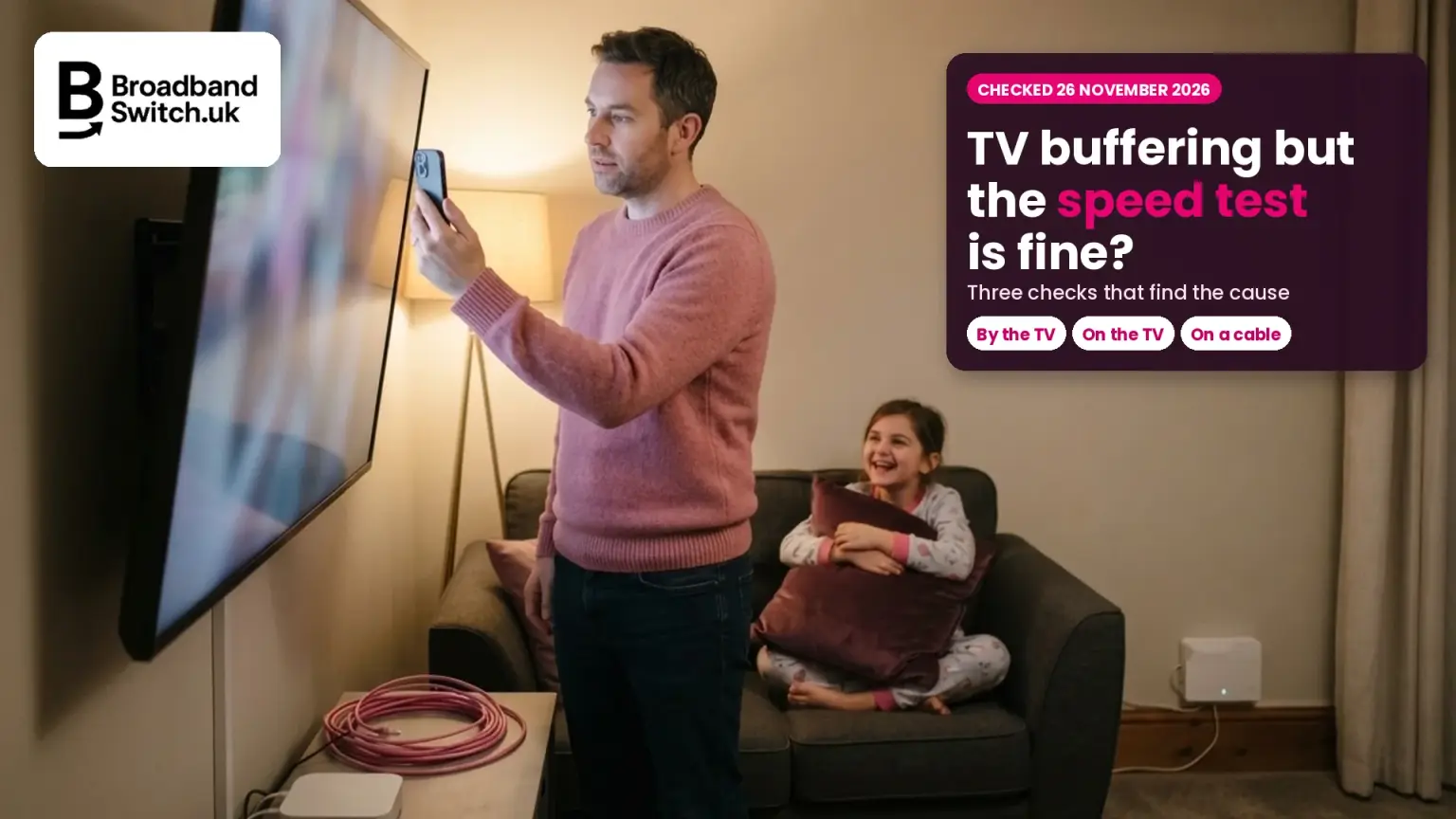
Your phone says the broadband is fast, and the telly still spins. The test measured your phone, not your TV. Here's how to find the real cause in three checks
Checked 26 November 2026
Three checks that find the cause
By the TV
phone speed test
Stand where the TV is, then by the hub.
On the TV
its own network check
In settings, or the Netflix app.
On a cable
laptop at the hub
This is your real line speed.
15 to 30Mbps
at the TV itself
What the services recommend or require.
TV buffering while your speed test looks fine nearly always means the test measured the wrong thing. It measured your phone, where you were standing. Your TV has its own Wi-Fi, often behind a big screen, further from your hub. Services recommend or require 15 to 30Mbps for Ultra HD, at the TV itself. So run three checks: your phone by the TV, your TV's own network check, and a laptop on a cable at your hub. Between them they tell you whether it's your TV, your Wi-Fi or your line. Most of the time it's the Wi-Fi, and you can fix it for little or nothing.
Slow on a cable too? Then it's the line
No TV setting fixes a slow line. Enter your postcode and see what else reaches your address, with prices side by side.
- ✓Every provider we can find at your address
- ✓Full fibre shown where it's available
- ✓Free to use. Ring us if you'd like a hand
Prefer to talk it through? Call us on 0330 122 1223
Key facts, verified 26 November 2026
- Netflix recommends 5Mbps for Full HD and 15Mbps for Ultra HD (Netflix help page, read 26 November 2026).
- YouTube recommends 5Mbps for HD at 1080p and 20Mbps for 4K (YouTube help page, read 26 November 2026).
- Apple recommends a minimum of 25Mbps for 4K on the Apple TV app (Apple support page, 5 March 2025).
- Sky's Ultra HD pack on Sky Stream needs a minimum broadband speed of 30Mbps (Sky Stream page, read 26 November 2026).
- ITVX suggests 10Mbps or more for stable streaming (ITV help page, 4 November 2025).
- The Netflix app on a TV has a "Check your Network" test under Get Help (Netflix help page, read 26 November 2026).
- Roku says TVs can block Wi-Fi signals, especially with a streaming stick plugged straight into the back (Roku support page, 9 September 2026).
- Ofcom says a wired connection is usually faster and more reliable than Wi-Fi (Ofcom, updated 25 August 2026).
- Samsung says 5GHz normally offers a faster speed but not as much distance (Samsung UK support page, 4 September 2026).
- Sky says a speed of 150Mbps will support up to 6 devices streaming at once (Sky, read 26 November 2026).
Who this is for: You, if there's a new TV or streaming stick in the house and it keeps stopping to think. Meet Ravi and Jo. They bought a 55-inch TV in the sales and put it on the lounge wall. The hub is in the hall. Ravi's phone shows 140Mbps on a speed test in the hall, so the broadband looks fine. But at eight in the evening the film drops to a blur, then the circle spins. They want to know what's wrong before they ring anyone. Ravi and Jo are an example built from the calls we take on our help line, not real customers.
Why does my TV buffer when the speed test is fine?
Direct answer: Because the speed test measured your phone, in the spot where you stood. The TV connects through its own Wi-Fi, usually further from the hub and behind a large screen. The speed that matters is the one the TV gets, and that can be much lower.
Where the speed goes
The line
Speed you pay for
What arrives at the hub.
The hub
Wi-Fi goes out
Strongest close by.
The house
Walls and distance
Each one takes some away.
The TV
What's left
This is the speed the film gets.
A speed test tells you about one of your devices, in one place, at one moment. If you ran it on the sofa, or in the hall next to the hub, it says nothing about the back of a television three metres away on the other side of a wall.
Ofcom says to keep the router central and off the floor, and lists things that interfere with Wi-Fi, such as baby monitors, cordless phones and dimmer switches. A TV adds one more. Roku says TVs can block Wi-Fi signals, especially when a streaming stick is plugged straight into the back.
So Ravi's 140Mbps is real. It's just the speed his phone gets in the hall, by the hub, not the speed the TV gets on the lounge wall.
How much speed does streaming need?
Direct answer: Less than most people think. Services recommend or require about 5 to 12Mbps for HD and 15 to 30Mbps for Ultra HD. That's the speed at the TV, for one stream. If your line gives 70Mbps or more, we find the line is rarely the cause.
Speed for 4K, service by service
| Service | Speed | Source |
|---|---|---|
| Netflix | 5Mbps for Full HD | Netflix help page |
| YouTube | 5Mbps for 1080p | YouTube help page |
| EE TV | 5.5Mbps | EE help page |
| Apple TV app | 8Mbps or faster | Apple, 16 February 2026 |
| ITVX | 10Mbps or more, for stable streaming | ITV, 4 November 2025 |
| NOW | 2.5Mbps at least. 12Mbps a device with Boost, its Full HD option | NOW help pages |
These are the services' own numbers, so you can trust them over a salesman's. Netflix recommends 5Mbps for Full HD and 15Mbps for Ultra HD. YouTube recommends 20Mbps for 4K. Apple recommends a minimum of 25Mbps, and Sky sets a minimum of 30Mbps for its Ultra HD pack.
The HD figures are from EE, Apple, ITV and NOW's pages on buffering and Boost. Some are recommendations and some are minimums, so treat them as a guide.
Streaming also adapts. Netflix says it "adapts to the speed of your internet connection". That's why a weak signal often shows as a soft, blurry picture first, and a spinning circle second.
Add up a busy evening and it still isn't much. Our guide to broadband for 4K streaming does the sums for a whole household, and RightSpeed works out your own.
What are the three checks, and what do they tell me?
Direct answer: Test your phone by the TV, run the TV's own network check, then test a laptop on a cable at the hub. Compare the three. They show whether the problem is the TV, the Wi-Fi between the hub and the TV, or the broadband line.
The three checks, in order
Your phone, by the TV
Stand where the TV is, on Wi-Fi, and run a speed test. Then run it again next to the hub.
The TV's own check
In the TV's network settings, or in the Netflix app under Get Help.
A laptop on a cable
Plug into the hub and test. This is the speed of the line, with Wi-Fi taken out.
Read your results
The signal fades before it gets there. Move the hub, add a cable, or look at mesh.
Its own Wi-Fi is the weak link, or one app is. Try a cable, 5GHz or a restart.
No Wi-Fi fix will help. Ring your provider and compare deals.
Too much happening at once at home, or a busy network. Test at 8pm to see.
For checks one and three, use UK Speed Test. It's ours and it's free, and it grades how the line copes when it's busy. On a phone, HowFast is quicker still: one big number that starts on its own.
Ravi's results: 140Mbps by the hub, 22Mbps standing by the TV, 148Mbps on a cable. The line is fine. The Wi-Fi loses most of its strength on the way to the lounge wall, and the TV behind its own screen gets less again.
Run check one now
Stand by the TV and tap the button. Then do it again by the hub. The gap between the two numbers is your answer. Free, with no sign-up.
Run UK Speed Test →How do I test the connection on the TV itself?
Direct answer: Use the TV's own network check. On Netflix, open Get Help and choose Check your Network. On a Roku, go to Settings, Network, Check connection. Samsung and Sony TVs have a Network Status screen. Each shows whether the TV is reaching the internet.
| Device | Where to go | What it shows |
|---|---|---|
| Netflix app on any TV | Menu, Get Help, Check your Network | Whether the TV reaches Netflix, and the connection speed |
| Roku | Home, Settings, Network, Check connection | Signal strength: Excellent, Good, Fair or Poor |
| Samsung | Settings, All Settings, Connection, Network, Network Status | Where the connection is failing |
| Sony Google TV | Settings, Network and Internet, Network Status, Check Connection | TV, router and internet: OK or Failed |
| LG webOS | Settings, All Settings, Support, Quick Help, pick the network item, Start Diagnosis | A connection diagnosis |
The Netflix one is the most useful to you, because it works on almost any TV and gives you a speed. Netflix says the test confirms your device can reach its service and measures your connection. If there's no Get Help in the menu, look under Settings.
Samsung's and Sony's checks show where the connection is failing. They don't give a speed, which is why your phone test by the TV matters. LG puts its diagnosis under Quick Help.
Roku's check names the signal: Excellent, Good, Fair or Poor. Fair or Poor on a stick behind the TV tells you most of what you need to know.
Is the streaming stick behind the TV the problem?
Direct answer: Often, yes. A stick plugged into the back of the TV sits behind a large screen, which can block the Wi-Fi signal. Roku says to use an HDMI extender to move it out from behind the TV. Google says to move the device further from the TV.
Roku is direct about it: "Use the free HDMI extender to move it out from behind the TV." The extender is a short cable that lets the stick hang clear of the screen.
Google gives similar advice for its streamers. Keep the router within 20 feet, use the 5GHz band if you have it, and move the streaming device further away from the TV to prevent interference.
In our experience this is the cheapest fix you'll find. A stick that reads Poor tucked behind the set can read Good hanging a hand's width below it. Try it before you buy anything.
Should I use a cable instead of Wi-Fi?
Direct answer: If you can, yes. Ofcom says a wired connection is usually faster and more reliable. Many TVs have a network socket on the back. A cable from the hub takes Wi-Fi out of the picture, and it's the surest fix for a TV that never moves.
Wi-Fi or cable for the telly?
Wi-Fi
To set up
Nothing to fit.
Speed
Falls with distance and walls.
At busy times
Shares the air with everything else.
Best for
A TV near the hub.
Network cable
To set up
A cable from hub to TV.
Speed
Steady.
At busy times
Not affected by other Wi-Fi.
Best for
A TV that stays put.
Ofcom says "a wired connection is usually faster and more reliable". Samsung says the same of its TVs. EE says you can connect its TV box by cable or Wi-Fi. On Wi-Fi, it says to keep the box within 5 metres of the hub, with no more than one wall or floor between.
Streamers vary. Google's TV Streamer has a network socket built in. Not every stick has one, so check yours.
If your hub is in another room, you can buy plug-in adaptors that carry the connection over your mains wiring. They can work well, with two cautions. TP-Link says to plug them straight into a wall socket, because a power strip can cut the speed a lot. Ofcom says the result depends on your wiring.
Which Wi-Fi band should the TV be on?
Direct answer: The 5GHz band if the TV is in the same room as the hub or the next one. It's faster, with a shorter reach. Further away, 2.4GHz travels better but is slower. Most hubs choose for you, and BT advises leaving that on.
| Band | Speed | Reach |
|---|---|---|
| 5GHz | Faster, less crowded | Same room, or one room away |
| 2.4GHz | Slower, more crowded | A few rooms away |
The makers agree. Roku says 5GHz is the faster and less crowded of the two. Sony says it's better for streaming and works best in the same room. BT says 5GHz suits the same room or the next one, and 2.4GHz reaches a few rooms away.
In our experience most hubs use one Wi-Fi name for both bands and move each device to the better one. BT says splitting them into two names "isn't something we'd recommend". If your TV lets you see which band it's on and it's on 2.4GHz in the same room as the hub, turning the TV's Wi-Fi off and on again often moves it.
If your TV is too far for 5GHz to reach, you need to bring the Wi-Fi closer. RouterMap shows whether moving the hub would do it, and mesh Wi-Fi or router in the wrong place? helps you choose.
Why is it worse in the evening?
Direct answer: Because that's when the whole house is online. Sky says 150Mbps supports up to 6 devices streaming at once, so slower lines fill up sooner. A weak Wi-Fi link to the TV has no headroom when others start streaming too.
The Sky figure is from its guide to what broadband speed you need.
Think of your TV's Wi-Fi link as a narrow doorway. At three in the afternoon your film has it to itself. At eight, there's a games console downloading, two phones on video and a tablet in the kitchen, all using the same air.
An Ultra HD stream is heavy. Netflix says Ultra HD uses up to 7GB an hour, against up to 3GB for HD. If the picture matters less than a smooth film, dropping the quality to HD in the app's settings is a quick fix.
To see whether it's your home or your line, run check three at 8pm, on a cable. If the cable speed has fallen a long way from the daytime figure, it's the line. Ofcom says providers signed up to its speeds code should give you the speed you're likely to get at busy times, 8pm to 10pm, and a minimum guaranteed speed.
Could it be the app, not my broadband?
Direct answer: Yes. If one app buffers and the others play, the app or the service is the likely cause. Restart the TV and the hub first. Netflix says to unplug the device, and to restart the router for 30 seconds. Then try a different app.
Quick fixes to try first
Restart the TV or stick
Unplug it at the wall, wait, plug it back in.
Restart the hub
Off for 30 seconds, then on.
Try a second app
If only one app buffers, it's that app.
Move the stick
Out from behind the screen, on an extender.
Lower the quality for now
HD needs far less than Ultra HD.
Pay for more speed first
Test on a cable before you spend.
Netflix lists its own steps for buffering: restart the device, restart the router for 30 seconds, move the router closer, off the floor and away from other wireless devices, and then contact your provider. Ofcom also suggests 30 seconds for a router restart.
Ofcom points out that smart TVs can use your Wi-Fi in the background. In our experience a brand-new set often has updates to fetch in its first few days. Give it an evening, then check for a software update in its settings.
What if it really is the broadband?
Direct answer: If the speed is low on a cable at the hub, it's the line. Tell your provider and ask them to test it. If the fault is on their network and they can't fix it within 30 days, providers signed up to Ofcom's speeds code must let you leave without a penalty.
That right comes from Ofcom's speeds code. Nine providers are signed up: BT, EE, NOW Broadband, Plusnet, Sky, TalkTalk, Utility Warehouse, Virgin Media and Zen. They should give you a minimum guaranteed speed when you join.
If your speed drops below that minimum, tell your provider. If the fault is on their network and it isn't fixed within 30 days, you can leave without a penalty. Rolling monthly contracts aren't covered.
Our guide to speed tests for any provider shows where to find your minimum and how to make the case. If you're on an older part-fibre line, full fibre may reach you now: the availability checker will tell you.
Line too slow for the new TV?
See what reaches your address. Faster full fibre is often no dearer than what you pay now, and a new hub comes with it.
- ✓Every provider we can find at your address
- ✓Price rises and set-up fees shown
- ✓Free to use, and your new provider handles the switch
Prefer to talk it through? Call us on 0330 122 1223
Free tools for the three checks
Everything you need to find the cause. These are all ours, and all free.
Not sure which test to run? See our four speed tests and which one to use.
What should I do now?
Direct answer: Run the three checks tonight, at the time it usually buffers. If the Wi-Fi is the weak link, move the stick, try a cable or bring the hub closer. If the cable test is slow, ring your provider and see what else reaches your address.
Tonight
Run a speed test by the TV and by the hub. Run the TV's own network check. Restart the TV and the hub.
This week
Test on a cable at the hub. Move the stick out from behind the screen, or run a cable to the TV. Check where the hub sits.
If it's the line
Ask your provider to test it and note your minimum guaranteed speed. Then compare what else reaches your address.
Sorted the Wi-Fi and still slow?
See every broadband provider we can find at your address, with prices side by side. Or ring us and we'll talk it through.
- ✓Real prices for your address
- ✓Full fibre shown where it's available
- ✓Free to use, and your new provider handles the switch
In summary
- A speed test on your phone measures your phone, where you're standing. It doesn't measure the TV.
- Services recommend or require 15 to 30Mbps for Ultra HD at the TV, and about 5 to 12Mbps for HD.
- Run three checks: your phone by the TV, the TV's own network check, and a laptop on a cable at the hub.
- Fast at the hub and slow by the TV means the Wi-Fi isn't reaching. Move the stick, use 5GHz, or run a cable.
- A wired connection is usually faster and more reliable, Ofcom says.
- Slow on a cable means it's the line. Ring your provider, and compare what else reaches your address.
Alex's closing thought
A new television is meant to be a treat, and a spinning circle on the first film night takes the shine off quickly. The good news is that in most of the calls we take about this, the broadband turns out to be fine. It's the last few metres of Wi-Fi, and that's usually something you can fix in an evening with a cable or by moving one box. So test before you spend. If you've run the three checks and you're not sure what the numbers mean, ring us on 0330 122 1223 and read them out. We're always happy to help.
Keep going: streaming, Wi-Fi and speed
Streaming
Wi-Fi
Know someone with a new TV?
Send them the three checks before they ring their provider.
Cite this page
You're welcome to quote or link to this guide. Please credit BroadbandSwitch.uk and link to this page.
In a sentence: Streaming services' own help pages, read on 26 November 2026, put the speed recommended or required for Ultra HD at 15Mbps (Netflix) to 30Mbps (Sky Stream and NOW Ultra Boost) for a single stream, and Ofcom says a wired connection is usually faster and more reliable than Wi-Fi; a phone speed test measures the phone, not the TV.
Martin-Smith, A. J. (2026, November 26). TV buffering but the speed test is fine? Find the cause. BroadbandSwitch.uk. https://broadbandswitch.uk/insights/new-tv-buffering-speed-test-fine/
Frequently asked questions
Why is my TV buffering when my internet speed is fine?
Because the speed test measured your phone, not your TV. The TV uses its own Wi-Fi, often further from the hub and behind a large screen, so it can get much less.
How do I test the internet speed on my smart TV?
Open the Netflix app, choose Get Help, then Check your Network. Or use the TV's own network check: on Roku it's Settings, Network, Check connection, and on Samsung it's Network Status.
What speed do I need for 4K streaming?
Between 15 and 30Mbps for one stream, depending on the service. Netflix recommends 15Mbps, YouTube 20Mbps and Apple 25Mbps. Sky's Ultra HD pack needs at least 30Mbps.
Why does my new TV keep buffering?
Usually a weak Wi-Fi link to the TV. A brand-new set may also be fetching updates. Run a speed test by the TV, restart it, and check for a software update.
Is Ethernet better than Wi-Fi for a smart TV?
Yes, if you can run a cable. Ofcom says a wired connection is usually faster and more reliable. It takes Wi-Fi out of the picture for a TV that never moves.
Does a streaming stick behind the TV get worse Wi-Fi?
It can. Roku says TVs can block Wi-Fi signals, especially with a stick plugged straight into the back, and suggests an HDMI extender to move it clear.
Should my TV be on 2.4GHz or 5GHz?
On 5GHz if it's in the same room as the hub or the next one. It's faster with a shorter reach. 2.4GHz travels further but is slower.
Why does my TV buffer in the evening?
More devices are online at once, and a weak Wi-Fi link has no headroom. Sky says 150Mbps supports up to 6 devices streaming at once.
Why does only one app buffer?
If other apps play without trouble, the app or that service is the likely cause. Restart the TV, check for an app update and try again later.
Will faster broadband stop my TV buffering?
Only if the line is the cause. Test on a cable at the hub first. If that's fast, a faster package won't help, and fixing the Wi-Fi will.
Do powerline adaptors help a TV?
They can. TP-Link says to plug them straight into a wall socket, because a power strip can cut the speed a lot. Ofcom says results depend on your wiring.
What can I do if my broadband is too slow for streaming?
Tell your provider and ask for a line test. If the fault is on their network and isn't fixed within 30 days, providers signed up to Ofcom's speeds code must let you leave without a penalty.
References
- Apple. (2025, March 5). Find films with 4K, HDR, Dolby Vision or Dolby Atmos in the Apple TV app. Retrieved 26 November 2026, from https://support.apple.com/en-ie/119599
- Apple. (2026, February 16). If you can't watch or stream movies, TV shows, or sports in the Apple TV app. Retrieved 26 November 2026, from https://support.apple.com/en-us/118405
- BT. (n.d.). How do I split my BT Hub's SSID (wireless network name)?. Retrieved 26 November 2026, from https://www.bt.com/help/broadband/fix-a-problem/broadband-and-wi-fi/i-want-to-improve-my-wi-fi/how-do-i-split-my-bt-hub-s-ssid--wireless-network-name--
- EE. (n.d.). On-demand and catch-up TV not working. Retrieved 26 November 2026, from https://ee.co.uk/help/tv-sport/fix-problem/on-demand-catch-up-tv-problems
- EE. (n.d.). Set up your TV Box Pro. Retrieved 26 November 2026, from https://ee.co.uk/help/tv-sport/getting-started/set-up-ee-tv-box-pro
- Google. (n.d.). Google TV Streamer (4K) tech specs and what's in the box. Retrieved 26 November 2026, from https://store.google.com/gb/product/google_tv_streamer_specs
- Google. (n.d.). Troubleshoot Chromecast and Google TV Streamer connection. Retrieved 26 November 2026, from https://support.google.com/chromecast/answer/10109908
- ITV. (2025, November 4). How to improve your connection speed. Retrieved 26 November 2026, from https://help.itv.com/support/solutions/articles/204000074485-how-to-improve-your-connection-speed
- LG. (2026, April 24). How to set up a wireless network on an LG TV. Retrieved 26 November 2026, from https://www.lg.com/uk/support/product-support/troubleshoot/help-library/cs-CT00008386-20155141420857/
- Netflix. (n.d.). How to control how much data Netflix uses. Retrieved 26 November 2026, from https://help.netflix.com/en/node/87
- Netflix. (n.d.). How to get the best video quality. Retrieved 26 November 2026, from https://help.netflix.com/en/node/13444
- Netflix. (n.d.). Netflix-recommended internet speeds. Retrieved 26 November 2026, from https://help.netflix.com/en/node/306
- Netflix. (n.d.). TV show or movie loads slowly or keeps buffering. Retrieved 26 November 2026, from https://help.netflix.com/en/node/230
- NOW. (2026, October 29). What are Boost and Ultra Boost?. Retrieved 26 November 2026, from https://www.nowtv.com/gb/help/article/what-are-boost-and-ultra-boost
- NOW. (n.d.). How to fix issues with slow loading or buffering on NOW. Retrieved 26 November 2026, from https://help.nowtv.com/article/Buffering-All-devices
- Ofcom. (2022, November 21). Broadband speeds: what you need to know. Retrieved 26 November 2026, from https://www.ofcom.org.uk/phones-and-broadband/coverage-and-speeds/broadband-speeds-code-practice
- Ofcom. (2026, August 25). Get help with broadband and Wi-Fi problems. Retrieved 26 November 2026, from https://www.ofcom.org.uk/phones-and-broadband/service-quality/broadband-wifi-help
- Roku. (2026, September 8). How to check the connection on your Roku streaming device. Retrieved 26 November 2026, from https://support.roku.com/en-us/article/check-your-network-connection
- Roku. (2026, September 9). How to improve the Wi-Fi or wireless internet connection to your Roku streaming device. Retrieved 26 November 2026, from https://support.roku.com/article/improve-your-wifi
- Samsung. (2026, September 4). Samsung TV not connecting to WiFi or internet. Retrieved 26 November 2026, from https://www.samsung.com/uk/support/tv-audio-video/how-to-troubleshoot-internet-connectivity-for-samsung-tv
- Sky. (n.d.). Stream TV shows, movies and live sports with Sky Stream. Retrieved 26 November 2026, from https://www.sky.com/tv/stream
- Sky. (n.d.). What broadband speed do I need?. Retrieved 26 November 2026, from https://www.sky.com/hello-sky/broadband/what-broadband-speed-do-i-need
- Sony. (2026, February 11). Troubleshooting the internet connection for your BRAVIA TV. Retrieved 26 November 2026, from https://www.sony.co.uk/electronics/support/articles/00374616
- TP-Link. (2026, June 24). Slow TP-Link powerline adapter speed: 4 considerations to improve performance. Retrieved 26 November 2026, from https://www.tp-link.com/us/support/faq/409/
- YouTube. (n.d.). System requirements and supported devices for YouTube. Retrieved 26 November 2026, from https://support.google.com/youtube/answer/78358?hl=en-GB