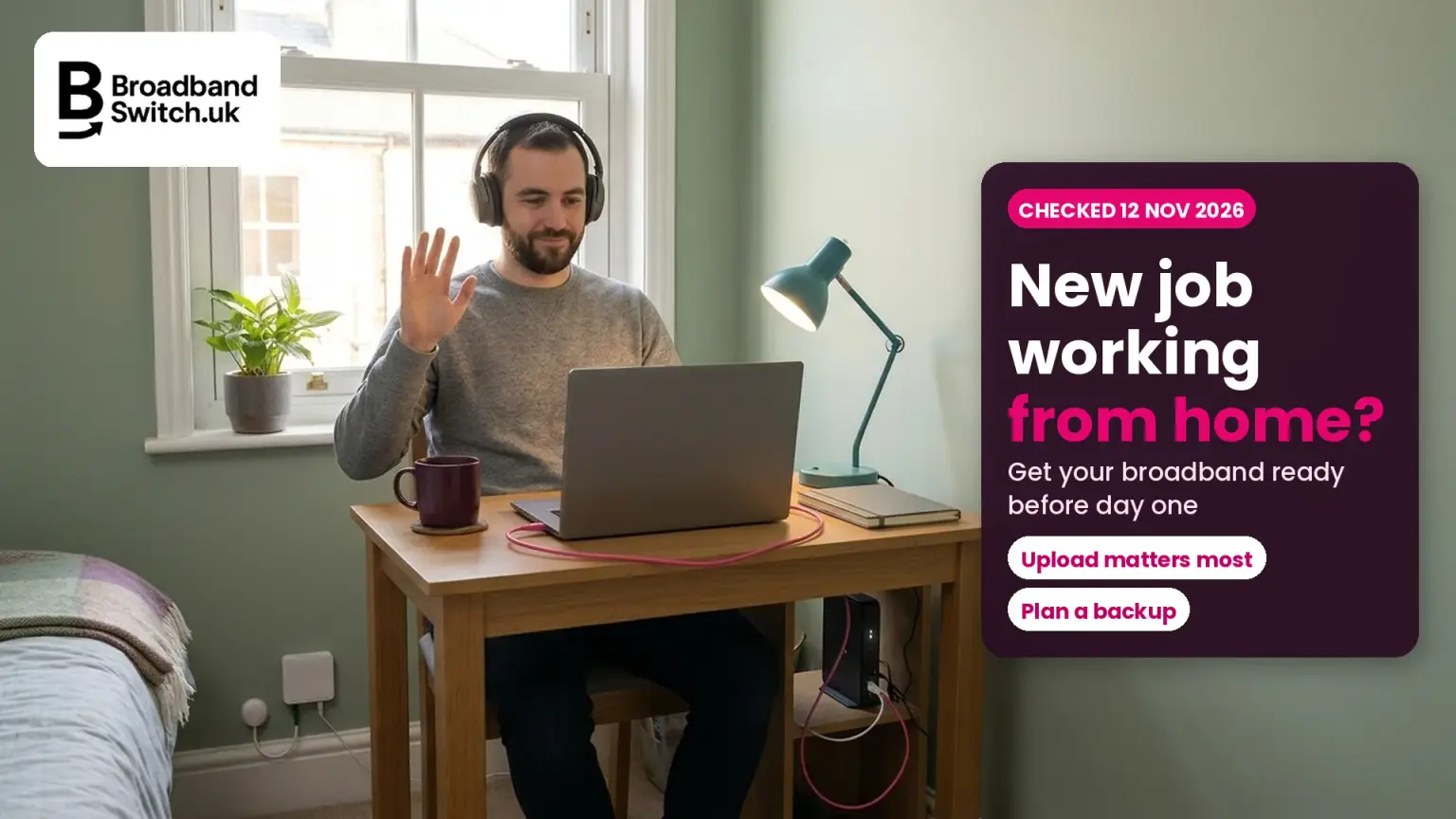
Starting a new job from home? Here's how to get your broadband ready before day one, from the five-minute test to the questions to ask your new employer
Checked 12 November 2026
Will your broadband be ready for day one?
3.8 Mbps
Zoom, 1080p HD video
Teams: 4 Mbps for best performance. Double it if two of you are on calls.
3 days
Working days to go live, says BT
A new install needs an engineer: most take one to four hours, says Openreach.
20 of 360
Deals on our table were one-month
So plan a backup, such as a hotspot or a 30-day 5G plan. Checked 1 November.
£6.46
A day, from signed-up providers
It's automatic. It covers the provider's failure, not your first day.
Starting a new job working from home? Test your broadband now, at the times you'll be working, and look hardest at upload: Zoom recommends 3.8 Mbps up for 1080p video, and twice that if two of you are on calls at once. If you need an upgrade, order the same week. Where a fibre box is already fitted and no engineer work is needed, BT says its service goes live on the third working day. Have a backup ready for the first week, ask your employer what it covers, and in Great Britain you can ask to work flexibly from day one.
See what your address can get
Put your postcode in to see every broadband deal at your address, with the connection type, setup fee and contract length side by side.
- ✓Every deal at your address, including providers that don't pay us
- ✓Setup fees and price rises shown next to each deal
- ✓Switching is led by your new provider
Prefer to talk it through? Call us on 0330 122 1223
Key facts, verified 12 November 2026
- 28% of workers in Great Britain were hybrid workers between January and March 2025, a share that has gradually risen since March 2022 (ONS, June 2025).
- Zoom recommends 3.8 Mbps up and 3.0 Mbps down for 1080p HD video (Zoom system requirements, checked 12 November 2026).
- For Teams video meetings, Microsoft recommends 2.5 Mbps up and 4 Mbps down, with 4 Mbps each way for best performance, for each device on the call (Microsoft Learn, updated July 2026).
- Where an Openreach fibre box is already fitted, BT says its fibre service "will be live on the third working day after placing the order" (BT, checked 12 November 2026).
- Openreach says most full fibre installations take between one and four hours, and someone over 18 must be at home (Openreach, checked 12 November 2026).
- Under One Touch Switch, any loss of service "must not last longer than one working day", and you can cancel a new order within 14 calendar days (Ofcom, updated 1 July 2026).
- Signed-up providers pay £6.46 a day for a late start, £32.31 for a missed engineer appointment and £10.34 a day for a loss of service not fixed after two full working days (Ofcom, checked 12 November 2026).
- Employees in Great Britain can request flexible working from their first day in a job, and can make 2 requests in any 12 months (GOV.UK, updated 5 November 2026).
- Employers can pay £6 a week, or £26 a month, tax-free to employees working regularly at home without justifying the amount (HMRC manual EIM01476, updated 3 November 2026).
- Only 20 of the 360 deals on our table were one-month rolling contracts, and 263 were 24-month (BroadbandSwitch.uk deals table, 1 November 2026).
Who this is for: anyone starting a job they'll do fully or partly from home: first jobbers, career changers, people returning after a break, older workers, carers, disabled workers, renters, and households where someone else already works from home. We follow one example: Dan, 32, starts a fully remote job in four weeks, from a rented terraced house in Leicester, where his partner already works from home two days a week. Dan is an example built from the calls we take on our help line, not a real customer.
Will my broadband cope with a new job working from home?
Direct answer: Probably, but check the upload speed, not just the download. Zoom recommends 3.8 Mbps up for 1080p video and Microsoft recommends 2.5 Mbps up for Teams meetings, for each person at home on a call. Test at the times you'll be working.
A new job working from home was one of the questions our help line answered this month. Most callers ask about download speed, because that's the number on the advert. But for video calls, the figure that runs short first is usually upload: your camera, your voice and your screen share all travel up the line.
Here's what the two biggest call apps say they need, from Zoom's system requirements and Microsoft's Teams network guide. Microsoft notes that its figures are "based on per-endpoint usage", which means per device on the call.
| Call | Upload | Download |
|---|---|---|
| Zoom, one-to-one, 720p HD | 1.2 Mbps | 1.2 Mbps |
| Zoom, group, 720p HD | 2.6 Mbps | 1.8 Mbps |
| Zoom, 1080p HD | 3.8 Mbps | 3.0 Mbps |
| Teams meeting, recommended | 2.5 Mbps | 4 Mbps |
| Teams video, best performance | 4 Mbps | 4 Mbps |
| Teams screen sharing, meetings, recommended | 2.5 Mbps | 2.5 Mbps |
Microsoft also says Teams "can deliver HD video quality in under 1.5 Mbps", so these are comfortable targets, not bare minimums.
Those numbers are small next to most broadband today. The catch is that they add up, and that a speed test at 10am can look very different from one at 4pm when everyone's home. Our guide to home working speeds goes deeper on download needs.
Why does upload speed matter so much for home working?
Direct answer: Because everything you send goes up the line: video, voice, screen shares and files. Upload speeds are usually lower than download speeds, so upload runs out first, especially when two people at home are on calls at once.
Dan's partner works from home two days a week, and on those days they're often both on calls at 10am. Add the numbers together and you can see why a line that's fine for one person can struggle for two.
Upload needed for calls at the same time
If your upload test comes back below the total for your busiest hour, that's the problem to fix. Uploading big files, or a cloud backup running in the background, eats into the same space. Our explainer on why you might need faster broadband shows when an upgrade is worth it, and when Wi-Fi is the real issue.
How do I test my broadband before I start?
Direct answer: Run a speed test at the times you'll work, near the router and at your desk, then make a practice video call with the household online. Note the upload figure. If calls stutter on Wi-Fi but not on a cable, the fix is at home, not the line.
Test your line in five steps
On a cable, at work times
Plug a laptop into the router and run a speed test at the time you'll be working.
At your desk, on Wi-Fi
Run it again where you'll actually sit. A big drop points to Wi-Fi, not the line.
At the busiest hour
Test with everyone else at home online, streaming and gaming as usual.
Make a practice call
Use the app your employer uses, with your camera on and a screen shared.
Add up the upload
Compare your upload with what the calls in your home need at once.
Test your upload speed now
UKSpeedTest is free and shows your download, upload and how responsive your line is. Run it on a cable first, then at your desk, and compare.
Test your speed →Dan's results were telling: 74 Mbps down and 18 Mbps up on a cable, but only 9 Mbps up at his desk over Wi-Fi, two walls away from the router. The line was fine. A long network cable and the router moved off the floor fixed it, at a cost of about £10.
If Wi-Fi is your weak spot, RouterMap helps you find the best place for the router, and our mesh and extenders guide covers bigger homes. If it drops out entirely, start with the cable test in our dropouts guide.
How long does it take to get new broadband installed?
Direct answer: If a fibre box is already fitted, BT says its service goes live on the third working day after you order. A new installation needs an engineer: Openreach says most take one to four hours on the day, but the date depends on your provider.
Openreach's installation guide says "Most installations take between one and four hours", that a survey may come first if your property has unusual access, and that "someone over 18 must be present". BT's help page adds that the most complex jobs may need two stages, with the indoor visit about seven working days after the outside work, and that some need you home all day.
So timing is the real risk. Here's how we'd plan it, counting back from your start date.
Your broadband countdown to day one
Moving for the job? Order as soon as you have the address and move-in date, and ask whether a fibre box is already fitted. Our moving home guide covers taking your contract with you, and our installation times guide covers each type of connection.
What if my broadband won't be ready for day one?
Direct answer: Plan a backup and tell your employer early. A phone hotspot, a data SIM or a 30-day 5G plan can cover the gap, if the signal and data allowance are good enough. One-month fixed-line deals are rare: 20 of the 360 on our table.
We looked at every deal on our deals table, verified on 1 November 2026. Nearly three in four were 24-month contracts. The one-month rolling deals came from just five providers, WightFibre, Zzoomm, 4th Utility, Rebel and Starlink, so a quick fixed-line contract may not be on offer at your address.
How long are broadband contracts? Our 360 deals
4G and 5G home broadband uses the mobile network, so there's no new line to install. Every 4G and 5G deal on our table was 24-month, but Vodafone added a 30-day rolling 5G plan in May 2026, which it says you "just plug in, connect, and go". Check the signal at your address first. Our stopgap guide covers the options.
For the first few days, a phone hotspot is often enough for calls: Zoom recommends 3.8 Mbps up for one 1080p call. Check your data allowance and mobile signal first. Dan's plan B was a one-month data SIM in an old phone, ready in a drawer, and his new employer was happy for him to use the office for a day if needed.
If your provider promised a start date and misses it, signed-up providers pay £6.46 a day automatically, under Ofcom's compensation scheme. That's for the provider's failure. It won't cover a missed day's work, which is why the backup matters.
Can I switch broadband quickly if I'm still in a contract?
Direct answer: Yes. Under One Touch Switch, your new provider arranges it, and any loss of service must not last longer than one working day. You have 14 days to cancel. But you may pay early exit fees if you leave mid-contract.
Ofcom's switching guide says "You just need to contact the provider you want to move to, and they will arrange the switch for you." If you leave before your contract ends, "you might need to pay early termination charges", and you'll be told about them first.
Switching: what Ofcom's rules give you
Your new provider arranges it
Contact the provider you're moving to, and it handles the switch.
One working day, at most
Any loss of service must not last longer than one working day.
No notice period after the switch
Your old provider can't charge for notice after the switching date.
14 days to change your mind
You can cancel a new order within 14 calendar days.
Early exit fees can still apply
Leave mid-contract and you may pay them. One Touch Switch tells you first.
If you sign a new contract, any price rises during it must be set out in pounds and pence when you buy, under Ofcom's rules for contracts from 17 January 2025. Our One Touch Switch guide walks through the process.
What should I ask my new employer?
Direct answer: Ask what equipment they supply, whether they pay a homeworking allowance or help with broadband, any speed, VPN or security rules, how the workstation check works, and what to do if your connection fails. These are normal questions, and a good employer expects them.
Dan asked all seven in one email the week he accepted, and had answers within two days. It's worth asking before you sign anything new for broadband, because the answers can change what you order.
Seven questions for your new employer
What equipment do you supply?
Laptop, headset, screen and chair, and who to call if something breaks.
Do you pay a homeworking allowance?
Employers can pay £6 a week tax-free, without asking for receipts.
Will you help with broadband?
If you didn't already pay for broadband, a new connection you need for work can be repaid tax-free.
Is there a speed or connection rule?
Ask about a minimum speed, using a cable, or a VPN.
What are the security rules?
Work laptop only? Can it share the family Wi-Fi?
How does the workstation check work?
HSE says employers should assess screen work, and self-assessment is allowed with training.
What if my connection fails?
Who to tell, and whether you can use an office or a backup.
Will my employer pay for my home broadband?
Direct answer: Only if they agree to. Employers can pay £6 a week tax-free for homeworking costs, and can repay broadband tax-free if you didn't already have it and need it for work. Since 6 April 2026, you can't claim tax relief yourself for homeworking costs.
HMRC's manual says employers can pay "£6 per week or £26 per month" to someone "working regularly at home without the employer having to justify the amount paid" (EIM01476). On broadband, it says that if you already pay for it, "there is no additional expense", but if you don't and need it for work, "the broadband fee is an additional household expense that the employer can reimburse, tax free" (EIM01475).
Who pays for your broadband?
Can be tax-free
A homeworking allowance
£6 a week or £26 a month with no need to justify it, and more with evidence.
New broadband for work
If you didn't pay for broadband before, your employer can repay it tax-free.
Moving between jobs
HMRC says you keep that entitlement moving from one homeworking job to another.
Taxed, or no longer possible
Broadband you already had
There's no additional expense, so any repayment is taxed as pay.
Claiming relief yourself
Not for costs from 6 April 2026, under HMRC's change.
No agreement
If your employer doesn't offer, the bill stays with you.
HMRC's EIM01472 confirms the change: "From 6 April 2026 onwards, unreimbursed household expenses will no longer qualify for a deduction." Our guide to claiming broadband as a home working expense covers the self-employed and company directors too.
On a low income? Universal Credit can be paid to people on a low income as well as people out of work, and Ofcom says that if anyone in your household claims it, "you could switch to any of the tariffs available" on its social tariffs list. The person getting the benefit needs to be the main person on the contract.
Can I ask to work from home from my first day?
Direct answer: Yes, if you're an employee in Great Britain. You can make a statutory request for flexible working, including working from home, from your first day, up to twice in 12 months. Your employer must discuss it, give a business reason if it refuses, and decide within two months.
GOV.UK says "Employees can make a request for flexible working from their first day in a job", and lists working from home as an example. Its application page says the employer "must discuss the employee's request with them before refusing their application", and its guidance on decisions lists the eight business reasons an employer can refuse for.
Your right to ask: now and next
In Northern Ireland, the Labour Relations Agency's guide says you need 26 weeks' continuous service before a statutory request, and can make one a year. If you live there, check the latest position with the Labour Relations Agency before you rely on it.
A request doesn't have to be a battle: hybrid working is now normal for many, and the ONS says it has "gradually risen since March 2022". Our guide to broadband for part-time home working helps if you'll be home two or three days a week.
Does my employer have to check my home workspace?
Direct answer: Your employer must protect you from the risks of working on a computer at home. Where the screen equipment rules apply, HSE says employers should carry out a workstation assessment, and you can do it yourself if you've been trained.
The Health and Safety Executive tells employers: "You must protect your workers from health and safety risks from working on a computer or laptop". It says "Workers can complete a self-assessment provided they have been given suitable training", and that where equipment is needed, "your workers cannot be charged for this".
If you're disabled or have a health condition, Access to Work can help, and GOV.UK says "Your workplace can include your home if you work from there some or all of the time." It lists "specialist equipment and assistive software" among the things it can pay for.
Is my home Wi-Fi secure enough for work?
Direct answer: It can be, with a few quick changes: a new router admin password, a strong Wi-Fi password, WPA2 or WPA3 encryption, automatic updates and a guest network for visitors. Then follow your employer's rules on the work laptop and VPN.
These are the steps the Northern Ireland Cyber Security Centre recommends for any home network. Most are changes in your router's settings.
Six quick checks for a work-ready home network
Change the router's admin password
Change the default username and password used to log into your router.
Use a strong Wi-Fi password
Change the default Wi-Fi password to a strong one the household can remember.
Check the encryption
Use "WPA2" or the newest "WPA3".
Turn on automatic updates
If your router offers them.
Give visitors a guest network
So guests don't join the network your work laptop uses.
Follow your employer's rules
Use the VPN if asked. If calls stutter on it, tell IT: Microsoft says VPNs aren't usually built for live calls.
That last point matters for call quality. Microsoft's Teams guide says "VPNs are typically not designed or configured to support real-time media", and recommends a split-tunnel setup so calls skip the VPN. That's your IT team's decision, not yours, but it's worth mentioning if calls are choppy.
What if my broadband fails on a work day?
Direct answer: Report the fault to your provider straight away, tell your manager and switch to your backup. If the fault isn't fixed after two full working days, signed-up providers pay £10.34, then £10.34 for each further day, automatically.
Ofcom's automatic compensation scheme "covers all residential fixed broadband and landline products" from the providers that have signed up. Here are the current amounts.
| Problem | When it applies | Amount |
|---|---|---|
| Loss of service | Not fully fixed two full working days after you report it | £10.34, then £10.34 a day |
| Missed engineer appointment | The engineer doesn't turn up, or cancels with less than 24 hours' notice | £32.31 |
| Late start of a new service | Your provider misses the start date it promised | £6.46 a day |
Two things to know. Compensation may not apply if the fault is "caused by equipment or activity within your home", and it covers residential products, not business broadband. If your job depends on being online all day, our guide to home versus business broadband explains what business plans add.
Want a plan for outages? See how to avoid broadband downtime when you work from home, and use our compensation calculator if it happens.
What should I do now?
Today
Run a speed test on a cable and at your desk, at the time you'll be working. Write down the upload.
This week
Email your new employer the seven questions. If you need an upgrade, order now and take the earliest date.
Before day one
Set up a backup, tidy up your router's security settings, and make a practice call on a cable.
When you're settled
Check your first bills, and look at your speed again after a month of real work. Ring us on 0330 122 1223 if you'd like a hand.
Need an upgrade before you start?
Put your postcode in to see every broadband deal at your address, with install type, setup fees and contract length side by side.
- ✓Every deal at your address, including providers that don't pay us
- ✓Setup fees and price rises shown next to each deal
- ✓Free help on 0330 122 1223, Monday to Friday
Prefer to talk it through? Call us on 0330 122 1223
In summary
- For video calls, upload matters most: Zoom recommends 3.8 Mbps up for 1080p, for each person at home on a call.
- Test at the times you'll work, on a cable and at your desk. Wi-Fi is often the real problem.
- Order any upgrade the week you accept: with a fibre box already fitted, BT says three working days.
- Plan a backup: only 20 of 360 deals on our table were one-month contracts.
- Ask your employer about equipment, allowances and security, and in Great Britain you can request flexible working from day one.
Alex's closing thought
Starting a new job is exciting, and the last thing anyone needs on day one is a frozen screen. The calls we take about it often come a week too late, when the install date is already after the start date. So my advice is simple: test your line the day you accept the offer, look at the upload figure, and order straight away if it's short. Ask your new employer what they'll cover, too. It's a normal question. And if you'd like a hand comparing what your address can get, ring us on 0330 122 1223.
Keep going
Speed and Wi-Fi
Getting connected
Know someone starting a new job from home?
Send them this before their first day.
Cite this page
You're welcome to quote or link to this guide. Please credit BroadbandSwitch.uk and link to this page.
In a sentence: If you're starting a new job working from home, test your broadband at working times and focus on upload, since Zoom recommends 3.8 Mbps up for 1080p video for each person at home on a call; order any upgrade the week you accept, since BT says service goes live on the third working day where a fibre box is fitted; and plan a backup, since only 20 of 360 deals on BroadbandSwitch.uk's table (1 November 2026) were one-month contracts.
Martin-Smith, A. J. (2026, November 12). New job working from home? Get your broadband ready (2026). BroadbandSwitch.uk. https://broadbandswitch.uk/insights/new-job-working-from-home-broadband/
Frequently asked questions
What broadband speed do I need for a new job working from home?
For video calls, upload matters most. Zoom recommends 3.8 Mbps up and 3.0 Mbps down for 1080p HD video, and Microsoft recommends 2.5 Mbps up for Teams meetings, for each person at home on a call at the same time.
Is upload speed more important than download for Teams or Zoom?
For calls, usually yes. Your camera, voice and screen share all travel up the line, and upload speeds are usually lower than download speeds, so upload runs short first.
How quickly can I get full fibre installed before I start?
If a fibre box is already fitted and no engineer work is needed, BT says its service goes live on the third working day after you order. Other providers may differ. A new installation needs an engineer visit, which Openreach says usually takes one to four hours, on a date your provider sets.
What if my broadband isn't ready for my first day?
Tell your employer early and use a backup, such as a phone hotspot, a data SIM or a 30-day 5G plan, checking your signal and data allowance. Short contracts are rare: 20 of the 360 deals on our table on 1 November 2026 were one-month.
Can I use my phone as a hotspot for work?
Often, yes, for a few days. Zoom recommends 3.8 Mbps of upload for one 1080p call. Check your mobile signal, your data allowance and your employer's security rules first.
Will my employer pay for my broadband?
Only if they agree to. Employers can pay £6 a week tax-free for homeworking costs, and can repay broadband tax-free if you didn't already have it and need it for work. Repaying broadband you already had is taxed as pay.
Can I still claim tax relief for working from home in 2026?
No. HMRC says unreimbursed household expenses no longer qualify for a deduction from 6 April 2026. Ask your employer whether it pays a homeworking allowance instead.
Can I ask to work from home from my first day?
Yes, in Great Britain. You can make a statutory flexible working request from your first day, up to twice in 12 months, and your employer must decide within two months. Northern Ireland has different rules.
Does my employer have to check my home workstation?
Employers must protect home workers from the risks of computer work. Where the rules apply, HSE says they should carry out an assessment, and you can complete a self-assessment if you've been trained.
Is my home Wi-Fi secure enough for work?
It can be. Change the router's admin password and the default Wi-Fi password, use WPA2 or WPA3, turn on automatic updates, give visitors a guest network, and follow your employer's VPN rules.
Can I switch broadband if I'm still in a contract?
Yes. Under One Touch Switch your new provider arranges it and any loss of service must not last longer than one working day. You may pay early exit fees if you leave mid-contract.
What happens if my broadband fails on a work day?
Report the fault, tell your manager and use your backup. If it isn't fixed after two full working days, signed-up providers pay £10.34, then £10.34 for each further day, automatically.
References
- Acas. (n.d.-a). Employment Rights Act 2025. Retrieved 12 November 2026, from https://www.acas.org.uk/employment-rights-act-2025
- Acas. (n.d.-b). Making a request: Statutory flexible working requests. Retrieved 12 November 2026, from https://www.acas.org.uk/statutory-flexible-working-requests/making-a-request
- BT. (n.d.). How is "Fibre to the Home" installed? Retrieved 12 November 2026, from https://www.bt.com/help/broadband/learn-about-broadband/how-is--fibre-to-the-home--installed-
- GOV.UK. (2026a). Access to Work: Get support if you have a disability or health condition. Retrieved 12 November 2026, from https://www.gov.uk/access-to-work
- GOV.UK. (2026b). Flexible working. Retrieved 12 November 2026, from https://www.gov.uk/flexible-working
- GOV.UK. (2026c). Flexible working: Applying for flexible working. Retrieved 12 November 2026, from https://www.gov.uk/flexible-working/applying-for-flexible-working
- GOV.UK. (2026d). Flexible working: After the application. Retrieved 12 November 2026, from https://www.gov.uk/flexible-working/after-the-application
- GOV.UK. (n.d.). Universal Credit. Retrieved 12 November 2026, from https://www.gov.uk/universal-credit
- Health and Safety Executive. (n.d.). Managing home workers' health and safety: Display screen equipment. Retrieved 12 November 2026, from https://www.hse.gov.uk/home-working/employer/display-screen-equipment-at-home.htm
- HM Revenue and Customs. (2026a). Employment Income Manual: EIM01472. Retrieved 12 November 2026, from https://www.gov.uk/hmrc-internal-manuals/employment-income-manual/eim01472
- HM Revenue and Customs. (2026b). Employment Income Manual: EIM01475. Retrieved 12 November 2026, from https://www.gov.uk/hmrc-internal-manuals/employment-income-manual/eim01475
- HM Revenue and Customs. (2026c). Employment Income Manual: EIM01476. Retrieved 12 November 2026, from https://www.gov.uk/hmrc-internal-manuals/employment-income-manual/eim01476
- Labour Relations Agency. (2019). Flexible working: The right to request and duty to consider. Retrieved 12 November 2026, from https://lra.org.uk/resources/advisory-guide/flexible-working-right-request-and-duty-consider
- Microsoft. (2026). Prepare your organization's network for Microsoft Teams. Microsoft Learn. Retrieved 12 November 2026, from https://learn.microsoft.com/en-us/microsoftteams/prepare-network
- Northern Ireland Cyber Security Centre. (2023). Securing your home network and Wi-Fi. Retrieved 12 November 2026, from https://www.nicybersecuritycentre.gov.uk/node/146
- Office for National Statistics. (2025, June 11). Who has access to hybrid work in Great Britain? Retrieved 12 November 2026, from https://www.ons.gov.uk/employmentandlabourmarket/peopleinwork/employmentandemployeetypes/articles/whohasaccesstohybridworkingreatbritain/2025-06-11
- Ofcom. (2024a, July 19). Ofcom bans mid-contract price rises linked to inflation. Retrieved 12 November 2026, from https://www.ofcom.org.uk/phones-and-broadband/bills-and-charges/ofcom-bans-mid-contract-price-rises-linked-to-inflation
- Ofcom. (2024b, March 6). Social tariffs: Cheaper broadband and phone packages. Retrieved 12 November 2026, from https://www.ofcom.org.uk/phones-and-broadband/saving-money/social-tariffs
- Ofcom. (2026, July 1). Switching broadband provider. Retrieved 12 November 2026, from https://www.ofcom.org.uk/phones-and-broadband/switching-provider/switching-broadband-provider
- Ofcom. (n.d.). Automatic compensation: What you need to know. Retrieved 12 November 2026, from https://www.ofcom.org.uk/phones-and-broadband/service-quality/automatic-compensation-need-know
- Openreach. (n.d.). How is Full Fibre installed? Retrieved 12 November 2026, from https://www.openreach.com/help-and-support/how-is-full-fibre-installed
- Vodafone. (2026, May 11). Vodafone launches 5G Broadband to deliver full-fibre-like speeds to a further 3.7 million homes [Press release]. Retrieved 12 November 2026, from https://www.vodafone.co.uk/newscentre/press-release/5g-for-home-broadband/
- Zoom. (n.d.). Zoom system requirements: Windows, macOS, Linux. Retrieved 12 November 2026, from https://support.zoom.com/hc/en/article?id=zm_kb&sysparm_article=KB0060748