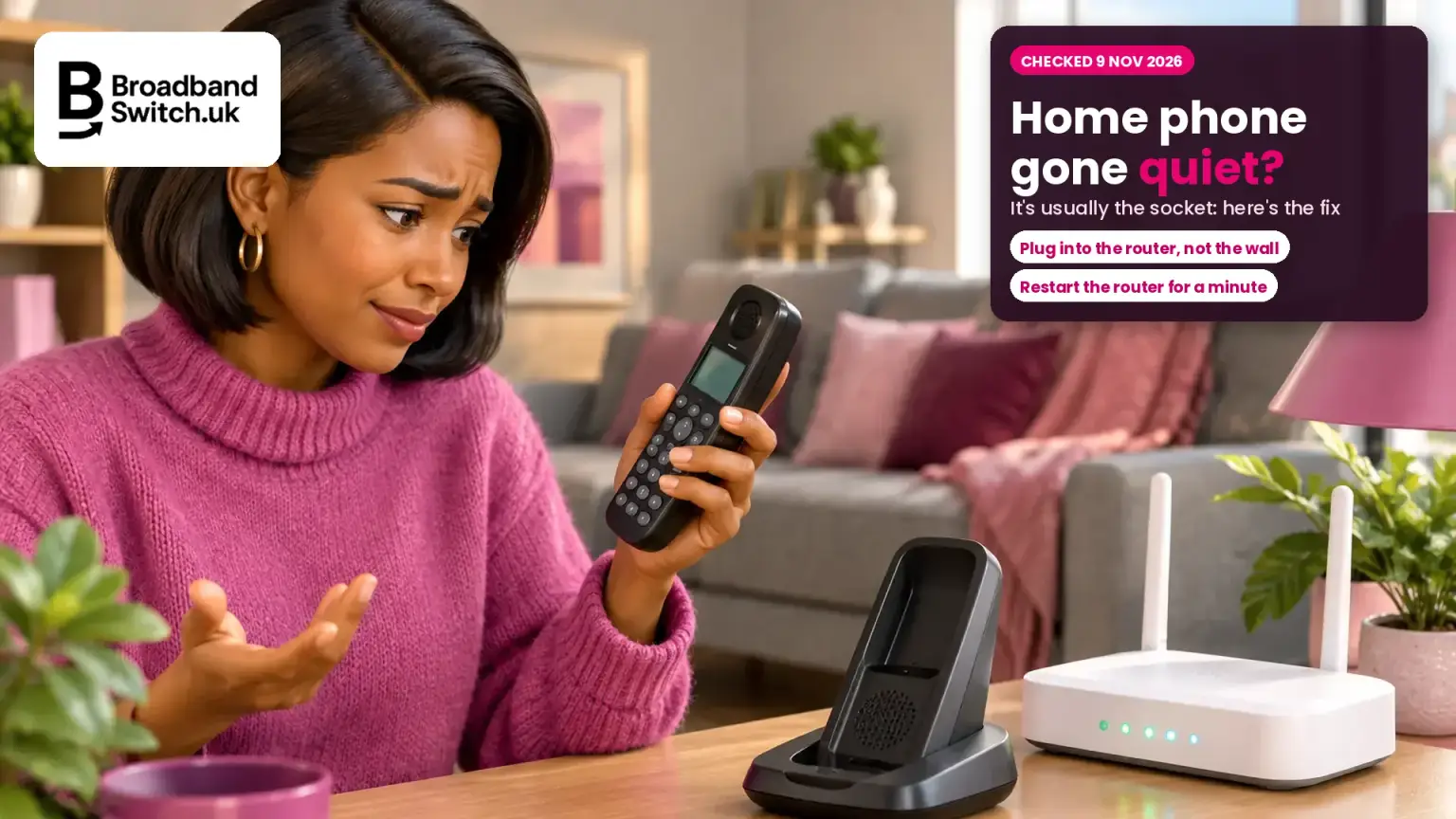
Home phone gone quiet since the switch to digital? It's usually plugged into the wrong socket, and most fixes take a few minutes
Home phone not working, 9 November 2026
Four things to know before you call anyone
The socket
phone still in the wall
Digital phones plug into the router's phone port, not the wall.
Restart
router off for a minute
Switch it off at the mains, wait, then on again and let the lights settle.
£10.34
a day, after two working days
Automatic compensation for a fault that isn't fixed in time.
6 weeks
then a free ombudsman
If your provider hasn't sorted your complaint by then.
If your home phone stopped working after your provider moved it to digital, check where it's plugged in first. Digital home phones plug into the router's phone port, often green, or into the provider's adapter, not the wall socket. Then switch the router off at the mains for a minute and back on. Still dead? Check your broadband works, try another handset, and report it from a mobile. A real fault left unfixed for two working days earns automatic compensation.
Not happy with your phone and broadband provider?
If your provider can't get your home phone working, compare the phone and broadband deals available at your address.
- ✓Deals available at your exact address
- ✓Phone and broadband together
- ✓Your new provider handles the switch
Prefer to talk it through? Call us on 0330 122 1223
Key facts, verified 9 November 2026
- With a digital home phone, "you plug your phone cable into your router, instead of plugging it straight into the wall" (Vodafone, checked 9 November 2026).
- Sky says your phone won't work if "The phone is plugged into a master socket or any other phone socket", if the hub is off or there's a power cut, or if your broadband isn't working (Sky, checked 9 November 2026).
- Virgin Media says that after the switchover, "your old landline wall socket and anything connected to it will no longer work" (Virgin Media, checked 9 November 2026).
- Vodafone says "Any extra telephone sockets in your home won't work after you switch to Digital Voice" (Vodafone, checked 9 November 2026).
- BT says "Phones bought before 2015 may not ring while connected to your Digital Voice Adapter", and offers "a free microfilter" (BT, checked 9 November 2026).
- EE says "If you connect your phone to your hub before this date it won't work", meaning the switchover date in your letter (EE, checked 9 November 2026).
- Ofcom's automatic compensation pays "£10.34 for each calendar day the service is not repaired" once a fault is "not fully fixed after two full working days", and £32.31 for a missed engineer appointment (Ofcom, checked 9 November 2026).
- It doesn't apply if "the loss in service is caused by equipment or activity within your home" (Ofcom, checked 9 November 2026).
- From 8 April 2026, you can take an unresolved complaint to the Communications Ombudsman or CISAS after six weeks, down from eight (Ofcom, July 2025).
- About one million old copper phone lines were still active, ahead of the old network closing on 31 January 2027: "approximately one million copper-based lines remain active" (Openreach, 30 October 2026).
Who this is for: Anyone whose home phone has stopped working, or works badly, since their provider moved it to a digital line, and anyone helping a parent or older relative with theirs. We'll follow Margaret, an example built from the questions we get, not a real customer. Margaret is 79 and lives in Cardiff. Her phone went silent the week her provider moved her to digital. Her son Rhys is trying to help from Bristol.
Why has my home phone stopped working after the switch to digital?
Direct answer: Usually because it's still plugged into the wall socket. A digital home phone works through your router, so it has to plug into the router's phone port or your provider's adapter. The old wall and extension sockets stop working.
Every provider whose help pages we read says the phone has to go into the router or its adapter, not the wall. Sky lists three reasons your phone won't work: "Your hub's switched off or there's a power cut", "The phone is plugged into a master socket or any other phone socket", and "Your broadband isn't working because of a fault or outage."
The old landline against a digital home phone
Old landline
Plugs into
The wall socket, or any extension socket.
Powered by
The phone line itself.
Broadband down?
The phone still works.
Digital home phone
Plugs into
The router's phone port, or your provider's adapter.
Powered by
Your mains electricity, through the router. A battery back-up keeps it going in a power cut.
Broadband down?
The phone stops too.
So the good news is that a silent phone is often not broken at all. Margaret's was plugged into the socket in the hall, where it had always been. Her router is in the front room.
New to all this? Start with the big switch-off to digital phone lines.
Where should I plug my phone in?
Direct answer: Into the phone port on the back of your router, which is green on BT, EE and TalkTalk routers, or into your provider's phone adapter if the phone is in another room. Not the wall socket.
| Provider | Plug your phone into |
|---|---|
| BT | "the phone port on the back of the Hub", or a Digital Voice Adapter |
| EE | "the green phone port on the back of the hub", or a Digital Home Phone Adapter |
| Sky | "directly into your hub or phone adaptor instead of a traditional phone socket" |
| Virgin Media | "plugged directly into the Hub", using the adaptor Virgin sends |
| TalkTalk | The green Phone port on the Wi-Fi Hub 2, or the green port on its Digital Voice adapter |
| Vodafone | "into your router, instead of plugging it straight into the wall" |
| Plusnet | Plusnet is going broadband only; for a digital phone, it suggests moving to EE |
Cordless phones are easy: plug the base unit into the router and the handsets work around the house as before. EE says to "plug the main base unit's phone cable into the phone port on the back of the hub."
You don't usually need a new phone. Sky says "You don't need a new phone", and Virgin Media says "you can keep using the same handset you've always used." The one exception is very old phones, which we cover below.
What should I check first?
Direct answer: Six checks, in this order: where it's plugged in, whether your switch date has passed, whether your broadband works, a router restart, another handset, then report it from a mobile. Many problems are fixed by step four.
Six checks, in order
Check the socket
Router phone port or adapter, never the wall socket.
Check the date
EE says a phone connected before your switch date won't work yet.
Check broadband
A steady light on the router, and a web page that loads.
Restart the router
Off at the mains for a minute, then on. Let the lights settle.
Try another phone
Another handset or cable. Charge cordless handsets.
Report it
Call or go online from a mobile, using the routes below.
BT says to "turn off your Hub at the mains, then wait 1 minute before switching it back on", and to "Wait for the Hub lights to settle and the connection to stabilise." It also says you "should have a steady blue light" if your broadband is working.
| Provider | Route for help |
|---|---|
| BT | "Report and fix your Digital Voice problem" online, which can book an engineer |
| Sky | 03442 41 41 41 |
| Virgin Media | 0345 454 1111 from a mobile, or 150 from a working Virgin Media home phone |
| TalkTalk | Log in to My Connection, which runs checks on your line |
| EE | Contact us, or book a store appointment, from EE's help page |
| Vodafone | Chat, or the contact page on Vodafone's website |
| Plusnet | 0330 1239 123, for help, telecare questions, or to move to EE Digital Home Phone |
Rhys did the first check over a video call. Margaret moved the phone from the hall to the front room, plugged it into the green port, and had a dial tone straight away.
Broadband down as well? Read how to tell a line problem from a Wi-Fi problem.
Why does my phone not ring, or only work one way?
Direct answer: Usually a setting or an older handset. Check the ringer volume, Do Not Disturb and call barring. Phones bought before 2015 may need a free microfilter to ring, and very old pulse-dial phones may not dial out at all.
| Problem | What to try |
|---|---|
| Doesn't ring | Check the ringer volume. BT says "Phones bought before 2015 may not ring" on its adapter and offers "a free microfilter"; TalkTalk also suggests one. |
| Calls go to voicemail | Check Do Not Disturb, which BT says "sends calls straight to voicemail between certain times". |
| Can't call out | Check call barring (BT: call *#34#). On an old phone with a switch on the base, set it to "DTMF". |
| Cordless says "No link to Hub" | Move the handset closer to the Hub. BT says it keeps searching "every 60 seconds". |
| Crackly line | Restart your equipment, check or swap the cable, try another handset and charge the batteries (TalkTalk). |
| Features missing | Virgin Media says settings reset at the switch, so "you'll need to set them up again". |
An older phone is a common reason a phone dials out but doesn't ring. BT warns that "Some very old phones may have pulse dialing, which uses clicks, and may not be compatible with Digital Voice." A new corded or cordless phone costs little and solves both.
Some features change too. Vodafone says Digital Voice "doesn't work with Vodafone voicemail, conference calls, call diversion" or "call management features (like anonymous caller rejection)", so check what your provider offers before you rely on them.
Nuisance calls since the switch? See how to stop nuisance calls on a landline.
Why don't my extension sockets work any more?
Direct answer: Because the old wiring isn't used once your phone goes digital. Vodafone says "Any extra telephone sockets in your home won't work". For a phone in another room, use cordless phones with the base at the router, or your provider's adapter.
A phone in another room: what works
Cordless phones
Base unit in the router, handsets anywhere in the house.
A provider adapter
BT's Digital Voice Adapter or EE's Digital Home Phone Adapter, which "works like an extension socket".
Ask about wiring
Virgin Media says you'll need to book an engineer if base stations are wired back to the wall.
Extension sockets
They stop working once your phone goes digital.
Care alarms on an adapter
EE says never plug healthcare alarms into its adapter.
For Margaret, the simplest answer was a cordless set: one base by the router and a handset in the hall where she likes to take calls.
Will my home phone work in a power cut?
Direct answer: Not on its own. Ofcom says "a digital phone will only work in a power cut if it has a battery back-up". Your provider must offer a way to reach the emergency services in a power cut, free if you depend on your landline.
Ofcom says that if you rely on your landline, "your provider must offer you a solution to make sure you can contact the emergency services when a power cut occurs", and that "This solution should be provided free of charge to people who are dependent on their landline."
Sky puts it plainly: "if your power fails or there's a broadband outage, you won't be able to make any calls, including to the emergency services." A charged mobile is the simplest back-up for most homes.
More on this: what happens to a digital phone in a power cut.
What about care alarms and other devices?
Direct answer: Plug a care alarm straight into the router's phone port, not a wireless adapter such as EE's. Check with your alarm provider that it works, and tell your phone provider. Ofcom says some alarms and fax machines may need changing.
EE says "Don't plug any healthcare alarms or medical pendants into a Digital Home Phone Adapter". Ofcom says "You may need to change your care alarm, security alarm or fax machine." The good news is that these are being checked carefully: Openreach says it has "safely upgraded more than 70,000 customers with telecare devices."
Not sure if your line has switched yet?
Our landline switch-off checker tells you what's happening to your phone line and what to do next, in under a minute.
Check your landline →Care alarm questions? Read will my care alarm still work.
Is it a fault, and can I get compensation?
Direct answer: If the line itself has failed and isn't fixed after two full working days, Ofcom's scheme pays £10.34 a day automatically. It doesn't cover problems caused by equipment or activity in your home, such as a phone in the wrong socket.
Set-up problem or fault?
Set-up problem
Examples
Phone in the wall socket, router off, old handset.
What to do
Use the six checks above.
Compensation
Not covered: it's equipment or activity in your home.
Fault
Examples
Phone in the router, router on, and still no service.
What to do
Report it to your provider straight away.
Compensation
£10.34 a day once it's not fixed after two full working days.
| What went wrong | Amount |
|---|---|
| Service not fixed after two full working days | £10.34 a day |
| Engineer misses an appointment | £32.31 |
| New service starts late | £6.46 a day |
BT, EE, Hyperoptic, Plusnet, Sky (and NOW), TalkTalk (with restrictions off the Openreach network), Utility Warehouse, Virgin Media, Vodafone and Zen are signed up. If your phone and broadband fail together, you get one payment.
Ofcom says the scheme "covers all residential fixed broadband and landline products", and that compensation is normally "a credit on your bill". Margaret's problem was the socket, so it wouldn't have counted, but she now knows what to do if the line itself ever fails.
Work out what you're owed: our compensation calculator.
How do I complain if it still isn't fixed?
Direct answer: Complain to your provider first, in writing if you can. If it isn't sorted six weeks after your first complaint, or your provider sends a deadlock letter, you can take it to the Communications Ombudsman or CISAS, free.
From fault to ombudsman
Ofcom cut the wait from eight weeks to six from 8 April 2026, saying it is "reducing the timeframe before consumers can access ADR from eight weeks to six". ADR means an independent ombudsman scheme, and Ofcom's ADR page says "ADR schemes are free to use."
Step by step: broadband and phone complaints, and your rights.
What happens on 31 January 2027 if my line hasn't switched?
Direct answer: The old phone network closes. Openreach says some lines that haven't moved may be moved temporarily onto a "limited last-resort phone service" called EVAc. If you're still on the old network, contact your provider now.
Openreach said on 30 October 2026 that "approximately one million copper-based lines remain active across the UK, including 300,000 within business premises". It says EVAc "cannot be ordered in advance" and its capacity "is not unlimited and cannot be reserved".
The full timetable: 100 days to the landline switch-off.
What should I do now?
Right now
Move the phone from the wall to the router's phone port or adapter, then restart the router.
Today
Still not working? Check your broadband, try another handset, then report it from a mobile.
This week
Plug any care alarm into the router, and ask your provider about a battery back-up if you rely on your landline.
If it drags on
A reported fault not fixed after two full working days earns compensation. Complain in writing, and after six weeks you can go to the ombudsman.
Want a provider that gets it right?
Enter your postcode to compare phone and broadband deals available at your address.
- ✓Deals available at your address
- ✓Contract costs shown upfront
- ✓Free and independent
Prefer to talk it through? Call us on 0330 122 1223
In summary
- A digital home phone plugs into the router's phone port or your provider's adapter, not the wall socket.
- Many problems are fixed by moving the phone, restarting the router, or trying another handset.
- Older phones may need a microfilter to ring; extension sockets stop working, so use cordless phones or an adapter.
- A real fault not fixed after two full working days earns £10.34 a day automatically.
- From April 2026, you can go to a free ombudsman after six weeks if your complaint isn't sorted.
Alex's closing thought
When a home phone goes quiet after the switch, the answer is very often the simplest one: it's plugged into the old socket on the wall, and moving it to the router fixes it in seconds. If you're helping a parent, do that check first, then make sure any care alarm is on the router too. And if it's a real fault, you have rights, so use them. If you'd like a hand, ring us on 0330 122 1223 and we'll talk it through.
Keep going: your landline, going digital
The switch
Safety
Know someone whose phone has gone quiet?
Send them this. The first check takes ten seconds.
Cite this page
You're welcome to quote or link to this guide. Please credit BroadbandSwitch.uk and link to this page.
In a sentence: A home phone that stops working after the switch to a digital line is usually still plugged into the old wall socket, and should be plugged into the router's phone port or the provider's adapter; a real fault not fixed after two full working days earns £10.34 a day under Ofcom's automatic compensation scheme.
Martin-Smith, A. J. (2026, November 9). Home phone not working after going digital? How to fix it. BroadbandSwitch.uk. https://broadbandswitch.uk/insights/landline-switched-off-phone-not-working/
Frequently asked questions
Why is my home phone not working after switching to digital?
Usually because it's still plugged into the wall socket. A digital home phone has to plug into the router's phone port or your provider's adapter. Then restart the router and check your broadband works.
Where do I plug my phone in with Digital Voice?
Into the phone port on the back of your router, which is green on BT, EE and TalkTalk routers, or into your provider's phone adapter. Not the wall socket.
Do old phones work on a digital line?
Most do, corded and cordless. Phones bought before 2015 may need a free microfilter to ring on BT's adapter, and very old pulse-dial phones may not work at all.
Why won't my phone ring on Digital Voice?
Check the ringer volume and Do Not Disturb first. If it's an older phone, try a microfilter. BT sends one free, and TalkTalk also recommends one.
Why don't my extension sockets work?
Because the old wiring isn't used once your phone goes digital. Use cordless phones with the base at the router, or your provider's phone adapter in the other room.
Why is my phone not working after full fibre was installed?
With full fibre, your phone works through the router, not a wall socket. Plug it into the router's phone port, restart the router, and check your broadband is working.
Will my home phone work in a power cut?
Not without a battery back-up. Ofcom says your provider must offer a way to reach the emergency services in a power cut, and it should be free if you depend on your landline.
Can I use my own router with a digital home phone?
Check with your provider. Sky, for example, says its Internet Calls only work with its own hubs, so you need to use the hub it sends you.
Can I get compensation if my digital phone stops working?
Yes, if it's a fault that isn't fixed after two full working days: £10.34 a day under Ofcom's scheme. It doesn't cover problems caused by equipment or activity in your home.
How long before I can go to the ombudsman?
Six weeks from your first complaint, the rule since 8 April 2026, or sooner if your provider sends a deadlock letter. The Communications Ombudsman and CISAS are free to use.
Will my care alarm work on a digital line?
Check with your alarm provider. Plug the alarm straight into the router's phone port, not a wireless adapter such as EE's, and tell your phone provider you have one.
What happens if my line hasn't switched by 31 January 2027?
The old network closes. Openreach says some lines that haven't moved may be moved temporarily onto a limited last-resort service called EVAc, so contact your provider now.
References
- BT. (n.d.). Digital Voice: I'm unable to make or receive calls. Retrieved 9 November 2026, from https://www.bt.com/help/home-phone/digital-voice-fix-a-problem/digital-voice--i-m-unable-to-make-or-receive-calls
- EE. (n.d.). Set up your Digital Home Phone service. Retrieved 9 November 2026, from https://ee.co.uk/help/home-phone/getting-started/set-up-digital-home-phone
- Ofcom. (2025, July 8). Quicker complaints resolution for telecoms customers, under new Ofcom rules. Retrieved 9 November 2026, from https://www.ofcom.org.uk/phones-and-broadband/service-quality/quicker-complaints-resolution-for-telecoms-customers-under-new-ofcom-rules
- Ofcom. (2026). Alternative dispute resolution (ADR) schemes. Retrieved 9 November 2026, from https://www.ofcom.org.uk/phones-and-broadband/service-quality/adr-schemes
- Ofcom. (n.d.). What are 03 numbers? Retrieved 9 November 2026, from https://www.ofcom.org.uk/phones-and-broadband/phone-numbers/what-are-03-numbers
- Ofcom. (n.d.). Automatic compensation: What you need to know. Retrieved 9 November 2026, from https://www.ofcom.org.uk/phones-and-broadband/service-quality/automatic-compensation-need-know
- Ofcom. (n.d.). Your landline is going digital: what you need to know. Retrieved 9 November 2026, from https://www.ofcom.org.uk/phones-and-broadband/landline-phones/future-of-landline-calls
- Openreach. (2026, September 24). Openreach to protect broadband connections as PSTN closure approaches. Retrieved 9 November 2026, from https://www.openreach.com/news/openreach-to-protect-broadband--connections-as-pstn-closure---approaches/
- Openreach. (2026, October 30). Openreach warns businesses: fewer than 100 days left to move off the old analogue phone network. Retrieved 9 November 2026, from https://www.openreach.com/news/openreach-warns-businesses-fewer-than-100-days-left-to-move-off-the-old-analogue-phone-network
- Plusnet. (n.d.). Landline and home phone changes, the digital switch-over explained. Retrieved 9 November 2026, from https://www.plus.net/help/my-account/changes-to-broadband-and-phone-faqs/
- Sky. (n.d.). Internet Calls. Sky Help. Retrieved 9 November 2026, from https://www.sky.com/help/articles/about-internet-calls
- TalkTalk. (2026, October 16). Problems using your digital phone service. Retrieved 9 November 2026, from https://help-centre.talktalk.co.uk/Telephone/Get_help_with_my_telephone/Problems_using_your_digital_phone_service
- Virgin Media. (n.d.). Digital Voice switchover. Retrieved 9 November 2026, from https://www.virginmedia.com/help/digital-voice-switchover
- Vodafone. (n.d.). What is Digital Voice? Retrieved 9 November 2026, from https://www.vodafone.co.uk/help/broadband/what-is-digital-voice